yugatech x infinix

OPPO AI Eraser feature now available for Reno11 Pro, Reno11, Reno11 F

Listen to article

The OPPO AI Eraser feature is now officially available for the OPPO Reno11 devices.
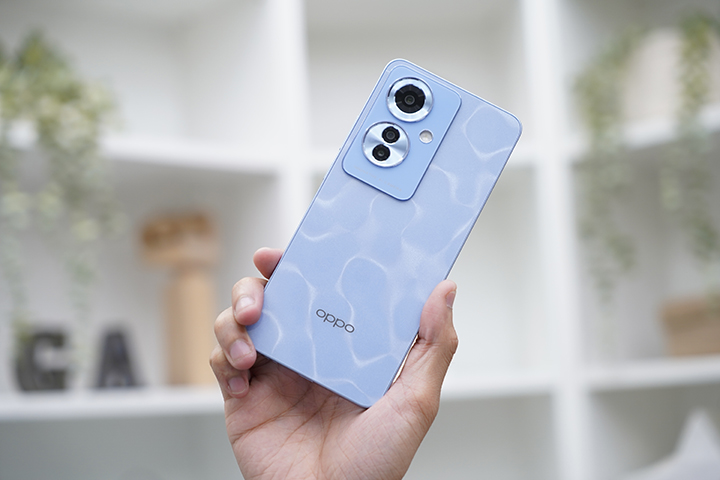
Oppo Ai Eraser Reno11f

OPPO has officially launched the OPPO AI Eraser. Currently, the update is available for the Reno11 F, Reno11, and Reno11 Pro.

Here’s a step-by-step guide on how to use the OPPO AI Eraser:
STEP 1: Find a picture that is almost perfect
STEP 2: Tap Edit, followed by AI Eraser
STEP 3: Use Smart Lasso to draw around object, or use Paint Over to draw over an object
STEP 4: Watch the object disappear before your eyes as AI Eraser uses generative AI to
intelligently fill in the blanks, so you can enjoy your perfect picture


Smart Lasso and Paint Over are two features available under AI Eraser. Smart Lasso allows users to encircle unwanted subjects while  Paint Over is used when an object in the image contains an area that users would prefer not to remove. Both features come with a slider option to adjust the stroke size for even more precise object removal.
React to this article:
Written by
Cristina Joy Valerio

Cristina Joy Valerio

Senior Writer

Cristina Joy D. Valerio, more commonly known as CJ to most, is a Multimedia Producer at Yugatech. She has an interest in the evolving world that is technology. Apart from that, she organizes D&D sessions, plays video games, and watches anime to kill time. CJ's alma mater is iACADEMY and graduated with a Bachelor of Science in Information Technology specializing in Web Development.

View all posts by Cristina Joy Valerio →

0 Comments

Leave a Reply

Loading next article...