
O+ USA has tablet (with a dock) that can run both Android Lollipop and Windows 10 aptly called the Duo, and could be yours for Php6,995. Is it worth the price it’s asking? Here’s a quick review of the device.
Design and Construction
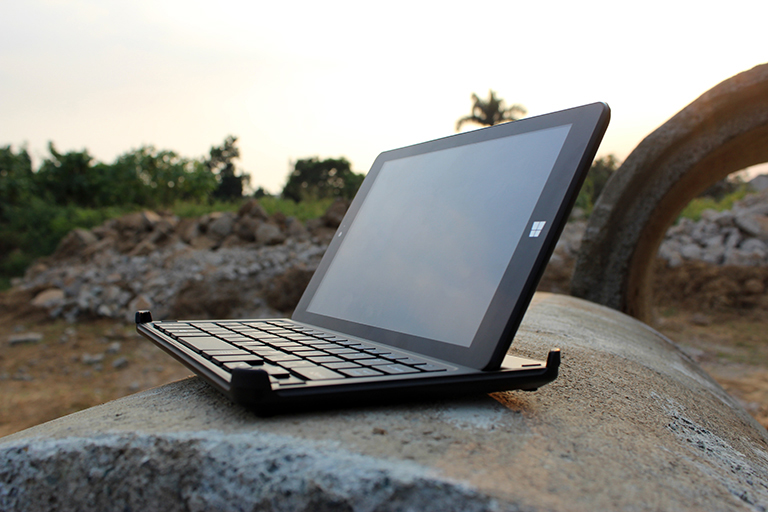
For starters, the O+ Duo is an eight-inch device that has thick bezels on the sides despite having a 70% screen-to-body ratio. On the front, looking at it in a portrait orientation, is the display, its front-facing camera and the Windows logo down below. At its right side come the power/lock button and volume rockers, while the microHDMI, microUSB, and 3.5mm audio ports are located at the top.
The left side has its dedicated microSD card slot, two holes and a 4-pin contact for the device’s dock. Flipping the device over, and we have polycarbonate back, the 2MP rear camera tucked at one side, and a small speaker grille.
The device isn’t hard to grip with one hand. The back is also a fingerprint and smudge magnet despite having a matte finish, so you might find yourself wiping it every now and then.


Along with the tablet, there is a dedicated dock for this device should you wish to type with a physical keyboard instead of relying on touch functions. Attaching the tab to the dock isn’t hard, as it relies on magnets and its dedicated holes to stay on its lone fixed viewing angle. To say the least, the keyboard buttons were the ones sacrificed given the size, as there are a lot of important ones missing (Where’s that Escape button?) or tucked beneath the fn key.
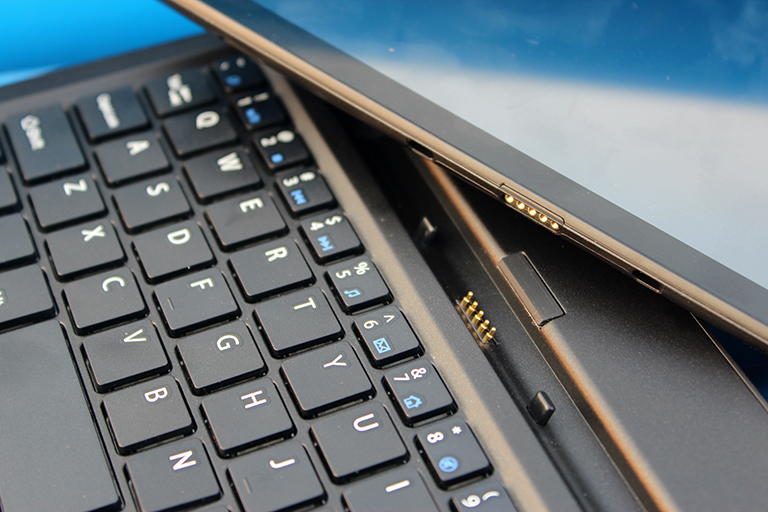
While it takes awhile to get accustomed to the new layout, typing generally is good. The keys are soft enough for comfortable typing, and I’ve seen myself use it for writing a few documents and some parts of this review. When you’re done doing your stuff, you can just eject your tab and enclose it within the dock’s corners. Overall, it’s a lightweight device to carry around, and it can fit on most regular-sized bags.
Display and Multimedia
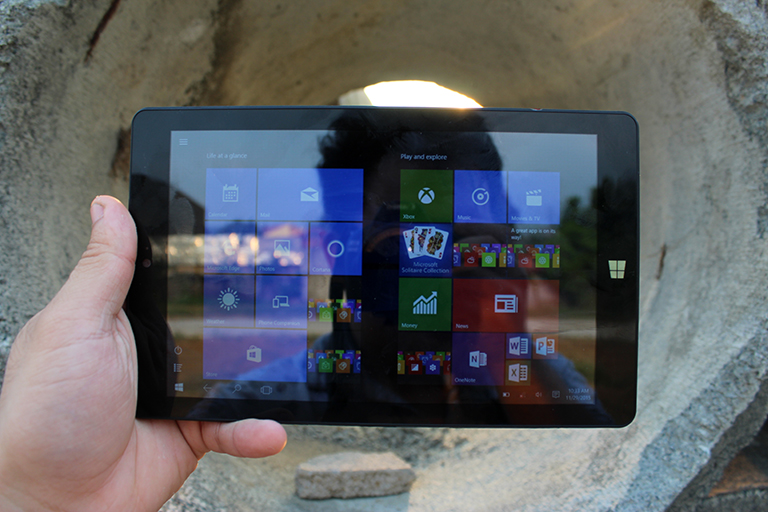
The Duo has a WXGA IPS display, which amounts to a rather respectable 189ppi. It’s not the best display we’ve seen in terms of resolution, but colors and viewing angles are generally good. The device isn’t a friend on bright sunlight, though, as we’ve hard a hard time navigating through the screen when we’re outdoors. It’s generally okay for viewing multimedia content if you’re not that nitpicky viewing your videos in not-so-HD.
Sound content is on the average as well. Its loudspeaker may be small, but it can fill up sound on a small, quiet room, and quality isn’t far behind other smartphones. Listening to it isn’t a problem as well, even when you use the earphones included in the package.


Mine just suddenly doesn’t want to turn on. It started when i often switch android to windows. It still charging but still doesn’t want to turn on. Hoping someone could help me with this problem.