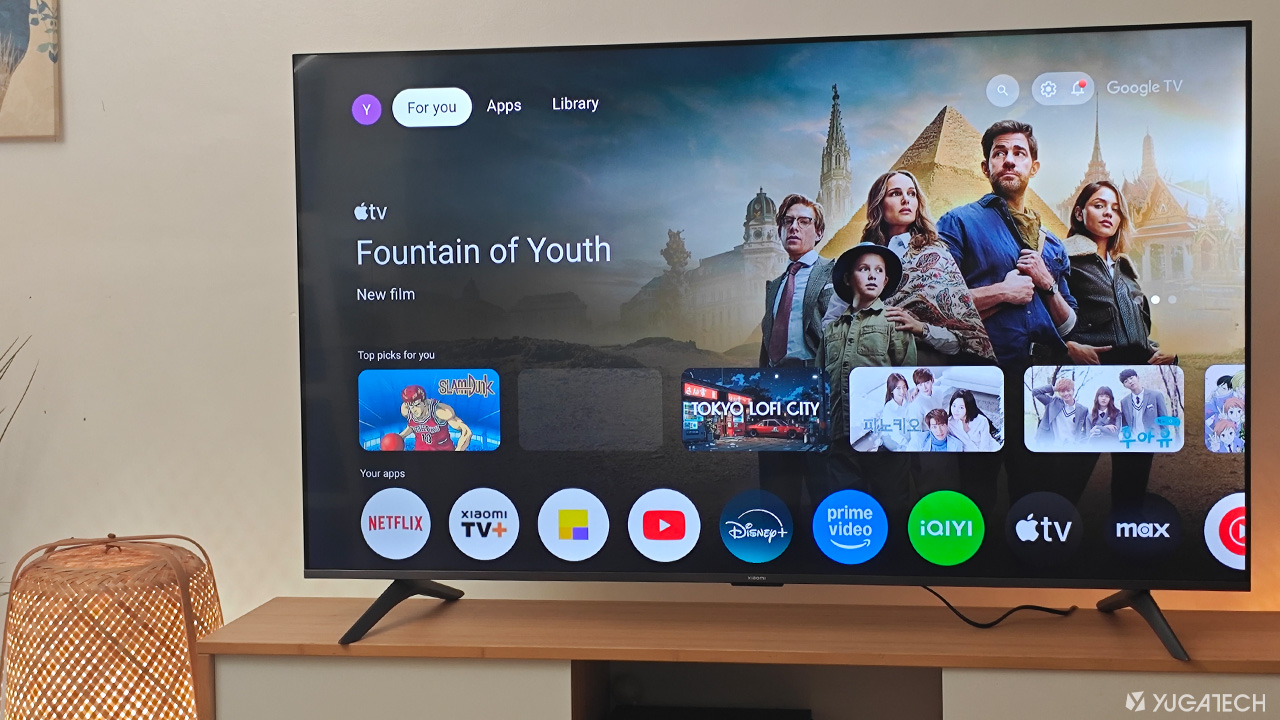

The one we have here is essentially a 4K QLED Google TV with all the bells and whistles. (It supports wall mounts of 300 x 300 mm.) Switching it on and you’ll be greeted by the Google TV OS boot-up animation. Just like other Google TV-powered devices, the initial setup was pretty much the same. A Google account login is required, and since I have my Google Home already set up on my phone, all I had to do is scan the QR code displayed on the TV. As for the remote, it is quite large, easily noticeable, and has the familiar buttons for a Google TV device. Display and Multimedia Our unit boasts a massive 65-inch 4K QLED display with a crisp Ultra HD resolution (3840 by 2160 pixels). Although, blacks aren’t as deep as with OLED panels, as expected of a QLED screen. Speaking of navigation, we see a familiar UI here since it’s running Google TV OS out of the box. Read more in our articles including "Xiaomi TV A Pro 65” 2026 Review" and "The day Google broke the Web".
Xiaomi has released quite a lot of smartphones already during the first half of 2025.…
Jul 1, 2025There was some sort of mass panic last night when Google was spewing a warning…
Feb 1, 2009
These days, it’s not hard to find a smartphone with a large battery or a…
Jun 19, 2026
The realme C100 is out, and it’s got to be the most affordable smartphone packing…
Jun 18, 2026
There are plenty of gaming keyboards on the market today, but every now and then,…
Jun 18, 2026
Tablets have become a popular choice for those who want a bigger screen without carrying…
Jun 14, 2026The one we have here is essentially a 4K QLED Google TV with all the bells and whistles. (It supports wall mounts of 300 x 300 mm.) Switching it on and you’ll be greeted by the Google TV OS boot-up animation.
Just like other Google TV-powered devices, the initial setup was pretty much the same. A Google account login is required, and since I have my Google Home already set up on my phone, all I had to do is scan the QR code displayed on the TV. As for the remote, it is quite large, easily noticeable, and has the familiar buttons for a Google TV device.
Our coverage of 4K QLED Google TV includes: "Xiaomi TV A Pro 65” 2026 Review"; "The day Google broke the Web"; "TECNO POVA Curve 2 5G Review". Each article provides unique insights and information.