

YouTube has introduced a new AI Playlist feature for YouTube Premium and YouTube Music Premium subscribers, allowing users to instantly generate personalized playlists based on an idea, mood, or genre. The feature lets users describe what they want to listen to using either voice or text, and YouTube Music’s AI will curate a playlist to match that request. To use AI Playlist, users on Android and iOS can head to the Library tab in the YouTube Music app, tap the “New” button, and select “AI Playlist.” From there, they can simply explain the type of music they want, such as a specific vibe, activity, or sound. Read more in our articles including "YouTube Music announces AI-powered playlist creation" and "OpenAI unveils GPT-5.6 with Sol, Terra, Luna AI models".

YouTube has introduced a new AI Playlist feature for YouTube Premium and YouTube Music Premium…
Feb 11, 2026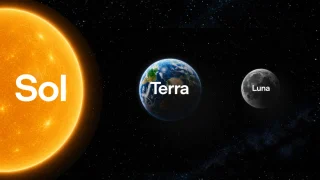
OpenAI has announced the GPT-5.6 series. These are three new AI models called Sol, Terra…
Jun 27, 2026
Microsoft has announced a global price increase for Xbox consoles starting August 1, 2026. The…
Jun 27, 2026
Despite Microsoft’s aggressive push to transition users onto Windows 11, a massive chunk of the…
Jun 26, 2026
Marking its 10th anniversary alongside National ICT Month, the Department of Information and Communications Technology…
Jun 26, 2026
After the teaser video released recently, we’ve finally seen what the Nothing Phone (4b) will…
Jun 26, 2026YouTube has introduced a new AI Playlist feature for YouTube Premium and YouTube Music Premium subscribers, allowing users to instantly generate personalized playlists based on an idea, mood, or genre. The feature lets users describe what they want to listen to using either voice or text, and YouTube Music’s AI will curate a playlist to match that request.
To use AI Playlist, users on Android and iOS can head to the Library tab in the YouTube Music app, tap the “New” button, and select “AI Playlist.” From there, they can simply explain the type of music they want, such as a specific vibe, activity, or sound.
Our coverage of AI Playlist includes: "YouTube Music announces AI-powered playlist creation"; "OpenAI unveils GPT-5.6 with Sol, Terra, Luna AI models"; "Microsoft to raise Xbox console prices worldwide". Each article provides unique insights and information.