

Google has launched its newest version of the Android Auto that comes with a number of new and improved features. The Android Auto comes with new changes including the user interface and layout of the following features: New App Launcher - The bottom left button will open the launcher where you can find familiar app icons that are arranged into the most commonly used apps. Google Assistant Badge - Some applications have the Google Assistant badge where you can tap and the voice assistant will automatically tell you the information you need upon in that app. Resume music - Android Auto automatically resumes the music/podcasts where you left them off. Navigation App - When you connect to Android Auto, the app will automatically display the in-app navigation system where it will automatically populate the directions when you choose a destination. Flexibility - Android Auto can support widescreen displays and improves visibility with easy readability on its fonts, as well as a dark theme. If your car supports Android Auto, you will be able to see it rolling out in the coming weeks. CapCut has launched a new app called CapCut Pad for Android tablets, bringing more advanced video editing tools and a larger editing workspace designed for bigger screens. Read more in our articles including "New Android Auto version launched" and "CapCut launches new Pad app for Android tablets".
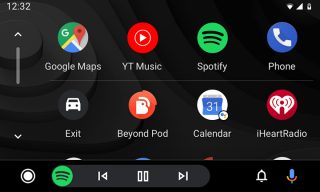
Google has launched its newest version of the Android Auto that comes with a number…
Jul 31, 2019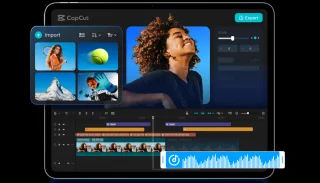
CapCut has launched a new app called CapCut Pad for Android tablets, bringing more advanced…
May 28, 2026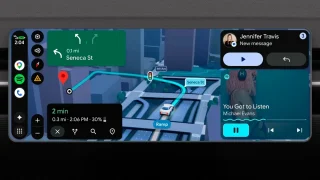
Google has officially unveiled a massive suite of updates for its automotive platforms, bringing…
May 15, 2026
Microsoft introduces a premium version of their AI writing and productivity assistant. With Copilot Pro,…
Jan 16, 2024
Microsoft quietly released its AI writing and productivity assistant, Copilot, to both Android and iOS.…
Dec 31, 2023
Apple has just unveiled the Apple TV+, the company’s original video subscription service. It has…
Mar 26, 2019Google has launched its newest version of the Android Auto that comes with a number of new and improved features. The Android Auto comes with new changes including the user interface and layout of the following features: New App Launcher - The bottom left button will open the launcher where you can find familiar app icons that are arranged into the most commonly used apps.
Google Assistant Badge - Some applications have the Google Assistant badge where you can tap and the voice assistant will automatically tell you the information you need upon in that app. Resume music - Android Auto automatically resumes the music/podcasts where you left them off. Navigation App - When you connect to Android Auto, the app will automatically display the in-app navigation system where it will automatically populate the directions when you choose a destination.
Our coverage of Android Auto app includes: "New Android Auto version launched"; "CapCut launches new Pad app for Android tablets"; "The biggest changes are coming to Android Auto". Each article provides unique insights and information.