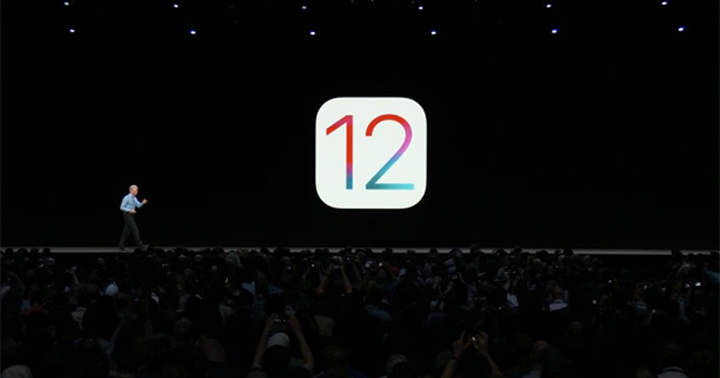

Apple's annual Worldwide Developers Conference (WWDC) is currently kicking off the introduction of its next-generation iOS 12 mobile operating system. This performance upgrade is felt even at the older models as Apple touts 40% faster app loads, 50% faster keyboard slide, and 70% faster photo browsing on the iPhone 6S running iOS 12 as compared to iOS 11. iOS 12 also brings in a new set of tools that would give you more focus, productivity, and digital well-being: a Do Not Disturb App, notification controls right from the lock screen and support for group notifications, weekly activity summaries on how you use your Apple device, and App limits to help curb too much phone use. Apple quietly included a Baybayin keyboard layout in iOS 27, announced at WWDC 2026. How to Enable the Baybayin Keyboard on iOS 27 Install the iOS 27 Developer Beta on your iPhone Open Settings Go to General Tap Keyboard Tap Keyboards Tap Add New Keyboard Scroll to Filipino (Tagalog) Select the Baybayin script layout Tap Done What Is Baybayin? Moreover, the company also revealed that both iPhone 12 and iPhone 12 mini in Purple ship with the latest iOS 14.5, which features the ability to unlock iPhone with Apple Watch while wearing a face mask, an enhanced Apple Podcasts app with a redesigned show and episode pages, and a Search tab, as well as new emoji. Read more in our articles including "Apple announces the iOS 12!" and "iOS 27 Adds Native Baybayin Keyboard to iPhone: Here is How to Enable It".

Apple quietly included a Baybayin keyboard layout in iOS 27, announced at WWDC 2026. This…
Jun 9, 2026
Apple dedicated a big chunk of WWDC 2026 to child safety, and the update is…
Jun 9, 2026
iOS 27 is not just about new features. Apple went deep on fundamentals this cycle,…
Jun 9, 2026
Apple has revealed that the iPhone 12 and 12 mini now come in the color…
Apr 21, 2021
Apple has a reputation for making premium and expensive products– from accessories down to smart…
Aug 9, 2020Apple's annual Worldwide Developers Conference (WWDC) is currently kicking off the introduction of its next-generation iOS 12 mobile operating system. This performance upgrade is felt even at the older models as Apple touts 40% faster app loads, 50% faster keyboard slide, and 70% faster photo browsing on the iPhone 6S running iOS 12 as compared to iOS 11.
iOS 12 also brings in a new set of tools that would give you more focus, productivity, and digital well-being: a Do Not Disturb App, notification controls right from the lock screen and support for group notifications, weekly activity summaries on how you use your Apple device, and App limits to help curb too much phone use. Apple quietly included a Baybayin keyboard layout in iOS 27, announced at WWDC 2026. How to Enable the Baybayin Keyboard on iOS 27 Install the iOS 27 Developer Beta on your iPhone Open Settings Go to General Tap Keyboard Tap Keyboards Tap Add New Keyboard Scroll to Filipino (Tagalog) Select the Baybayin script layout Tap Done What Is Baybayin?
Our coverage of apple ios 12 how to upgrade includes: "Apple announces the iOS 12!"; "iOS 27 Adds Native Baybayin Keyboard to iPhone: Here is How to Enable It"; "Apple Overhauls Child Safety with New Parental Controls in iOS 27". Each article provides unique insights and information.