
If you've been using a BB10 device such as the Z10 and the Q10, then you're probably aware of one of new features of BBM which is Video Calling with Screen Share. Screen Share, as the name of the feature suggests, lets you share what's on your BB10 device's screen while you're on a BBM Video chat with someone. Start a BBM Video chat with a BBM contact by tapping on the video chat icon found beside the contact's name. Choose BBM Video then wait for the other person to answer your call. During the video chat just tap on Screen Share icon and start sharing the contents of your phone. Hopefully this feature catches on with Android and iOS when BBM goes cross-platform. To sum it up, BBM's screen share is a powerful tool to have in your productive aresenal. One of the best things about a BlackBerry device is BBM. Read more in our articles including "BlackBerry 10 feature: BBM Screen Share" and "BlackBerry Z10 Feature: BBM Video".
If you’ve been using a BB10 device such as the Z10 and the Q10, then…
Jul 22, 2013One of the best things about a BlackBerry device is BBM. It’s a very capable…
May 10, 2013
It’s that time again when we round up the latest smartphone launches here in the…
Jun 26, 2026
After being spotted in Lazada, the Infinix HOT 70 is now available in the Philippines.…
Jun 24, 2026
Apple has released the second developer beta of iOS 27. It brings several new features…
Jun 23, 2026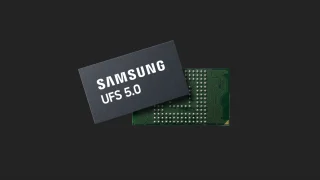
Samsung has announced the development of UFS 5.0. The brand states that UFS 5.0 is…
Jun 23, 2026If you've been using a BB10 device such as the Z10 and the Q10, then you're probably aware of one of new features of BBM which is Video Calling with Screen Share. Screen Share, as the name of the feature suggests, lets you share what's on your BB10 device's screen while you're on a BBM Video chat with someone.
Start a BBM Video chat with a BBM contact by tapping on the video chat icon found beside the contact's name. Choose BBM Video then wait for the other person to answer your call. During the video chat just tap on Screen Share icon and start sharing the contents of your phone.
Our coverage of bbm video includes: "BlackBerry 10 feature: BBM Screen Share"; "BlackBerry Z10 Feature: BBM Video"; "Smartphones Under P10,000 | Q2 2026". Each article provides unique insights and information.