

It also features the usual connectivity features such as Wi-FI 6E, Bluetooth 5.2, 2 Thunderbolt 4 ports, USB Type-A, and HDMI out. We've reviewed a handful of portable Bluetooth speakers in the past, but this one from Pioneer is a bit different. Is the Pioneer FREEme posing to be your next portable Bluetooth speaker? The front houses an LED light which acts as an indicator for power and Bluetooth connectivity status. Found at the rear is a rubber strip for the buttons and ports: (Left to right) Power, Bluetooth, Volume Down, Volume Up, Answer/End call, Reset, Aux, and microUSB. Press the Bluetooth button for two seconds and the LED light will pulse more quickly letting you know that it is ready for pairing. Just turn on the Bluetooth on your smartphone and connect to it just like any normal Bluetooth-enabled device. To conclude, the Pioneer FREEme is a good portable Bluetooth speaker with a classy design and appeal with decent sound quality. Read more in our articles including "HP Spectre x360 (2022) 16, 13.5 now official" and "Pioneer FREEme Bluetooth Speaker Quick Review".
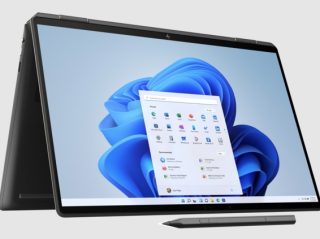
HP has just launched a pair of new laptops, the HP Spectre x360 16, and…
May 20, 2022We’ve reviewed a handful of portable Bluetooth speakers in the past, but this one from…
Dec 30, 2014People have different tastes especially when it comes to music. That’s why the hardware we…
Dec 14, 2014
Apple has quietly increased the prices of several products in the Philippines, with some models…
Jun 26, 2026
The top model in the lineup is the ROG Zephyrus Duo GX651AX, described by ASUS…
Jun 25, 2026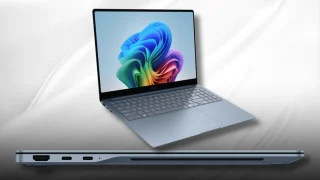
Samsung has unveiled the Galaxy Book 6 Edge, its first laptop powered by Qualcomm’s new…
Jun 16, 2026It also features the usual connectivity features such as Wi-FI 6E, Bluetooth 5.2, 2 Thunderbolt 4 ports, USB Type-A, and HDMI out. We've reviewed a handful of portable Bluetooth speakers in the past, but this one from Pioneer is a bit different.
Is the Pioneer FREEme posing to be your next portable Bluetooth speaker? The front houses an LED light which acts as an indicator for power and Bluetooth connectivity status. Found at the rear is a rubber strip for the buttons and ports: (Left to right) Power, Bluetooth, Volume Down, Volume Up, Answer/End call, Reset, Aux, and microUSB.
Our coverage of Bluetooth 5.2 includes: "HP Spectre x360 (2022) 16, 13.5 now official"; "Pioneer FREEme Bluetooth Speaker Quick Review"; "Bose SoundLink On-Ear Bluetooth Headphones Review". Each article provides unique insights and information.