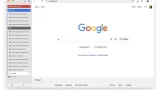

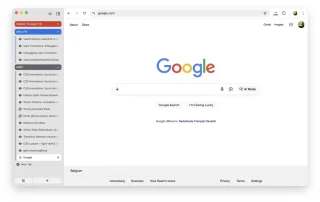
Google is taking another step toward bringing vertical tabs to Chrome, with the long-requested feature now appearing in the browser’s Beta channel. Vertical tabs are currently hidden behind a flag in Chrome Beta version 145. Users who want to try it out can enable the feature by heading to chrome://flags/#vertical-tabs, setting it to “Enabled,” and restarting the browser. Instead of introducing a brand-new interface, Chrome’s implementation adjusts how Android apps and websites are displayed by prompting them to render in a wider, tablet-style layout. Chrome also appears to be adding another way to access the feature. Some Beta users have spotted a new “Tab strip position” option under Settings > Appearance, offering a more straightforward toggle for moving tabs to the side without relying on flags. Still, the move to Beta suggests Google is refining the experience and preparing it for broader use. Google has not announced when vertical tabs will roll out to the stable version of Chrome, but their arrival in Beta typically indicates that wider availability is only a matter of time. Read more in our articles including "Google Begins Testing Vertical Tabs in Chrome Beta" and "OpenAI expands Health in ChatGPT with medical records support".
Google is taking another step toward bringing vertical tabs to Chrome, with the long-requested feature…
Jan 18, 2026
OpenAI has made Health in ChatGPT widely available in the United States, allowing users to…
Jul 25, 2026
During the latest CES and Google’s I/O Developer Conference, it was announced that new features…
Jun 27, 2022
Google has announced 5 new features coming to Chrome on iOS that will help iPhone…
Jun 26, 2022If you own a Chromebook and an Android device, be it a smartphone or a…
Jun 26, 2014In spite of the success that Google had with their Android platform, it seems that…
Oct 19, 2012Google is taking another step toward bringing vertical tabs to Chrome, with the long-requested feature now appearing in the browser’s Beta channel. Vertical tabs are currently hidden behind a flag in Chrome Beta version 145.
Users who want to try it out can enable the feature by heading to chrome://flags/#vertical-tabs, setting it to “Enabled,” and restarting the browser. Instead of introducing a brand-new interface, Chrome’s implementation adjusts how Android apps and websites are displayed by prompting them to render in a wider, tablet-style layout. Chrome also appears to be adding another way to access the feature.
Our coverage of Chrome Beta includes: "Google Begins Testing Vertical Tabs in Chrome Beta"; "OpenAI expands Health in ChatGPT with medical records support"; "Google updates Chrome OS to better integrate with other devices". Each article provides unique insights and information.