
But all our lives, we know that the best practice for this, is to find the 'Safely Remove Hardware' or 'Eject' button in the task bar before removing our external media. However, the 'Safely Remove Hardware' option can show you a pop-up that says the drive is still in use, and to close all programs before removing it. At this point, it's a matter of "better safe than sorry", so if you aren't fond of hitting 'Safely Remove Hardware', then the least you can do is close all programs or windows that directly involve your external drive. Read more in our articles including "Samsung SDI Tests Experimental 20,000mAh Silicon-Carbon Battery for Future Devices" and "DJI Osmo Pocket 4P now official in the Philippines".
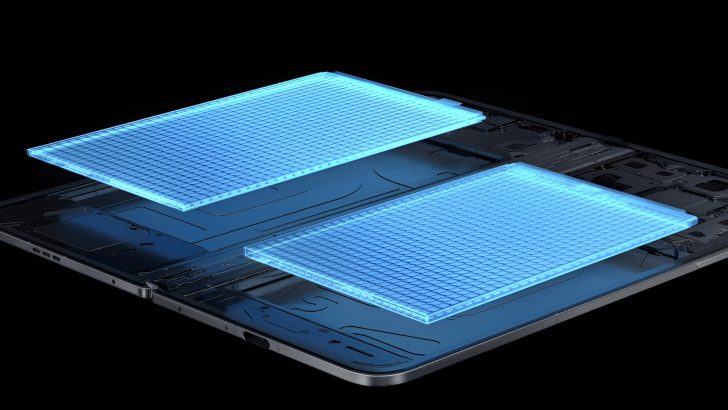
Samsung SDI is reportedly testing a massive dual-cell silicon-carbon (Si/C) battery with a combined capacity…
Dec 29, 2025
DJI has officially launched the Osmo Pocket 4P in the Philippines, introducing a new handheld…
Jun 29, 2026
Senator Paolo Benigno “Bam” Aquino IV has rejected calls for a blanket ban on video…
Jun 29, 2026
We’ve all been here before. You’re transferring a file from your Windows computer to your…
Oct 8, 2018
Simplus is celebrating its fifth anniversary in the Philippines with the launch of its “Live…
Jun 29, 2026
Bank of the Philippine Islands (BPI) will permanently remove transfer fees for InstaPay and PESONet…
Jun 29, 2026But all our lives, we know that the best practice for this, is to find the 'Safely Remove Hardware' or 'Eject' button in the task bar before removing our external media. However, the 'Safely Remove Hardware' option can show you a pop-up that says the drive is still in use, and to close all programs before removing it.
At this point, it's a matter of "better safe than sorry", so if you aren't fond of hitting 'Safely Remove Hardware', then the least you can do is close all programs or windows that directly involve your external drive.
Our coverage of emerging hardware includes: "Samsung SDI Tests Experimental 20,000mAh Silicon-Carbon Battery for Future Devices"; "DJI Osmo Pocket 4P now official in the Philippines"; "Bam Aquino backs School Safety Bill over Video Game Ban". Each article provides unique insights and information.