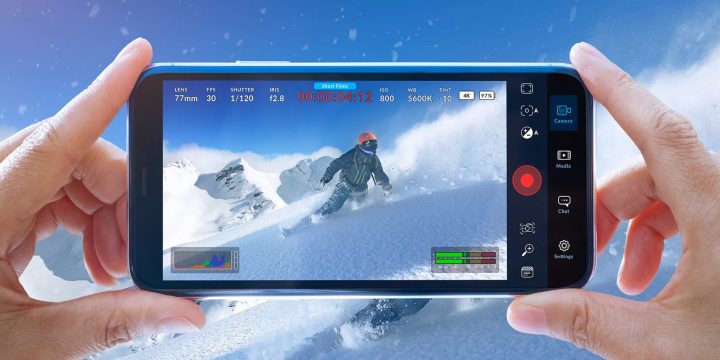

The update includes Camera Control, which allows users to adjust zoom, exposure, focus, and ISO by swiping the Camera Control button. The app now also offers quick access from the Control Center, Lock Screen, or iPhone’s Camera Control, making it easier for users to launch and use the app’s functions. Google said users will still have control over their data and can choose what information to save or delete. Read more in our articles including "Blackmagic Camera App v2.1 Launches with Camera Control & New iPhone Features" and "Instagram introduces Multiple Captions for Carousel Posts".

Blackmagic Design has released version 2.1 of its Camera app for iOS, introducing new features…
Oct 27, 2024
Instagram has rolled out a new feature that allows creators to add unique captions to…
Jun 20, 2026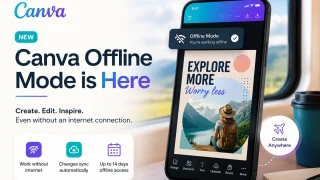
Canva has officially launched Offline Mode, allowing users to create and edit designs without an…
Jun 10, 2026
Google has announced that the Fitbit app will soon become the new Google Health app,…
May 9, 2026
Adobe just introduced new AI-powered features in Adobe Acrobat, allowing users to turn PDFs into…
May 6, 2026
Samsung Electronics Philippines and Cignal have announced a partnership to make Cignal’s content available on…
Apr 19, 2026The update includes Camera Control, which allows users to adjust zoom, exposure, focus, and ISO by swiping the Camera Control button. The app now also offers quick access from the Control Center, Lock Screen, or iPhone’s Camera Control, making it easier for users to launch and use the app’s functions.
Google said users will still have control over their data and can choose what information to save or delete.
Our coverage of Exposure control includes: "Blackmagic Camera App v2.1 Launches with Camera Control & New iPhone Features"; "Instagram introduces Multiple Captions for Carousel Posts"; "Canva rolls out Offline Mode for uninterrupted Content Creation". Each article provides unique insights and information.