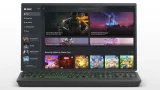

Microsoft has updated the Xbox app on Windows to allow manual importing of games and apps. With the new feature, users can add third-party titles directly into their Xbox Library, even if they were not downloaded from the Microsoft Store or Xbox platform. This means games from other launchers or standalone installations can now appear alongside Xbox titles in a single interface, making the app more flexible as a unified game library. The update removes that restriction, giving users more control over how they organize and access their games. How to manually add games to Xbox PC app: Open the Xbox app on your PC Go to your Library Click on “Add a game” or “Add a non-Xbox app” Browse and select the game or application file (.exe) Confirm to add it to your library The game will now appear alongside your Xbox titles For the past couple of weeks, I've been spending like 4 to 6 hours on average everyday playing a couple of PC games. I only stick to one or two games though so I don't think I'm a heavy gamer. Last night, while playing DOTA, I realized I've been addicted to this game since 1996 when I first discovered it. Read more in our articles including "Xbox PC app now supports manual game importing" and "Poll: What's your all-time favorite PC game?".
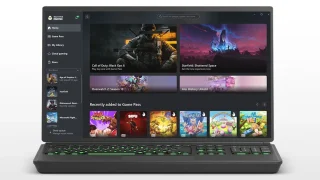
Microsoft has updated the Xbox app on Windows to allow manual importing of games and…
Mar 22, 2026For the past couple of weeks, I’ve been spending like 4 to 6 hours on…
Aug 4, 2011
AMD has officially unveiled the Radeon RX 9050, expanding its Radeon RX 9000 desktop graphics…
Jul 29, 2026
Smart Communications has partnered with cloud gaming provider Blacknut to give Smart and TNT subscribers…
Jul 28, 2026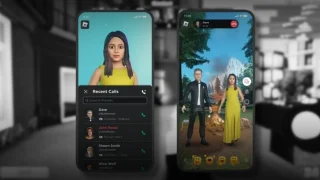
Roblox is shutting down Roblox Connect, its avatar-based video calling feature introduced in 2023, according…
Jul 16, 2026
The Cybercrime Investigation and Coordinating Center (CICC) has confirmed that GoreBox is no longer accessible…
Jun 30, 2026Microsoft has updated the Xbox app on Windows to allow manual importing of games and apps. With the new feature, users can add third-party titles directly into their Xbox Library, even if they were not downloaded from the Microsoft Store or Xbox platform.
This means games from other launchers or standalone installations can now appear alongside Xbox titles in a single interface, making the app more flexible as a unified game library. The update removes that restriction, giving users more control over how they organize and access their games. How to manually add games to Xbox PC app: Open the Xbox app on your PC Go to your Library Click on “Add a game” or “Add a non-Xbox app” Browse and select the game or application file (.exe) Confirm to add it to your library The game will now appear alongside your Xbox titles
Our coverage of game library PC includes: "Xbox PC app now supports manual game importing"; "Poll: What's your all-time favorite PC game?"; "AMD Radeon RX 9050 officially unveiled". Each article provides unique insights and information.