
Nine months after its official release on Play Store, Chrome Remote Desktop has now made its way to Apple’s mobile ecosystem, allowing iOS users to use their iPhone or iPad to remotely control their computer with the help of an accompanying plug-in on Google Chrome browser. The Chrome Remote Desktop app can downloaded for free on iTunes App Store and is optimized for use on iPhone 5/5S, iPhone 6 and iPhone 6 Plus, albeit it’s compatible with iOS devices running on iOS 7 and up. More information about the Chrome Remote Desktop app can be found on this link. Read more in our articles including "Google Remote Desktop for iOS Now on App Store" and "Apple Puts a Siri Camera Mode on iPhone, Visual Intelligence Across All Platforms".
Nine months after its official release on Play Store, Chrome Remote Desktop has now made…
Jan 14, 2015
Point your iPhone camera at something and ask Siri about it. That is the new…
Jun 9, 2026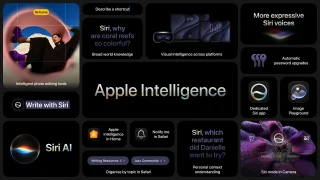
Apple Intelligence is not just about Siri and Safari. iOS 27 brings contextual AI features…
Jun 9, 2026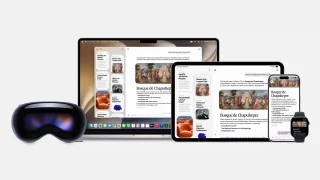
Apple Watch and Apple Vision Pro both get updated alongside the iPhone this fall. Neither…
Jun 9, 2026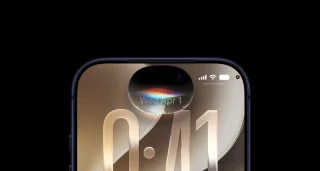
Apple finally rebuilt Siri. Not a patch, not a feature update. A ground-up rebuild. The…
Jun 9, 2026
Google has introduced Nano Banana 2 which is also known as Gemini 3.1 Flash Image.…
Feb 27, 2026Nine months after its official release on Play Store, Chrome Remote Desktop has now made its way to Apple’s mobile ecosystem, allowing iOS users to use their iPhone or iPad to remotely control their computer with the help of an accompanying plug-in on Google Chrome browser. The Chrome Remote Desktop app can downloaded for free on iTunes App Store and is optimized for use on iPhone 5/5S, iPhone 6 and iPhone 6 Plus, albeit it’s compatible with iOS devices running on iOS 7 and up.
More information about the Chrome Remote Desktop app can be found on this link.
Our coverage of Google Remote Desktop for iOS compatibility includes: "Google Remote Desktop for iOS Now on App Store"; "Apple Puts a Siri Camera Mode on iPhone, Visual Intelligence Across All Platforms"; "Apple Intelligence Comes to Messages, Mail, Calendar, Phone App". Each article provides unique insights and information.