

Filters are just some of the tools we use to make our Instagram or Facebook content more engaging. But if you want to stand out, why not make your own? CREATE YOUR PROJECT In my experience, creating a filter is complicated, but the difficulty depends on how elaborate your idea is. For starters, I decided to make a Background filter since it's easy: STEP 3: In the "Assets" board on the left side of your screen, right-click "replaceMe." STEP 4: Tap the "Replace." STEP 5: Open file and choose your preferred background you want to see in your AR Filter. Don't save it yet, though, as you need to add your preferred makeup filter. Read more in our articles including "Here's how to make your own Instagram and Facebook filter" and "Smartphones Under P10,000 | Q2 2026".
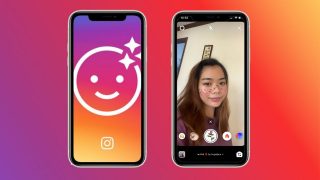
Filters are just some of the tools we use to make our Instagram or Facebook…
May 22, 2020
It’s that time again when we round up the latest smartphone launches here in the…
Jun 26, 2026How to activate GPRS for Globe and TM (Touch Mobile) For a complete listing of…
Jun 10, 2011
A new school year means new projects, research papers, presentations, and online learning tasks. Whether…
Jun 14, 2026
With the announcement of the Xiaomi 17T series today, those hoping to upgrade from last…
May 29, 2026
Inflation is now (May 2026) at 7.2%, electricity rates at Php14.33/kWhr, and gas prices through…
May 28, 2026Filters are just some of the tools we use to make our Instagram or Facebook content more engaging. But if you want to stand out, why not make your own?
CREATE YOUR PROJECT In my experience, creating a filter is complicated, but the difficulty depends on how elaborate your idea is. For starters, I decided to make a Background filter since it's easy: STEP 3: In the "Assets" board on the left side of your screen, right-click "replaceMe." STEP 4: Tap the "Replace." STEP 5: Open file and choose your preferred background you want to see in your AR Filter. Don't save it yet, though, as you need to add your preferred makeup filter.
Our coverage of How to make your own Instagram Filter includes: "Here's how to make your own Instagram and Facebook filter"; "Smartphones Under P10,000 | Q2 2026"; "How to activate Globe GPRS". Each article provides unique insights and information.