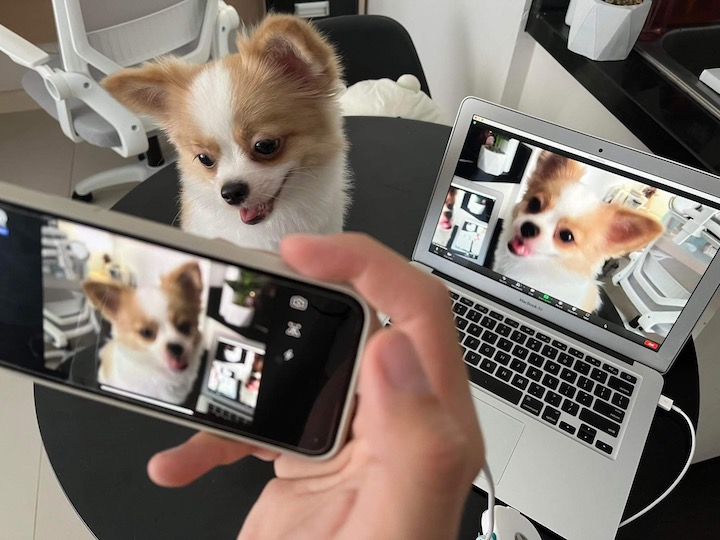

To use your phone as a webcam, open whichever video streaming or video call service you like and select Iriun Webcam on the list of cameras detected. You can use your phone as a webcam wirelessly! Read more in our articles including "How to turn your old Smartphone into a Webcam" and "iOS 27 Adds Native Baybayin Keyboard to iPhone: Here is How to Enable It".

Got an old smartphone lying around? Chances are that it might just be on a…
Mar 28, 2022
Apple quietly included a Baybayin keyboard layout in iOS 27, announced at WWDC 2026. This…
Jun 9, 2026While every iPhone fans are waiting for the supposed August/September release of the iPhone 3G…
Jul 27, 2008After over two weeks of using the iPhone 3G, I can fairly say I have…
Sep 13, 2008Update: Check out our iPhone 3G Review. Globe drops iPhone 3G Price Exclusive: iPhone 3G…
Aug 15, 2008Apparently, there’s still money to be made from old iPhones since demand for it from…
Jul 20, 2008To use your phone as a webcam, open whichever video streaming or video call service you like and select Iriun Webcam on the list of cameras detected. You can use your phone as a webcam wirelessly!
Our coverage of how to use phone as webcam in OBS includes: "How to turn your old Smartphone into a Webcam"; "iOS 27 Adds Native Baybayin Keyboard to iPhone: Here is How to Enable It"; "Top iPhone 3G Alternatives". Each article provides unique insights and information.
Our article "How to turn your old Smartphone into a Webcam" published on March 28, 2022 covers the latest information about how to use phone as webcam in OBS. Check it out for the most current details.