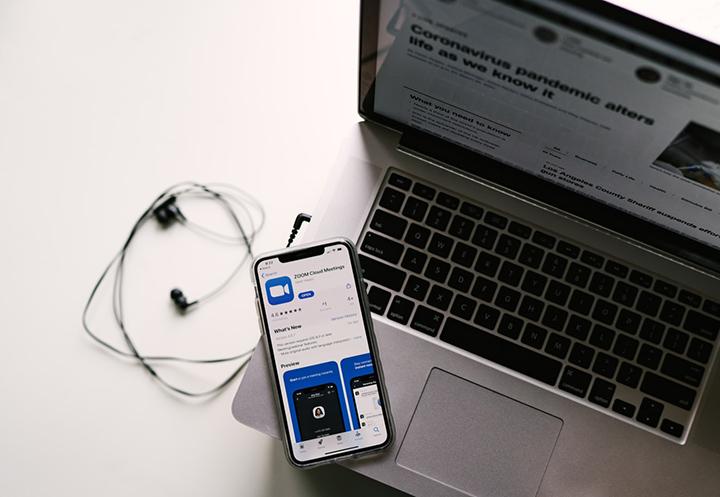

But let's face it, most webcam quality today are low, nonetheless, thankfully you can use your smartphone's camera app as your webcam, and to do this, you'll need an additional app to make it happen. Follow the steps below to install and configure the correct software, and then launch your phone as a webcam in chat software like Zoom. Share your thoughts in the comments, as well as some tips you can share on how you use your smartphone for productivity. How to Enable the Baybayin Keyboard on iOS 27 Install the iOS 27 Developer Beta on your iPhone Open Settings Go to General Tap Keyboard Tap Keyboards Tap Add New Keyboard Scroll to Filipino (Tagalog) Select the Baybayin script layout Tap Done What Is Baybayin? Read more in our articles including "How to Use Your Android and iOS Smartphone as Webcam" and "iOS 27 Adds Native Baybayin Keyboard to iPhone: Here is How to Enable It".

The way we value web cameras today has drastically changed due to the situation we…
Sep 24, 2020
Apple quietly included a Baybayin keyboard layout in iOS 27, announced at WWDC 2026. This…
Jun 9, 2026Several new mice came out of Microsoft lately but the one that got my attention…
Nov 10, 2008
DJI has officially launched the Osmo Pocket 4P in the Philippines, introducing a new handheld…
Jun 29, 2026
Insta360 has officially launched the Luna Ultra in the Philippines. The camera is co-engineered with…
Jun 24, 2026
Canon Philippines has officially revealed the local pricing and availability of the new EOS R6…
Jun 18, 2026But let's face it, most webcam quality today are low, nonetheless, thankfully you can use your smartphone's camera app as your webcam, and to do this, you'll need an additional app to make it happen. Follow the steps below to install and configure the correct software, and then launch your phone as a webcam in chat software like Zoom.
Share your thoughts in the comments, as well as some tips you can share on how you use your smartphone for productivity. How to Enable the Baybayin Keyboard on iOS 27 Install the iOS 27 Developer Beta on your iPhone Open Settings Go to General Tap Keyboard Tap Keyboards Tap Add New Keyboard Scroll to Filipino (Tagalog) Select the Baybayin script layout Tap Done What Is Baybayin?
Our coverage of How to use your Phone as webcam includes: "How to Use Your Android and iOS Smartphone as Webcam"; "iOS 27 Adds Native Baybayin Keyboard to iPhone: Here is How to Enable It"; "Microsoft Arc Mouse". Each article provides unique insights and information.