

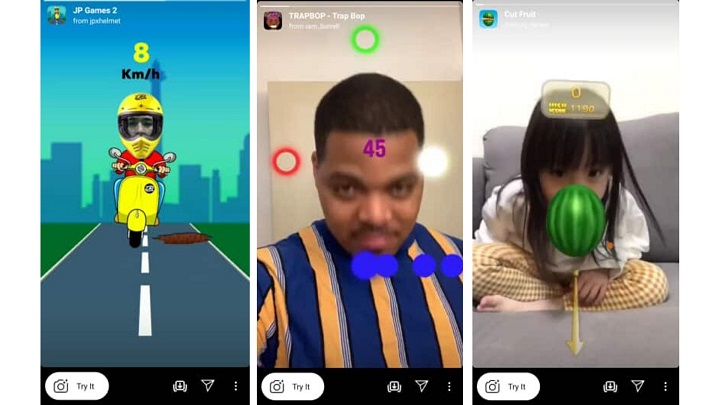
Filters are just some of the tools we use to make our Instagram or Facebook content more engaging. CREATE YOUR PROJECT In my experience, creating a filter is complicated, but the difficulty depends on how elaborate your idea is. For starters, I decided to make a Background filter since it's easy: STEP 3: In the "Assets" board on the left side of your screen, right-click "replaceMe." STEP 4: Tap the "Replace." STEP 5: Open file and choose your preferred background you want to see in your AR Filter. Spark AR includes several test faces for you to try your filters on. If you want to try it on yourself, choose "USB Webcam" or whatever webcam name you have, and you'll be able to build a filter on your face. Also, make sure you're logged on to the Facebook / Instagram account where you want to publish the effect. Once that is done, all you need to do is wait for your filter to be approved. In this case, I'm making my makeup filter. Read more in our articles including "Here's how to make your own Instagram and Facebook filter" and "Fun Instagram Game Filters To Try At Home".
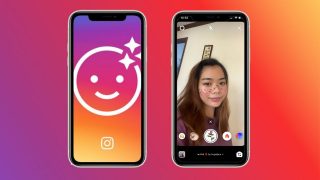
Filters are just some of the tools we use to make our Instagram or Facebook…
May 22, 2020
Instagram’s stories have become another platform to connect and socialize with your followers. And under…
Apr 23, 2020Instagram announced a couple of handy updates for its app which gives users an easier…
Nov 11, 2014
A new school year means new projects, research papers, presentations, and online learning tasks. Whether…
Jun 14, 2026
With the announcement of the Xiaomi 17T series today, those hoping to upgrade from last…
May 29, 2026
Inflation is now (May 2026) at 7.2%, electricity rates at Php14.33/kWhr, and gas prices through…
May 28, 2026Filters are just some of the tools we use to make our Instagram or Facebook content more engaging. CREATE YOUR PROJECT In my experience, creating a filter is complicated, but the difficulty depends on how elaborate your idea is.
For starters, I decided to make a Background filter since it's easy: STEP 3: In the "Assets" board on the left side of your screen, right-click "replaceMe." STEP 4: Tap the "Replace." STEP 5: Open file and choose your preferred background you want to see in your AR Filter. Spark AR includes several test faces for you to try your filters on. If you want to try it on yourself, choose "USB Webcam" or whatever webcam name you have, and you'll be able to build a filter on your face.
Our coverage of Instagram Filter includes: "Here's how to make your own Instagram and Facebook filter"; "Fun Instagram Game Filters To Try At Home"; "Instagram update now lets you edit captions on photos". Each article provides unique insights and information.