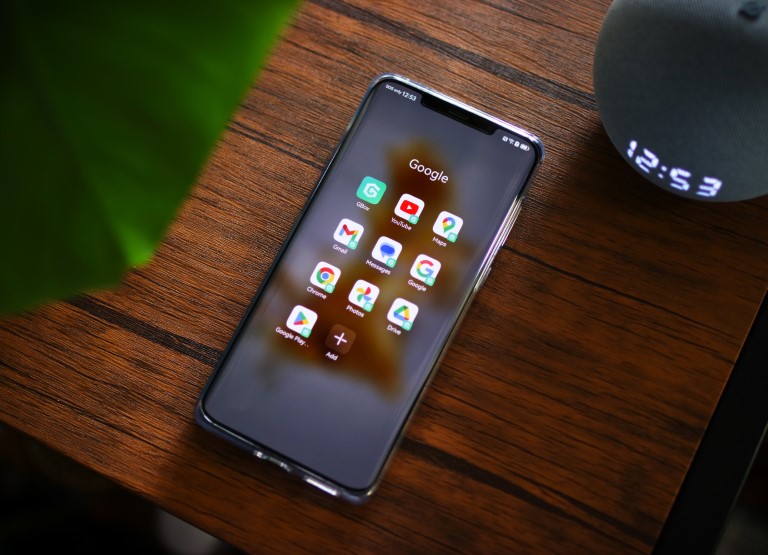

Many users have resorted to different kinds of hacks to install GMS on Huawei devices and one of the newest ones uses the app called GBox. GBox is a free app that allows you to install Google apps like Google Play Store, Gmail, and YouTube. Unlike sideloading APKs directly to your Huawei smartphone, which won't work as the device doesn't support GMS natively, GBox virtualizes your Huawei smartphone as a different model and lets you sign in to those apps to your Google account. Once installed, just launch the app and follow these steps: GBox already has recommended Google apps that you can install but in our case, we installed Google Play Store and then used it instead to download the other apps we needed. GBox will ask for permission to make sure it can install and run the apps, while Google apps might ask for additional permissions. Google apps on Huawei As for the performance, GBox runs in the background and works almost perfectly on the Huawei Mate 50 Pro. We just have to sign in to our Google account on the Google Play Store app and it automatically signed in on other Google apps we installed. We also had problems setting Google Messages as our default app as it can't be detected by the Huawei device. Read more in our articles including "Installing Google apps (GMS) on Huawei devices with GBox" and "The day Google broke the Web".
Huawei devices are one of the best devices in the market right now. However, it…
Nov 10, 2022There was some sort of mass panic last night when Google was spewing a warning…
Feb 1, 2009
It’s that time again when we round up the latest smartphone launches here in the…
Jun 26, 2026
A new school year means new projects, research papers, presentations, and online learning tasks. Whether…
Jun 14, 2026
With the announcement of the Xiaomi 17T series today, those hoping to upgrade from last…
May 29, 2026
Inflation is now (May 2026) at 7.2%, electricity rates at Php14.33/kWhr, and gas prices through…
May 28, 2026Many users have resorted to different kinds of hacks to install GMS on Huawei devices and one of the newest ones uses the app called GBox. GBox is a free app that allows you to install Google apps like Google Play Store, Gmail, and YouTube.
Unlike sideloading APKs directly to your Huawei smartphone, which won't work as the device doesn't support GMS natively, GBox virtualizes your Huawei smartphone as a different model and lets you sign in to those apps to your Google account. Once installed, just launch the app and follow these steps: GBox already has recommended Google apps that you can install but in our case, we installed Google Play Store and then used it instead to download the other apps we needed. GBox will ask for permission to make sure it can install and run the apps, while Google apps might ask for additional permissions.
Our coverage of install google huawei includes: "Installing Google apps (GMS) on Huawei devices with GBox"; "The day Google broke the Web"; "Smartphones Under P10,000 | Q2 2026". Each article provides unique insights and information.