
Today we’ll be taking a closer look at Logitech’s latest mid-range gaming mouse - the G500s - which recently made its official debut alongside its entry-level sibling, the G400s, as well as the high-end G700s. Design and Construction Although the G500s boasts a fairly large frame, it’s one of the more ergonomically-designed gaming mice we’ve used in recent times. Flipping the G500s on its back will expose a trio of thoughtfully-placed rubber pads that creates a slight separation between the mouse and the surface. Logitech made room for the mouse’s branding which is sandwiched in between the “gaming-grade” laser sensor and an eject button for the weight cartridge. Buttons and Software In addition to the overall design, Logitech also used the same button layout of the G500 on this mouse. By default, these keys are pre-set to alter various features of the gaming mouse such as its DPI (+/- buttons on the top left) and scroll wheel modes (O/Ø key on the middle). In addition to its pre-programmed actions, these buttons can also be customized through a downloadable Logitech Gaming Software. True enough, apart from the minor tweaks, Logitech has applied the same formula on the G500s which made its predecessor one of the top choices of gamers on a budget. Read more in our articles including "Logitech G500s Gaming Mouse Review" and "Logitech G325 LIGHTSPEED wireless gaming headset launches in PH".
Today we’ll be taking a closer look at Logitech’s latest mid-range gaming mouse – the…
Jul 24, 2013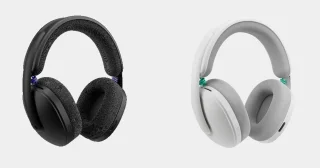
Logitech has launched the Logitech G325 LIGHTSPEED Wireless Gaming Headset in the Philippines, expanding its…
Mar 11, 2026Logitech’s latest wireless mouse is this funky-looking Touch Mouse M600 that sheds off the usual…
Jul 31, 2012
Alongside the Nothing Phone (4b), the company also introduced the Nothing Ear (3a). It gets…
Aug 1, 2026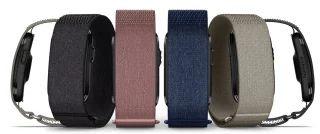
Garmin has officially launched the CIRQA Smart Band in the Philippines, expanding its lineup of…
Jul 27, 2026
Infinix has launched the XBUDS H5 in the Philippines, expanding its lineup of affordable true…
Jul 27, 2026Today we’ll be taking a closer look at Logitech’s latest mid-range gaming mouse - the G500s - which recently made its official debut alongside its entry-level sibling, the G400s, as well as the high-end G700s. Design and Construction Although the G500s boasts a fairly large frame, it’s one of the more ergonomically-designed gaming mice we’ve used in recent times.
Flipping the G500s on its back will expose a trio of thoughtfully-placed rubber pads that creates a slight separation between the mouse and the surface. Logitech made room for the mouse’s branding which is sandwiched in between the “gaming-grade” laser sensor and an eject button for the weight cartridge. Buttons and Software In addition to the overall design, Logitech also used the same button layout of the G500 on this mouse.
Our coverage of logitech g500s gaming mouse includes: "Logitech G500s Gaming Mouse Review"; "Logitech G325 LIGHTSPEED wireless gaming headset launches in PH"; "Logitech Touch Mouse M600 Review". Each article provides unique insights and information.