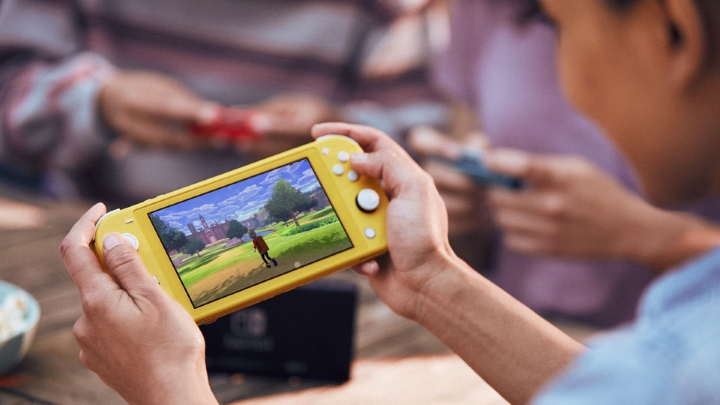

Nintendo recently reported that it has found unauthorized logins on about 160,000 user accounts, which prompted the company to reset passwords and encourage users to use 2-step verification on their accounts. How to set up 2-Step Verification on your Nintendo Account What is 2-step verification? A 2-step verification (also known as two-factor authentication or 2FA) adds an extra layer of security to your account. Here's how you can set it up: Go to https://accounts.nintendo.com and sign in to your Nintendo Account. Use the smart device app to scan the QR code displayed on your Nintendo Account screen. Enter the verification code into the field under step 3 on the Nintendo Account screen, then select "Submit". Every time you need to log in to your Nintendo Account, just input your user name and password, enter the code from your Google Authenticator app, and you're good to go. We just got our hands on Nintendo's new handheld gaming console - the 2DS. Read more in our articles including "How to set up 2-Step Verification on your Nintendo Account" and "Nintendo 2DS unboxed, first impressions".

Nintendo recently reported that it has found unauthorized logins on about 160,000 user accounts, which…
Apr 25, 2020We just got our hands on Nintendo‘s new handheld gaming console – the 2DS. It…
Jan 3, 2014
The Nintendo Switch OLED is now available for purchase in select gaming stores in the…
Oct 8, 2021
Nintendo has launched its next-gen gaming console. So far, everything is promising for the upcoming…
Jan 16, 2017
Nintendo introduced us its next-gen console last year but it didn’t tell much about it…
Jan 13, 2017For those who have been waiting for so long to play the remake of the 3rd-generation Pokemon…
Nov 21, 2014Nintendo recently reported that it has found unauthorized logins on about 160,000 user accounts, which prompted the company to reset passwords and encourage users to use 2-step verification on their accounts. How to set up 2-Step Verification on your Nintendo Account What is 2-step verification?
A 2-step verification (also known as two-factor authentication or 2FA) adds an extra layer of security to your account. Here's how you can set it up: Go to https://accounts.nintendo.com and sign in to your Nintendo Account. Use the smart device app to scan the QR code displayed on your Nintendo Account screen.
Our coverage of nintendo 2fa includes: "How to set up 2-Step Verification on your Nintendo Account"; "Nintendo 2DS unboxed, first impressions"; "Nintendo Switch OLED priced in the Philippines". Each article provides unique insights and information.