

PayMaya is now available as a payment method for Apple services in the Philippines. Customers may now add their PayMaya account as an Apple ID payment method to purchase from the App Store, Apple Music, Apple TV app, and the iTunes store. Users may add the PayMaya mobile wallet as a payment method by going to Settings on their Apple device and going into the "Manage Payment" tab under their Apple ID. Apple has introduced a new subscription option on the App Store that lets users pay monthly while committing for 12 months. Read more in our articles including "PayMaya now available as payment method Apple Services in the Philippines" and "Apple App Store intros monthly payment with 12-month commitment".

PayMaya is now available as a payment method for Apple services in the Philippines. Customers…
Oct 18, 2019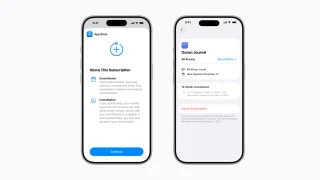
Apple has introduced a new subscription option on the App Store that lets users pay…
Apr 28, 2026
The Cybercrime Investigation and Coordinating Center (CICC) has confirmed that GoreBox is no longer accessible…
Jun 30, 2026
Qualcomm has announced that its annual Snapdragon Summit will take place from September 22 to…
Jun 30, 2026
HONOR Philippines has made the HONOR X7e available in the country through Lazada. The smartphone is…
Jun 30, 2026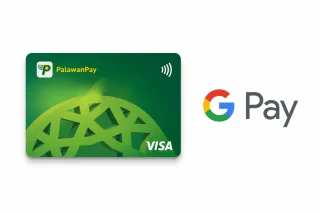
PalawanPay has added Google Wallet support for its Visa Card, allowing eligible Android users to…
Jun 30, 2026PayMaya is now available as a payment method for Apple services in the Philippines. Customers may now add their PayMaya account as an Apple ID payment method to purchase from the App Store, Apple Music, Apple TV app, and the iTunes store.
Users may add the PayMaya mobile wallet as a payment method by going to Settings on their Apple device and going into the "Manage Payment" tab under their Apple ID. Apple has introduced a new subscription option on the App Store that lets users pay monthly while committing for 12 months.
Our coverage of paymaya apple store includes: "PayMaya now available as payment method Apple Services in the Philippines"; "Apple App Store intros monthly payment with 12-month commitment"; "CICC confirms GoreBox blocked on Google Play and Steam in PH". Each article provides unique insights and information.