
Google has launched a new app called PhotoScan which, as the name suggests, lets you scan old photographs using your smartphone and turn them into high-resolution glare-free digital images. PhotoScan is a standalone app and uses your mobile device's camera to create enhanced digital scans of photographs. It works by taking multiple images of the photo from four different positions then processes them into a single high-resolution image. Although the process doesn't sound new as some Android smartphone has this in-camera feature for producing high-resolution images, PhotoScan applies automatic edge detection, perspective correction, glare removal, as well as smart rotation. After the scan, you can edit it with your favorite photo editing app. The Google PhotoScan app is available for download in the Play Store and App Store. Adobe announces a wave of new features for its Creative Cloud suite, including updates to Photoshop, Premiere Pro, After Effects, and Lightroom. It kinda isolates the subjects’ faces so photographers can check eye sharpness and also whether the eyes are open. Read more in our articles including "Google PhotoScan - an app for scanning old photos with your smartphone" and "Google Chrome expands Autofill with Google Wallet integration".
Google has launched a new app called PhotoScan which, as the name suggests, lets you…
Nov 16, 2016
Google has announced new updates to Chrome Autofill. With this feature, it brings support for…
Jun 24, 2026
xAI has officially brought its AI assistant directly into Microsoft’s word-processing platform, launching Grok for…
Jun 20, 2026
Adobe announces a wave of new features for its Creative Cloud suite, including updates to…
Jun 16, 2026
Huawei has officially announced HarmonyOS 7, the latest version of its operating system for smartphones,…
Jun 13, 2026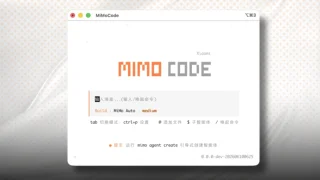
Xiaomi has open-sourced MiMo Code V0.1.0, a terminal-based AI coding assistant designed to maintain context…
Jun 11, 2026Google has launched a new app called PhotoScan which, as the name suggests, lets you scan old photographs using your smartphone and turn them into high-resolution glare-free digital images. PhotoScan is a standalone app and uses your mobile device's camera to create enhanced digital scans of photographs.
It works by taking multiple images of the photo from four different positions then processes them into a single high-resolution image. Although the process doesn't sound new as some Android smartphone has this in-camera feature for producing high-resolution images, PhotoScan applies automatic edge detection, perspective correction, glare removal, as well as smart rotation. After the scan, you can edit it with your favorite photo editing app.
Our coverage of photo scanner includes: "Google PhotoScan - an app for scanning old photos with your smartphone"; "Google Chrome expands Autofill with Google Wallet integration"; "Grok arrives on Microsoft Word". Each article provides unique insights and information.