

It’s easier to have these QR codes now with BPI’s QR code generator using its new online and mobile banking platforms. All you need to do is log on to the beta versions of BPI Online and BPI Mobile app. Then go to Other Services, click on QR Generator, then choose the account number that you want to get a QR Code for. BPI also allows you to generate a QR Code for each account that you own, and since the QR Code for your account can only be used on BPI’s online and mobile banking facilities, it will not work using third-party QR scanners/readers, therefore keeping your account information safe. Now if you want to transfer funds with the help of the QR code, just log on to the beta versions of BPI Online or BPI Mobile app, select Transfer Money, then Transfer to 3rd party, then click on the QR code symbol. If you’re using BPI Online beta via a desktop computer or laptop, you can select the QR code from your files. BPI and its QR code generator makes it easy for clients to securely transfer funds. BPI is expanding its barcode-based cash deposit service through Robinsons Retail Holdings Inc. Read more in our articles including "How QR Codes can provide convenient, secure banking" and "BPI expands barcode cash deposit service to Robinsons Retail stores".


BPI is expanding its barcode-based cash deposit service through Robinsons Retail Holdings Inc. (RRHI) stores…
May 11, 2026
Bank of the Philippine Islands (BPI) has partnered with Robinsons Retail Holdings, Inc. (RRHI) to…
May 8, 2026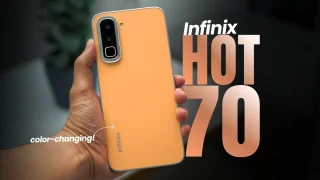
Coming in hot in the entry-level segment is the new Infinix HOT 70, and for…
Jun 25, 2026So here it is — the YugaTech Ovi App for Nokia phones. Now you can…
Jun 2, 2010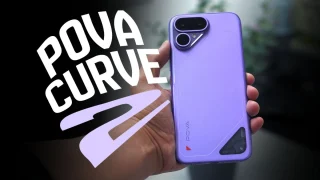
The TECNO POVA Curve 2 5G has arrived. It’s a slim, lightweight phone, and yet…
Jun 12, 2026It’s easier to have these QR codes now with BPI’s QR code generator using its new online and mobile banking platforms. All you need to do is log on to the beta versions of BPI Online and BPI Mobile app. Then go to Other Services, click on QR Generator, then choose the account number that you want to get a QR Code for.
BPI also allows you to generate a QR Code for each account that you own, and since the QR Code for your account can only be used on BPI’s online and mobile banking facilities, it will not work using third-party QR scanners/readers, therefore keeping your account information safe. Now if you want to transfer funds with the help of the QR code, just log on to the beta versions of BPI Online or BPI Mobile app, select Transfer Money, then Transfer to 3rd party, then click on the QR code symbol. If you’re using BPI Online beta via a desktop computer or laptop, you can select the QR code from your files.
Our coverage of qr code bpi yugatech includes: "How QR Codes can provide convenient, secure banking"; "BPI expands barcode cash deposit service to Robinsons Retail stores"; "BPI partners with Robinsons Retail for barcode cash deposits in stores". Each article provides unique insights and information.