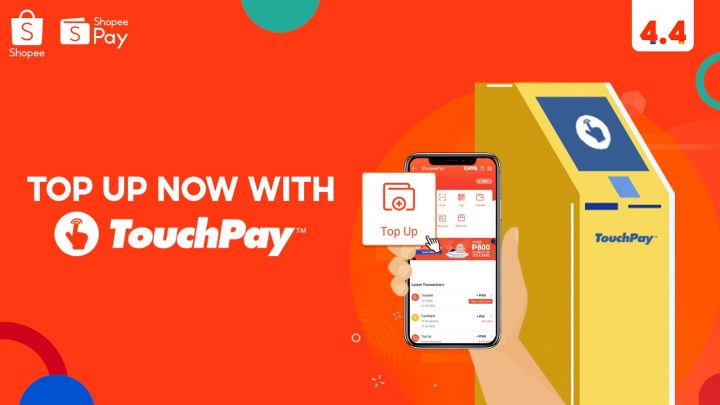

Shoppers may now top-up their ShopeePay wallets through any TouchPay automated payment machines located in over 600 locations nationwide. Check out the step-by-step guide on how to top-up your ShopeePay mobile wallet via TouchPay. Select TouchPay as your payment method 2. Select TouchPay as your top-up method 5. Go to any TouchPay APM and select E-money 7. For more information on how to top up using TouchPay, visit the official Shopee website. Read more in our articles including "ShopeePay wallet top up now available at over 600 TouchPay locations" and "CICC confirms GoreBox blocked on Google Play and Steam in PH".

ShopeePay is an integrated mobile wallet that offers easy access to digital payment services. Shoppers…
Mar 20, 2021
The Cybercrime Investigation and Coordinating Center (CICC) has confirmed that GoreBox is no longer accessible…
Jun 30, 2026
Qualcomm has announced that its annual Snapdragon Summit will take place from September 22 to…
Jun 30, 2026
HONOR Philippines has made the HONOR X7e available in the country through Lazada. The smartphone is…
Jun 30, 2026
PalawanPay has added Google Wallet support for its Visa Card, allowing eligible Android users to…
Jun 30, 2026
Globe has officially launched Starlink’s satellite-to-mobile service in the Philippines after receiving approval from the…
Jun 30, 2026Shoppers may now top-up their ShopeePay wallets through any TouchPay automated payment machines located in over 600 locations nationwide. Check out the step-by-step guide on how to top-up your ShopeePay mobile wallet via TouchPay.
Select TouchPay as your payment method 2. Select TouchPay as your top-up method 5. Go to any TouchPay APM and select E-money 7.
Our coverage of TouchPay includes: "ShopeePay wallet top up now available at over 600 TouchPay locations"; "CICC confirms GoreBox blocked on Google Play and Steam in PH"; "Qualcomm announces dates for Snapdragon Summit 2026". Each article provides unique insights and information.