

One of those reasons is Ultra Game Mode which enhances your experience when playing mobile games. Getting started One of the first things you need to do before you launch a game is to set up Ultra Game Mode. You can do this by going to Settings and then scrolling down to Ultra Game Mode. Once you're inside, look at the bottom and you'll see the games recognized to run with Ultra Game Mode. Launching the Ultra Game Mode Since you have already included your game in Ultra Game Mode, this feature will automatically launch alongside your game. Swipe from the left to bring out the Ultra Game Mode dashboard. This mode is also the best option if you want the vivo T1 5G to dedicate its resources to the game you're playing, but there's also Balanced mode and Battery Saver mode if the situation requires it. Which features to activate The Ultra Game Mode dashboard gives you eight features that you can quickly activate with a tap. Read more in our articles including "vivo T1 5G: Turbo experience with Ultra Game Mode!" and "vivo X300 Ultra Review".
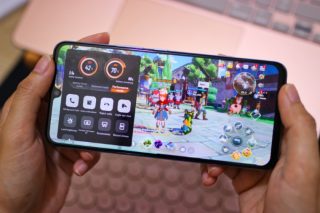
Last month, we gave you a tour of the features of the vivo T1 5G…
Jul 4, 2022
When we got our hands on the vivo X300 Pro, we thought it was the…
Jun 8, 2026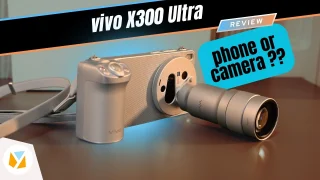
Discover why the Vivo X300 Ultra might be the ultimate camera phone for Filipinos. Get…
Jun 5, 2026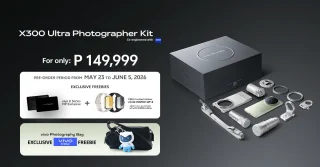
vivo has launched the X300 Ultra in the Philippines alongside the vivo X300 Ultra Photographer…
May 24, 2026
As someone who occasionally uses a laptop to work, one thing I sometimes wish for…
Jun 30, 2026For the past couple of weeks, I’ve been spending like 4 to 6 hours on…
Aug 4, 2011One of those reasons is Ultra Game Mode which enhances your experience when playing mobile games. Getting started One of the first things you need to do before you launch a game is to set up Ultra Game Mode.
You can do this by going to Settings and then scrolling down to Ultra Game Mode. Once you're inside, look at the bottom and you'll see the games recognized to run with Ultra Game Mode. Launching the Ultra Game Mode Since you have already included your game in Ultra Game Mode, this feature will automatically launch alongside your game.
Our coverage of vivo t1 5g ultra game mode includes: "vivo T1 5G: Turbo experience with Ultra Game Mode!"; "vivo X300 Ultra Review"; "Watch: vivo X300 Ultra Review | The ultimate camera phone or a camera doubling as a phone?". Each article provides unique insights and information.