

Spotify, Apple Music, and YouTube Music; these are the top music streaming apps today that offer unique features at competitive prices. YouTube Music is rolling out a new split-view design for its “Now Playing” screen on Android and iOS devices. YouTube has introduced a new AI Playlist feature for YouTube Premium and YouTube Music Premium subscribers, allowing users to instantly generate personalized playlists based on an idea, mood, or genre. The feature lets users describe what they want to listen to using either voice or text, and YouTube Music’s AI will curate a playlist to match that request. To use AI Playlist, users on Android and iOS can head to the Library tab in the YouTube Music app, tap the “New” button, and select “AI Playlist.” From there, they can simply explain the type of music they want, such as a specific vibe, activity, or sound. YouTube Music has started placing song lyrics behind a paywall, requiring users to subscribe to YouTube Premium or YouTube Music Premium to view full lyrics. With the update, YouTube Music only allows five free lyric views. To continue viewing lyrics without limits, users must subscribe to YouTube Music Premium or YouTube Premium. Read more in our articles including "WATCH: Spotify vs YouTube Music vs Apple Music - Battle of Music Streaming Apps!" and "YouTube Music gets new Split-View Player design".
Spotify, Apple Music, and YouTube Music; these are the top music streaming apps today that…
Mar 5, 2020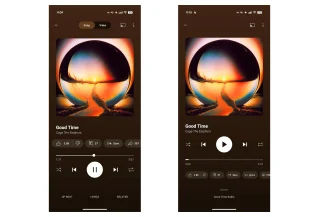
YouTube Music is rolling out a new split-view design for its “Now Playing” screen on…
Apr 15, 2026
YouTube has introduced a new AI Playlist feature for YouTube Premium and YouTube Music Premium…
Feb 11, 2026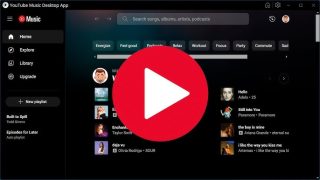
YouTube Music has started placing song lyrics behind a paywall, requiring users to subscribe to…
Feb 9, 2026Nokia today announced a trio of XpressMusic phones — the Nokia 5730, 5330 and the…
Mar 11, 2009Hello! Are you a Nokia 5800 XpressMusic owner? Please take the quick survey here! So,…
Jan 11, 2009Spotify, Apple Music, and YouTube Music; these are the top music streaming apps today that offer unique features at competitive prices. YouTube Music is rolling out a new split-view design for its “Now Playing” screen on Android and iOS devices.
YouTube has introduced a new AI Playlist feature for YouTube Premium and YouTube Music Premium subscribers, allowing users to instantly generate personalized playlists based on an idea, mood, or genre. The feature lets users describe what they want to listen to using either voice or text, and YouTube Music’s AI will curate a playlist to match that request. To use AI Playlist, users on Android and iOS can head to the Library tab in the YouTube Music app, tap the “New” button, and select “AI Playlist.” From there, they can simply explain the type of music they want, such as a specific vibe, activity, or sound.
Our coverage of youtube music vs spotify includes: "WATCH: Spotify vs YouTube Music vs Apple Music - Battle of Music Streaming Apps!"; "YouTube Music gets new Split-View Player design"; "YouTube Music announces AI-powered playlist creation". Each article provides unique insights and information.