
Over the past year, we tried out a variety of projectors in different shapes and sizes. There’s just one key similarity between all of these projectors – the price. Most of them are a bit more on the budget-friendly side.
But let’s bump that budget up a bit, shall we?

In this review, we’re looking at something a bit more expensive – the Yaber K2S smart projector. With a list price of around PHP 20,000, the Yaber K2s is still more affordable than projectors offered by big-name brands. However, it is priced higher compared to the more budget-friendly options we tried.
Still, the important question is this: Is the Yaber K2S smart projector something you should consider for your home theater setup? Well, let’s find out.
Design and Construction

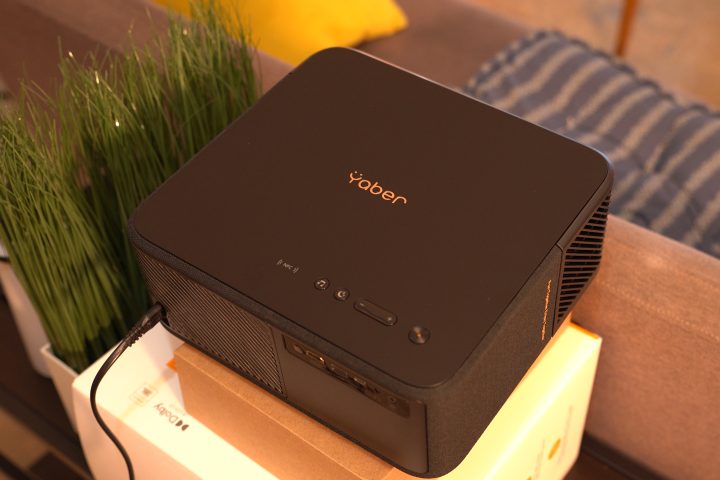
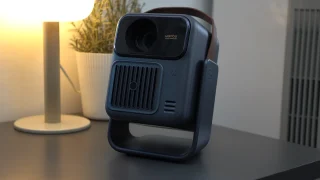
First up, the build of the Yaber K2S smart projector. It features an all black body with a bit of bronze accents on the large Yaber logo at the top and the K2S badge on the left side.
On the right side, there’s even a “Fun Together, Enjoy Together” lettering on the cloth speaker cover, which I find really tacky. It would have looked a lot cleaner without it. The fan and exhaust is also on the right side, keeping all of the hot air over there.
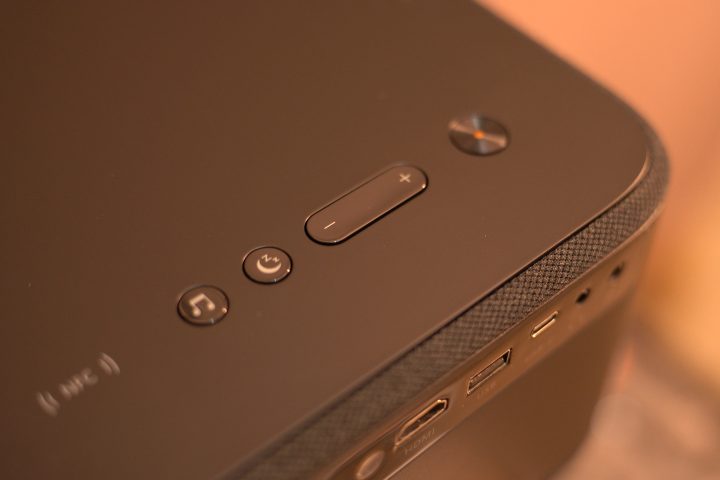
While the Yaber K2S comes with a remote, you also get physical buttons on the top of the projector. You can’t do a lot with these buttons though, and it’s mainly for adjusting the volume or choosing whether to use it as a speaker or put it to sleep.
At the rear, you’ll find the intake which also comes with a filter for easy cleaning. At the bottom, there is a provision to mount it from the ceiling, but you will need four screws. It’s not the large single thread typically found on other projectors. With that, it’s not exactly the easiest to set up if you plan on bringing it around.
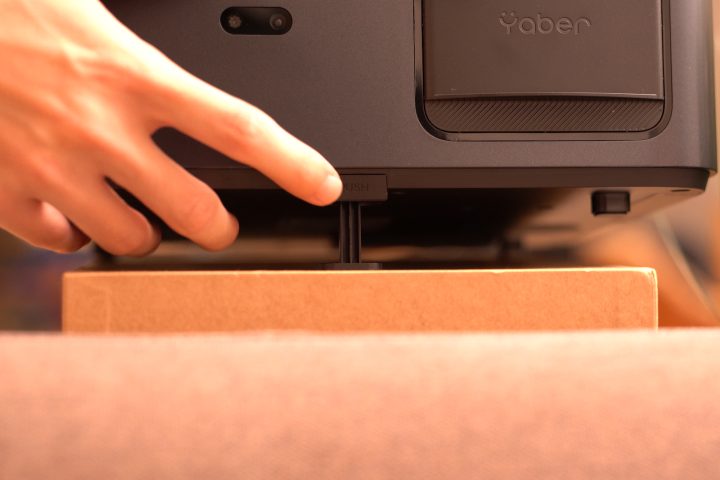
Then again, the size doesn’t make it exactly easy to bring around. It’s almost 11.5 inches long and 5 inches tall, and it weighs 3.2 kilograms. Thankfully there is a small stand at the bottom if you want to angle it up. But that’s about it for adjustment of the projector.
Everything else, you’ll have to do manually. So if you want to make it bigger or smaller, you will need to move the projector manually back and forth. The same goes for adjusting it left and right to get the proper angle.
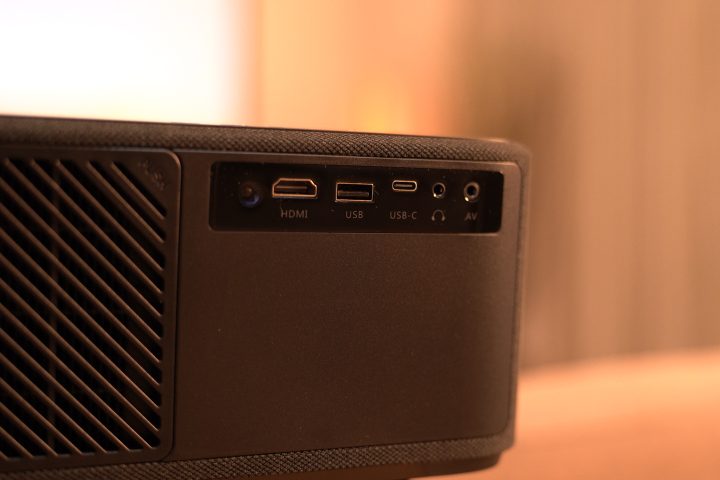
What I did like about the Yaber K2S is that it comes with an HDMI cable and an RCA adapter, if you still use that one. You can then just plug these in the back if you’re going to use them since there are a bunch of ports available. Alternatively you can easily cast them all using your phone, but more on that later.
Setting up the projector is a bit hard given the lack of a zoom function. The auto keystone is a bit aggressive, and it doesn’t get the setup perfect from the start. The auto focus is a bit better though, but you can still improve it manually in the settings.
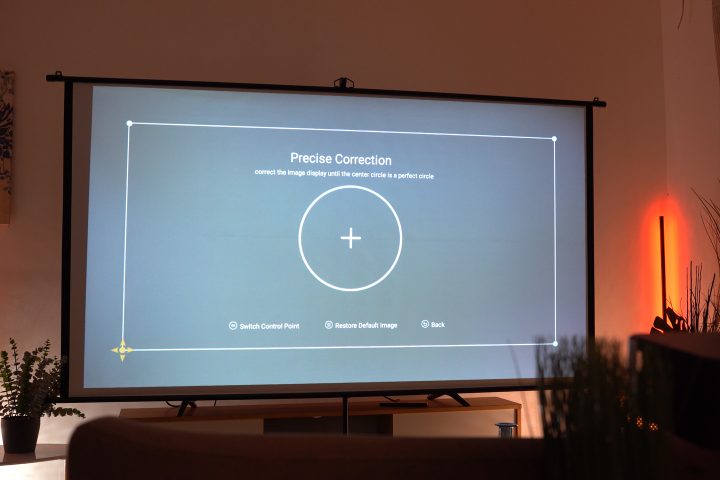
Given the small stand, it was a bit hard to get the angle right for our setup here at the YugaTech HQ. We had to stack a bunch of boxes just to get it projecting right on the screen. But once we did, it was a bit easier. As mentioned earlier, we did have to adjust the keystone and focus manually to get the best display possible.
Display
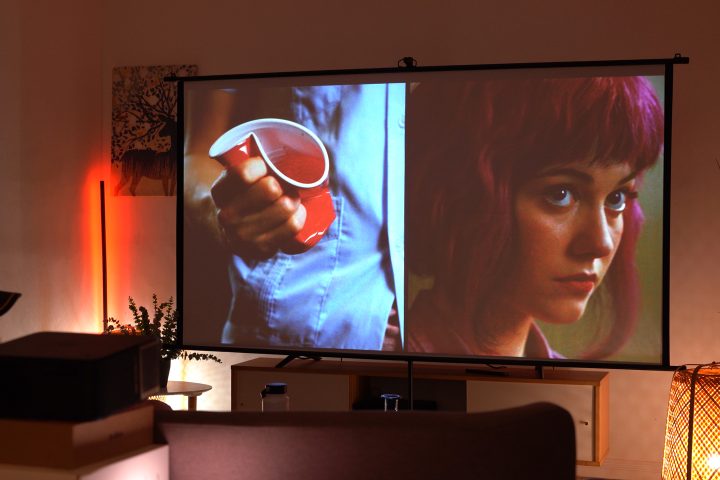
One thing we really liked about the Yaber K2S is how bright it is. Yaber says it is rated for 800 lumens, and from our experience we can still see everything on screen even with a bunch of lights turned on. Not to mention it even projects at 4K to give you the best quality possible.
While the projector is bright, it doesn’t have the best shadow quality even at 4K. Even when you’re watching not-so-dark movies like Scott Pilgrim, you can see some artifacting on the faces of people when the shot isn’t well lit. It’s even more evident when we watched John Wick on the projector.
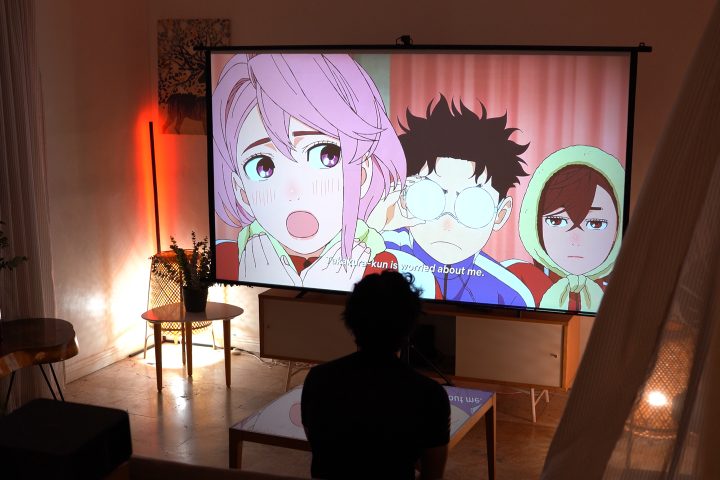
We tried adjusting the contrast, sharpness and hues in the color mode, but that didn’t really improve it all. Even when we used other color modes, the issue of the shadows wasn’t exactly addressed. And when there’s a bit of light in the background, the quality drops further.
Nonetheless, we were impressed by the quality of the projector when it’s really dark. Even with two small floor lamps turned on next to the screen, the difference in quality compared to the other projectors we tried is very obvious.
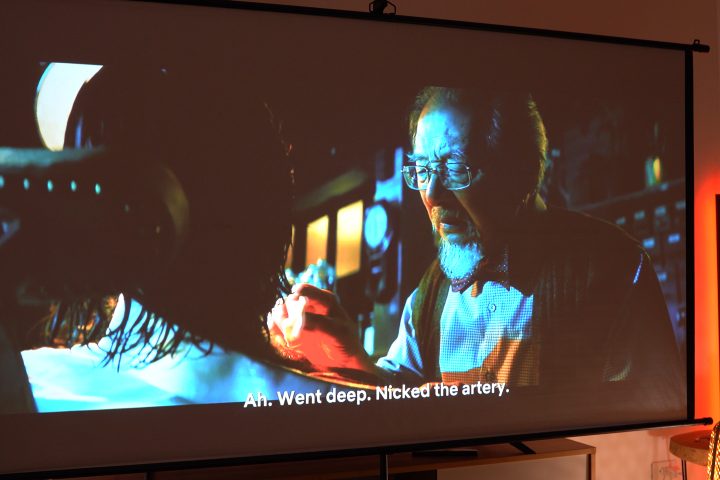
There’s also the issue of the screen adjusting brightness randomly. It wasn’t obvious when we were watching anime, but it was noticeable when watching movies. When the scene is a bit dark, the brightness also becomes lower.
At first, we thought the change in brightness was part of the movie, but even when we switched to a different movie it still happened. It was irritating since it was very noticeable.
The dual 10W speakers tuned by JBL are great too. They’re really loud, and easily fill up the living room here at the YugaTech HQ. The quality is decen,t too since the projector supports Dolby Audio. This means no audio distortions when the speakers are maxed out.
But of course, if you want a better sound, you can pair your home speaker system using the 3.5mm audio port. Alternatively, you can also pair your sound bar via Bluetooth.
OS and UI
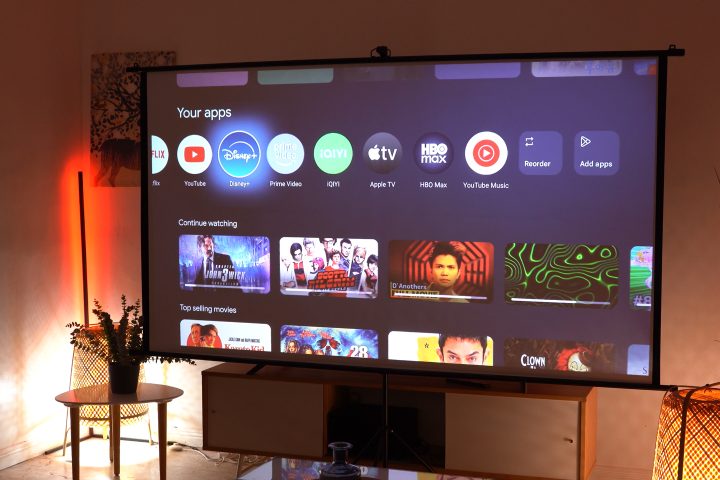
On the topic of the OS, the interface is rather fast. It’s smooth too with little to no lag when going through the menu. But perhaps my favorite part is how easy it is to pair with Apple devices. You can simply cast it like Apple TV using your phone, iPad or even Mac devices. It’s an identical experience when it comes to Android.
What I was curious about was the NFC connection. I thought it would work out of the box without anything else needed. But unfortunately, you’ll need to download an app first before it will work. Honestly, it kinda defeats the purpose of having to use NFC if you can simply cast your phone to the projector itself.
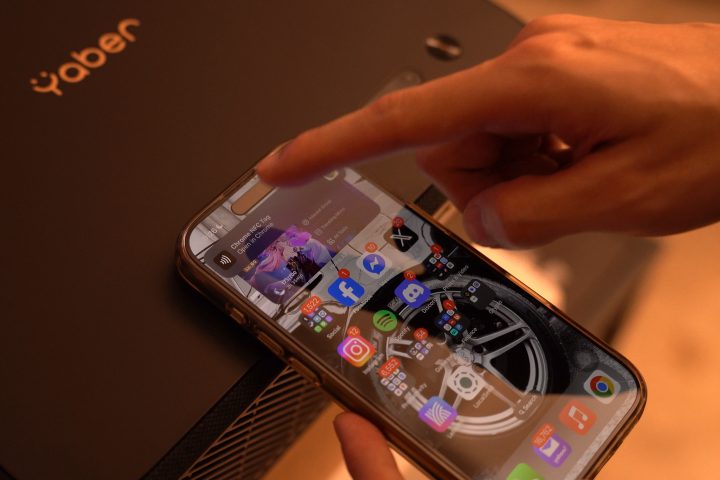
The K2S also comes with Android TV out of the box. It also comes with the usual Netflix, Disney+, Amazon Prime Video, and YouTube. What was irritating is that we had to connect to the WiFi twice before we could use Android TV.
Once everything was set up though, it felt like using any other Android TV. Interestingly, the volume control isn’t exactly intuitive. There’s the Android volume control, but it’s different from the built-in volume control of the Yaber K2S.
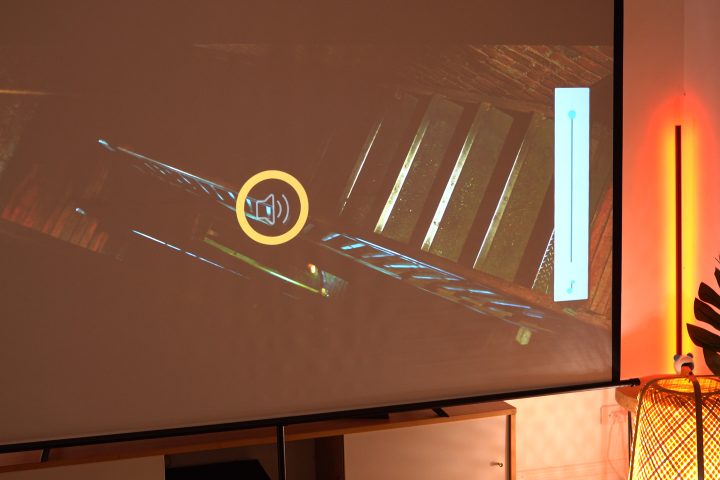
As a result, there are times I end up making the volume too loud or too soft. I even ended up using the physical buttons on the projector most of the time since that one controls the master volume control of the Yaber itself.
Conclusion
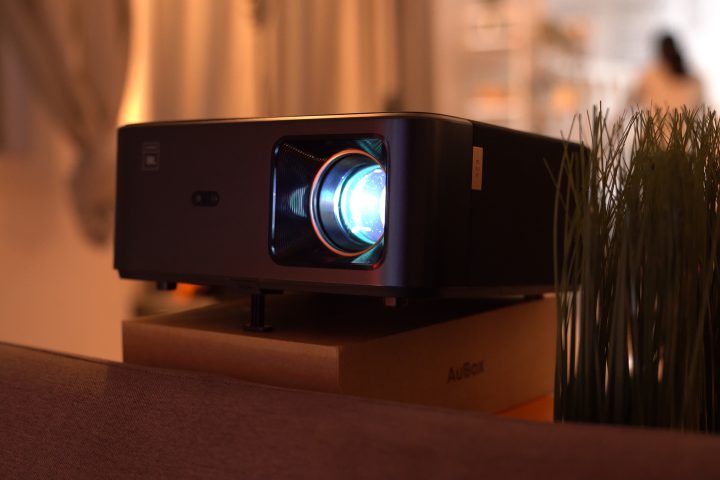
Overall, we enjoyed watching our favorite movies and series using the Yaber K2S here at the YugaTech HQ. As much as I wanted to bring it around during my trip out of town, it wasn’t exactly portable. It doesn’t fit in a bag, and it’s bulky if you do. Not to mention it does take awhile to set up properly.
When you do get it set up, it works great. A bright 4K display with decent colors and contrast. It’s not at the level of cinema projectors yet, especially with the shadows and blacks, but it’s a decent step up from the budget projectors that you might be familiar with on our channel.
The thing is though, you also need to step up your budget. The Yaber K2S Smart Projector retails for PHP 21,990. However, at the time we recorded this video, it’s currently discounted at just PHP 18,690.
At its full SRP, it’s a very expensive projector considering the issues we encountered with it. But at the discounted price, it is something you could have for your simple home theater setup.
Still, what do you guys think of the Yaber K2S Smart Projector? Is this the projector you would consider for your room or home theater or would you choose something else that offers a bit more? Whatever the case, share your thoughts in the comments below.
What we liked:
Bright display
Decent pricing
Easy to connect with Apple devices
What we didn’t like:
Artifacting in shadows/blacks
Not the most portable
Issue with brightness suddenly changing


0 Comments
Leave a Reply