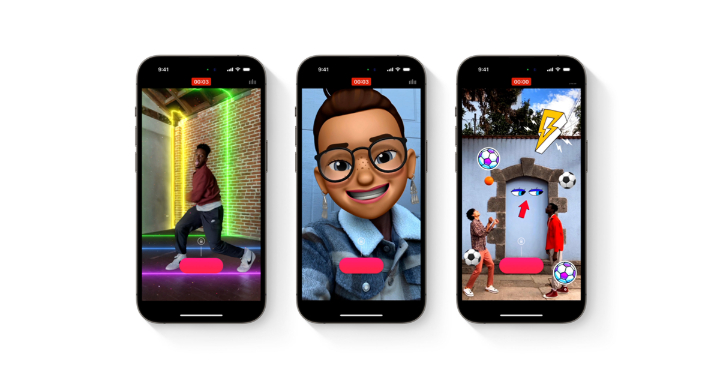

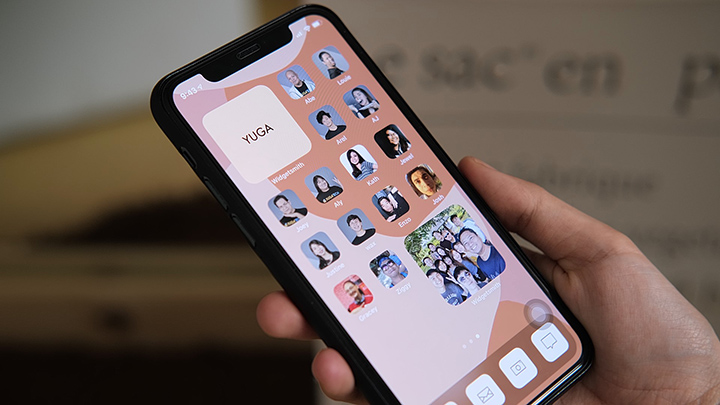
This allows them to view or edit their Clips videos in other apps. Since the global rollout of the iOS 14, iPhone users have been testing the new customization possibilities offered by the latest update from Apple. However, changing the app icons is possibly the best customization option offered to iPhone users today. iPhone users can now unleash their creativity by changing their app icons to whatever they want by using a third-party app called Shortcuts. Here’s a step-by-step tutorial on how you can change your app icons on your iPhone. STEP 1: Make sure your iPhone is updated to iOS 14. Tap on ‘Choose’ and you will now get a list of all the apps installed on your device. Once you're done customizing all the apps you wanted to keep in your home screen, all the original ones can be kept and removed in your App Library. Read more in our articles including "Apple Clips app no longer supported" and "How to Change App Icons on iOS 14".
Apple has officially pulled the plug on their Clips app on October 10. Apple has…
Oct 13, 2025
Since the global rollout of the iOS 14, iPhone users have been testing the new…
Sep 28, 2020Paypal Mobile is now available to members in the Asia Pacific region, including the Philippines…
Jan 15, 2010The number of iPhone Apps for Filipinos (or the Philippines) are growing. Two of my…
Aug 8, 2009After over two weeks of using the iPhone 3G, I can fairly say I have…
Sep 13, 2008While every iPhone fans are waiting for the supposed August/September release of the iPhone 3G…
Jul 27, 2008This allows them to view or edit their Clips videos in other apps. Since the global rollout of the iOS 14, iPhone users have been testing the new customization possibilities offered by the latest update from Apple.
However, changing the app icons is possibly the best customization option offered to iPhone users today. iPhone users can now unleash their creativity by changing their app icons to whatever they want by using a third-party app called Shortcuts. Here’s a step-by-step tutorial on how you can change your app icons on your iPhone.
Our coverage of iphone apps includes: "Apple Clips app no longer supported"; "How to Change App Icons on iOS 14"; "Paypal Mobile now on iPhone and Android". Each article provides unique insights and information.