

HUAWEI MatePad 12 X (2026) Review



Mouse accuracy is a serious deal for hardcore gamers, which explains why they spend a good amount of cash for a high-end pointing device. However, they’ve recently experienced some inaccuracies after upgrading to Windows 8.1 and, as you’d expect, they’re not very pleased about it.
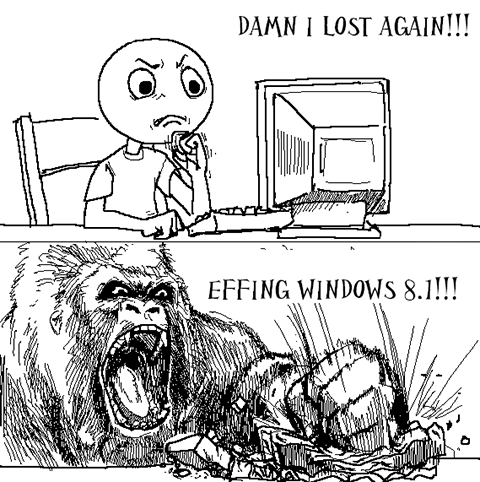
These unhappy campers have been very vocal about their frustrations and have reported their experience on Microsoft forums. Here are some of the issues that gamers have already noticed:
1. Mouse jitters (jumps forward and back) as you move it through a game.
2. Mouse movement is not to scale even after acceleration is turned off.
3. Measured mouse Polling Rate has a lower reporting frequency than expected.
4. Mouse may not be able to reach all areas of the game window.
5. Can’t left-click with an integrated pointing device immediately after pressing a key.
A Microsoft Forum Moderator named Naman R says that the software giant is already aware of the situation and is working on a patch to fix it. Sadly though, the mod wasn’t able to provide a concrete date when the said software update will arrive.
If you’re also experiencing the same in-game problems, you can head over to the source link below to find out the temporary workarounds that the MS forum Mod provided.
{ Source}










Apple, Asus, Cherry Mobile, Huawei, LG, Nokia, Oppo, Samsung, Sony, Vivo, Xiaomi, Lenovo, Infinix Mobile, Pocophone, Honor, iPhone, OnePlus, Tecno, Realme, HTC, Gionee, Kata, IQ00, Redmi, Razer, CloudFone, Motorola, Panasonic, TCL, Wiko
Best Android smartphones between PHP 20,000 - 25,000
Smartphones under PHP 10,000 in the Philippines
Smartphones under PHP 12K Philippines
Best smartphones for kids under PHP 7,000
Smartphones under PHP 15,000 in the Philippines
Best Android smartphones between PHP 15,000 - 20,000
Smartphones under PHP 20,000 in the Philippines
Most affordable 5G phones in the Philippines under PHP 20K
5G smartphones in the Philippines under PHP 16K


Miss Call says:
🥉 Bronze🏆1
“At least they admitted it and are doing what they can to fix it.”
Erwin Bantilan says:
🌱 Noobs🏆1
No problem here.. playing Battlefield 4 in Windows 8.1 with no mouse problem…
Jeremy says:
🌱 Noobs🏆1
Pagminsan naghahang yung mouse ko kahit hindi sa mga games. hindi naman ito nangyayari sa windows 7 and below.
Mangyan says:
🌱 Noobs🏆1
…..Kaya pala!!!
RaM says:
🌱 Noobs🏆1
Kaya pala di ako makatama. =(
CopyCat-droid says:
🥉 Rookie🏆1
Mac OS X Mavericks delivers unparalleled updates to my desktop experience. Windows is doomed. Steve Ballmer is going to retire soon!
mj says:
🌱 Noobs🏆1
OS X can’t even touch Windows 8’s market share! HA! Your “doomed” Windows is a false prophecy.
Steve Ballmer says:
🌱 Noobs🏆1
Boom! Apply cold water on burned area… :P