

Without a doubt, GCash has been one of our country’s go-to e-wallets for payments, purchases, and other everyday transactions. This digitalized form of commerce exchange has definitely garnered support and mass adoption for its ease-of-use.
What if we told you that it may be even easier now to use GCash?
Enter the latest GCash Tap-to-Pay feature. It leverages upon smartphones with NFC technology to provide an even quicker way to pay for your daily expenses. All you will have to do is tap your phone on the terminal, and it’ll automatically deduct the amount from your GCash account.
This follows the footsteps of international NFC payment channels such as Apple Pay, Google Pay, Samsung Pay, Venmo, and the like.
How to Activate GCash Tap-to-Pay in the Philippines
The first step is to open your GCash account on your mobile device.
Click on “View All” right next to the other GCash functionalities.

Click on “Tap to Pay” under “Pay.”

The activation will then begin, which will result in the following windows.
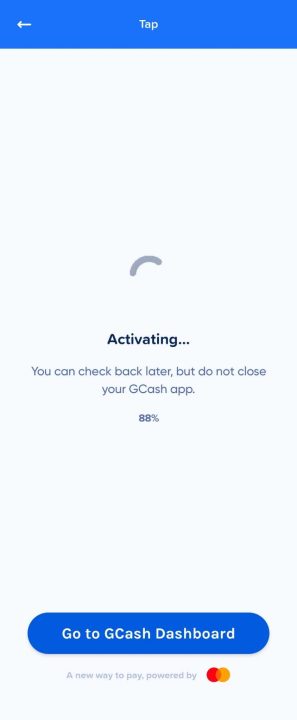
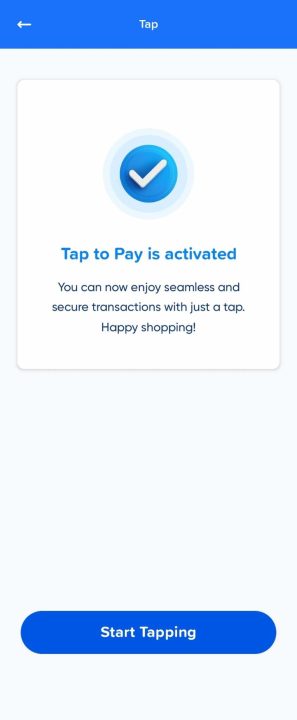
And with that, you’re all set. Happy tapping!



I don’t see it yet. I checked on my app but there’s no tap to pay icon