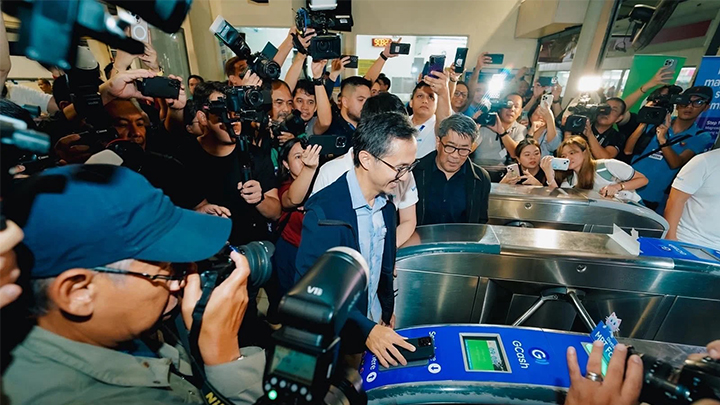


GCash has partnered with government agencies to launch digital payment options for the MRT-3 line. Android users can also use the Tap-to-Pay NFC feature. GCash users can learn more by opening the app and tapping the Commute button. Without a doubt, GCash has been one of our country's go-to e-wallets for payments, purchases, and other everyday transactions. Enter the latest GCash Tap-to-Pay feature. All you will have to do is tap your phone on the terminal, and it'll automatically deduct the amount from your GCash account. How to Activate GCash Tap-to-Pay in the Philippines The first step is to open your GCash account on your mobile device. Click on "Tap to Pay" under "Pay." The activation will then begin, which will result in the following windows. Read more in our articles including "GCash, government agencies launch digital payments for MRT-3 line" and "How to Activate GCash Tap-to-Pay In The Philippines".

GCash has partnered with government agencies to launch digital payment options for the MRT-3 line.…
Jul 29, 2025
Without a doubt, GCash has been one of our country’s go-to e-wallets for payments, purchases,…
Feb 26, 2025
The GCash Tap to Pay with NFC (Near Field Communication) feature has just rolled out,…
Jul 10, 2024
GCash has unveiled a series of innovative improvements during Futurecast 2024, focusing on added convenience…
Jun 30, 2024
Bank of the Philippine Islands (BPI) will permanently remove transfer fees for InstaPay and PESONet…
Jun 29, 2026
Metrobank has announced a significant reduction in its InstaPay transfer fees, introducing a new flat…
Jan 31, 2026GCash has partnered with government agencies to launch digital payment options for the MRT-3 line. Android users can also use the Tap-to-Pay NFC feature.
GCash users can learn more by opening the app and tapping the Commute button. Without a doubt, GCash has been one of our country's go-to e-wallets for payments, purchases, and other everyday transactions. Enter the latest GCash Tap-to-Pay feature.
Our coverage of gcash tap to pay includes: "GCash, government agencies launch digital payments for MRT-3 line"; "How to Activate GCash Tap-to-Pay In The Philippines"; "GCash Tap to Pay with NFC feature rolled out". Each article provides unique insights and information.