
إذا كنت تستخدم مجموعات فيسبوك، ستلاحظ وجود خيار لتنزيل ملف من الكمبيوتر ومشاركته مع زملائك. لقد توسّع فيسبوك في هذه الميزة الآن، مما يسمح لك بمشاركة ملفات Dropbox أيضًا.

All you need to do is link your Facebook account to your Dropbox account. To do this just login to Dropbox - go to Settings - Account settings - then connect with Facebook.
Once finished, just click on 'Add File' and you can share documents, photos and videos directly from Dropbox. Your Facebook Groups members can then like or comment on whatever shared on the group's wall. If you make changes to the files, the group will automatically get an update.
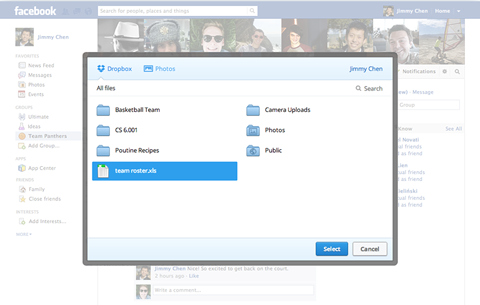
Dropbox mentioned that they're already rolling out the feature and we should be able to use it soon.
{source}






Nice!