

HUAWEI MatePad 12 X (2026) Review



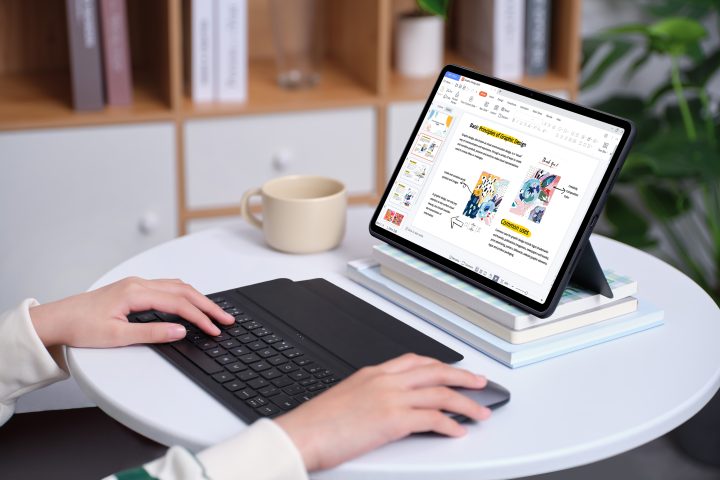
Tablets are now an integral part of the modern workstation, serving as a PC’s companion and, occasionally, a transitional device between a smartphone and a PC. This purpose of tablets extends beyond entertainment. As a result of the change to becoming an essential component of both our personal and professional life, there are now more options available to meet certain specialized requirements.
Huawei combined cutting-edge hardware and software innovations in order to provide customers with a wide selection of tablet products. The HUAWEI MatePad 11.5″ and the HUAWEI MatePad Air, the company’s most recent releases, are examples of its attempts to introduce devices that genuinely improve the user experience as a whole.
Bring you the best visual and usage experience
Tablets have historically not had the best reputation for particular types of usage. Tablets’ capabilities may seem constrained when compared to laptops or desktops due to their small size. It is challenging to purchase due to the tablet’s small screens and lack of connectivity with other devices. The latest HUAWEI MatePads, however, have evolved into more potent and adaptable gadgets that can suit our needs thanks to cutting-edge technology and an awareness of human pain spots.
By understanding the need for a wider screen, both HUAWEI MatePads offer an 11.5-inch HUAWEI FullView Display with a 3:2 productivity screen ratio. Compared to the commonly used 16:9 aspect ratio in most laptops and TVs, the 3:2 productivity screen ratio of the HUAWEI MatePads provides the extra vertical space for you to check emails, browse the web, and write. Furthermore, the HUAWEI MatePad 11.5” has a screen-to-body ratio of 86% and that of HUAWEI MatePad Air is 87%, respectively, both ensuring that the entire surface area of the screen is utilised to project stunning visuals.
The high resolutions and refresh rates of the two HUAWEI MatePads enhance that experience further. The HUAWEI MatePad 11.5″ features a 2200 x 1440 resolution and a fast refresh rate of 120 Hz. The Huawei MatePad Air has a resolution of 2800 x 1840 and a fast refresh rate of 144 Hz for individuals who enjoy gaming or need greater resolutions for design or architecture projects.
By providing seamless connectivity to various peripherals, the HUAWEI MatePads also consider users of keyboards and styluses.
The Huawei Smart Keyboard is a detachable accessory for the HUAWEI MatePad 11.5″. Further, the HUAWEI M-Pencil provides a reduced latency for an incredibly flawless note-taking experience in the classroom when used in conjunction with the HUAWEI MatePad’s HUAWEI Notes feature. This combination gives the device a high degree of adaptability to any work environment and gives you a comfortable user experience.
When compared to the MatePad Air, these accessories include the Smart Magnetic Keyboard and Huawei M-Pencil (2nd Generation). Huawei’s Smart Keyboards also provide PC-Level typing performance with 1.5mm key travel, wireless charging, and more than 40 shortcut key combinations, making them extremely adaptable for any workplace setting.
In addition to screen size, convenience is what drives tablet sales the most because it makes the gadget portable and simple to use. Because of this, users can easily carry the tablets about and utilize them in various business or educational contexts without discomfort.
Huawei utilizes the Cavity Slot Magnetic Antenna design for both tablets. It enables the devices to achieve an uninterrupted wireless signal and seamless body design without requiring for any gaps or blockages on the device.
Each HUAWEI MatePad has a different, individually distinct design. The metal unibody design of the HUAWEI MatePad 11.5″ in Space Grey gives it a streamlined, futuristic appearance. With the the HUAWEI MatePad Air, it uses a frosting technique to provide a beautiful finish that is also fingerprint resistant.
Both the HUAWEI MatePad Air and MatePad 11.5″ are excellent options if you’re seeking for a lightweight device. With a body thickness of just 6.4mm and a weight of just 508g, the HUAWEI MatePad Air has an incredibly thin profile. Another alternative is the HUAWEI MatePad 11.5″, which is the thicker but lighter of the two options. It has a thickness of only 6.85mm and weighs only 499g altogether. Whichever device you choose will offer the portable experience you want, regardless of how you use it every day.
Improve productivity through powerful features and performance capabilities
The HUAWEI MatePad 11.5” and the HUAWEI MatePad Air both offer PC-Level WPS Office capabilities which provide users with the same capabilities you would expect from a desktop such as document editing, access to spreadsheets, and PowerPoint presentations. Sharing documents will be a breeze thanks to the SuperHub feature on the tablets!
HUAWEI Notes, included with the HUAWEI MatePad Air and MatePad 11.5″, fully exploits the tablet’s benefits in the handwriting experience by providing nimble handwriting input and document entry across numerous formats. You may quickly search both typed and handwritten information, eliminating the need to flip through each page of your notes.
The tablets contain a 15x canvas zoom feature that makes it simpler than ever to create sophisticated mind maps and pictures. Users can open up to four notes simultaneously and take notes while reviewing research results thanks to split-screen viewing.
Editing documents can be done with ease, as these apps efficiently manage multiple tasks at hand, and organize notes more effectively.
A whole new tablet experience
The HUAWEI MatePad 11.5 and HUAWEI MatePad Air both offer a wide range of features and a cutting-edge, high-performance processor with the greatest processing seeds available today. The HUAWEI MatePad 11.5 has a massive 7700mAh battery, while the HUAWEI MatePad Air has an even bigger 8300mAh battery, making them both ideal for extended use by students and young workers.
The tablets also employ Huawei Histen audio algorithms to produce high-quality sound outputs for all of your listening demands.
In conclusion, both HUAWEI MatePads are examples of Huawei’s ongoing innovation. Users are given the tools to undertake difficult jobs with ease thanks to the usage of strong hardware and excellent processing capabilities.
The HUAWEI MatePads provide a thorough and productivity-focused experience whether you are working on a project in the office, taking online classes, or participating in online meetings.
Stay tuned to Huawei’s official channels to get a better peek at the MatePad 11.5” and MatePad Air, coming to Philippine shores soon! You may check out more details about the products by visiting this page: MatePad 11.5” 148 and MatePad Air 145










Apple, Asus, Cherry Mobile, Huawei, LG, Nokia, Oppo, Samsung, Sony, Vivo, Xiaomi, Lenovo, Infinix Mobile, Pocophone, Honor, iPhone, OnePlus, Tecno, Realme, HTC, Gionee, Kata, IQ00, Redmi, Razer, CloudFone, Motorola, Panasonic, TCL, Wiko
Best Android smartphones between PHP 20,000 - 25,000
Smartphones under PHP 10,000 in the Philippines
Smartphones under PHP 12K Philippines
Best smartphones for kids under PHP 7,000
Smartphones under PHP 15,000 in the Philippines
Best Android smartphones between PHP 15,000 - 20,000
Smartphones under PHP 20,000 in the Philippines
Most affordable 5G phones in the Philippines under PHP 20K
5G smartphones in the Philippines under PHP 16K