

HUAWEI MatePad 12 X (2026) Review



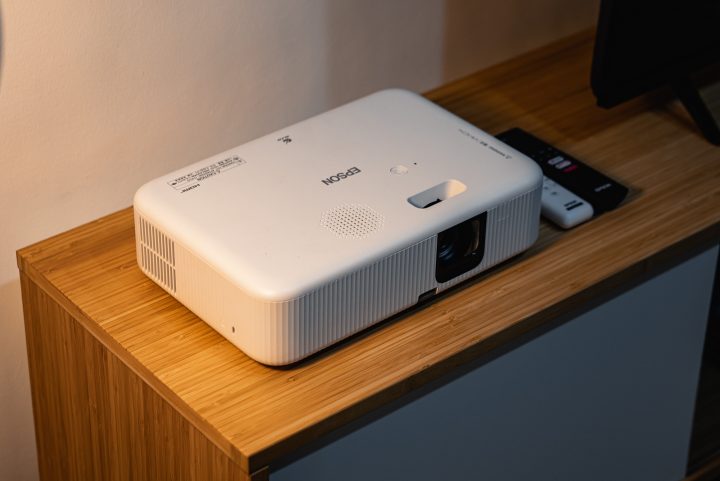
Have you ever thought about buying a projector before? If you’ve used one at school for a presentation, you know the possibilities with a projector are endless. Point it at a screen or even a wall, and you can have a great movie night with friends, families, and more. But projectors are often bulky and hard to set up, at least the older ones. At the same time, you’ll need to plug in a laptop too, which makes things even more complicated.
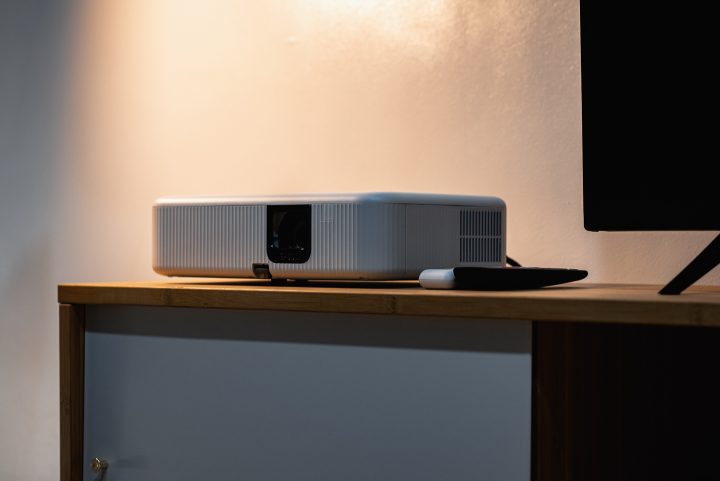
Recently, we got our hands on Epson’s new CO-FH02 Smart Projector. Since the unit arrived, it has changed our perspective on having a projector at home, or in this case, the office. We’ve also been using it almost every night.
So what makes the Epson CO-FH02 Smart Projector different from other projectors you’ve likely used in the past? For starters, it’s quite compact and relatively lightweight. That’s at least in comparison to other projectors I’ve ever had to move around before. Accordion to Epson, it only weighs around 2.6kg. It’s not too big either, around the same size as a 15-inch MacBook but just a lot thicker.

As a result, it’s quite easy to move around and set up wherever you may be. If you’re not using it, it will look good along with your furniture too since it’s all white and the ports are hidden. No need to worry about hiding it somewhere since it won’t fit the room’s aesthetics.
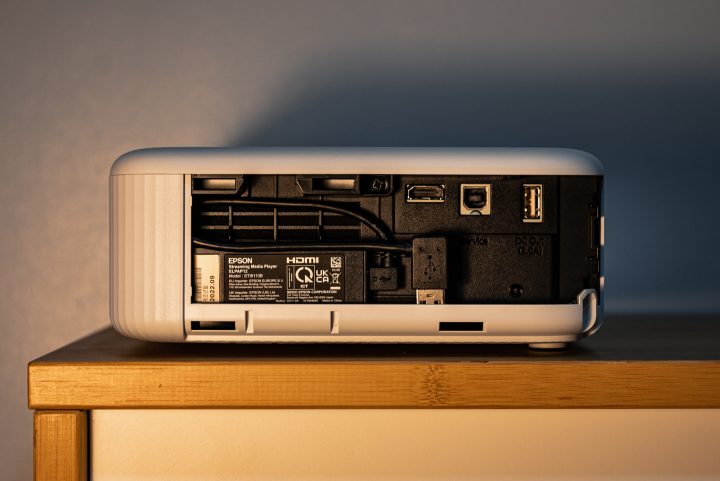
The projector itself is easy to use. Plug it into the socket, turn it on, and it’s good to go. Afterward, you just open up the side panel and connect your device through the HDMI port. No more VGA or DVI ports here. There are also USB-A and USB-B ports, but these are mainly to update the firmware and copy OSD settings.
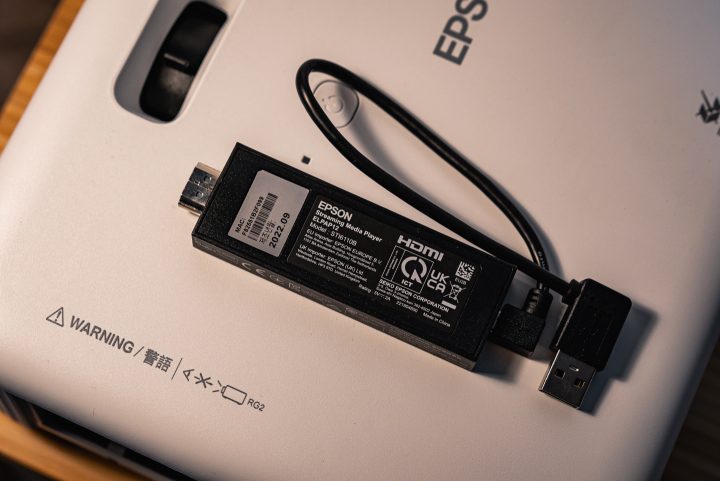
But if you don’t want to use your laptop or PC, there’s also the smart media player. It’s the small box that connects to the projector via HDMI and USB-A. With that, you automatically get all the features of an Android TV.

In fact, the monitor comes with two remotes just for that purpose – one for the Android TV function and one for the projector itself. Although you can alternate between both to go through the menu.
This means you can watch YouTube, Netflix, Amazon Prime, and more all through the projector without having to use any other device. If you’ve ever used an Android TV before, it’s the same system here. Connect it to the WiFi, and you’re good to go. There’s also Chromecast too if you want to take advantage of that.
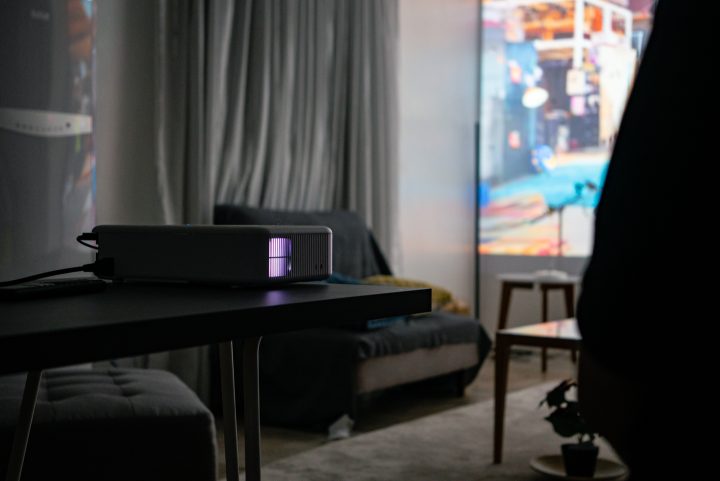
It took a while to find a spot for it at our HQ. But once we found the perfect location for the projector, we left it there so we could use it to watch movies and series after office hours. There’s no optical zoom and you do have to manually adjust the focus, but it’s quite easy to use.
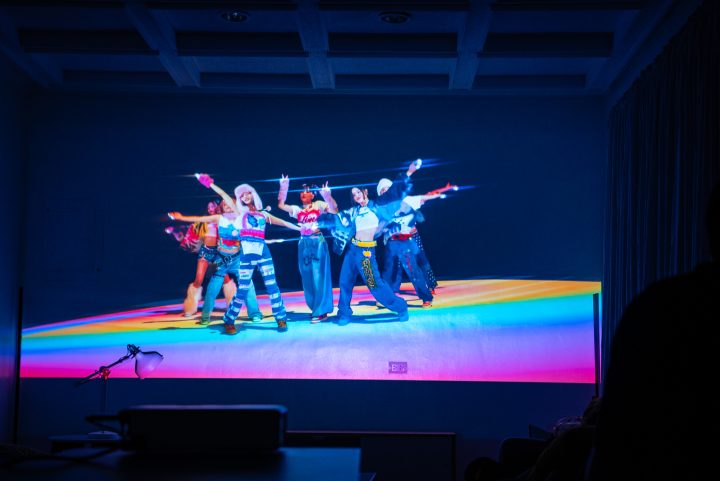
The projector displays really well on the wall, and it’s quite bright too. This made watching movies and videos really enjoyable, and we didn’t notice any pixelations either. While you can see the menu and the screen even with the lights on, we preferred using Epson’s projector with the lights turned off. It’s more similar to a cinema, and you can enjoy the big screen even more.
If you don’t have a speaker, the Epson CO-FH02 comes with a built-in speaker. It’s average at best though, and if you have a big space you won’t be able to hear what’s happening. Thankfully, you can connect the system to a Bluetooth speaker for better sound quality. Otherwise, other people in the room might not be able to hear what’s going on.

One thing we did notice is that the projector runs very hot. The fan is located on the right side and blows out hot air. The top portion of the rear right also gets very warm to the touch. With that, you might not want to sit beside the exhaust or put your drink near there.
The remote also has a delay when you’re going through the keyboard. This made it a bit hard to type what we were looking for if you click the buttons a bit too fast.

So you’re probably wondering how much the Epson CO-FH02 Smart Projector costs considering everything it has to offer. Well, it’s not as expensive as you would think. Epson Philippines has listed the projector on Shopee and Lazada for only PHP 38,000.
Yes, it’s still a big chunk of money, but it’s not bad if you compare it to higher-end projectors that project at 4K and need a proper screen to match. You can also bring it to multiple places if you’re going on a trip with friends. It’s a great alternative too if you don’t want to invest in a home theater system yet as well. Assuming you have a big blank wall, you’re good to go with this projector.
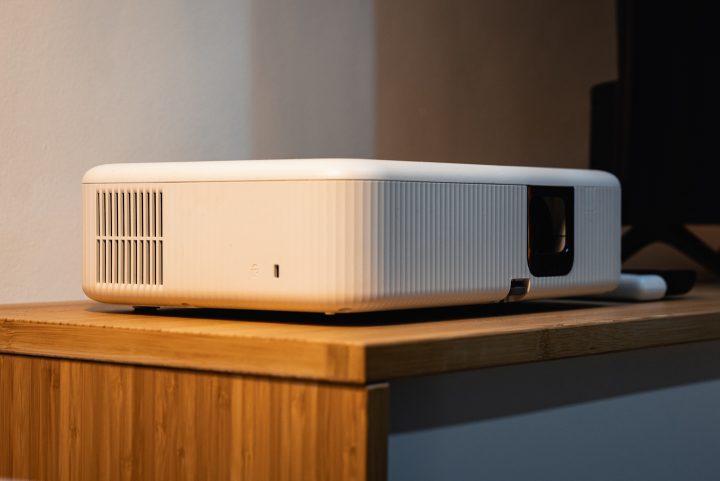
The Epson CO-FH02 Smart Projector isn’t for everyone. But if you’re the type of person that hosts the occasional movie night and have the space to project it, then you can’t go wrong with this projector.










Apple, Asus, Cherry Mobile, Huawei, LG, Nokia, Oppo, Samsung, Sony, Vivo, Xiaomi, Lenovo, Infinix Mobile, Pocophone, Honor, iPhone, OnePlus, Tecno, Realme, HTC, Gionee, Kata, IQ00, Redmi, Razer, CloudFone, Motorola, Panasonic, TCL, Wiko
Best Android smartphones between PHP 20,000 - 25,000
Smartphones under PHP 10,000 in the Philippines
Smartphones under PHP 12K Philippines
Best smartphones for kids under PHP 7,000
Smartphones under PHP 15,000 in the Philippines
Best Android smartphones between PHP 15,000 - 20,000
Smartphones under PHP 20,000 in the Philippines
Most affordable 5G phones in the Philippines under PHP 20K
5G smartphones in the Philippines under PHP 16K


MitaliS says:
🌱 Noobs🏆1
The Epson projector looks impressive from all sides like brightness, screen size and more. However, the built-in speaker may not be very powerful as it has a 5w speaker; it needs to be at least 10w.
If you want the same performance from a cheap projector, you can check https://trendyprojectors.com/vivitek-d555-review-3000-lumens-xga-dlp-projector/ as well. It is from Vivitek so it is more affordable than Epson