

Introduction
Wireless microphones have become an important tool for vloggers, content creators, online teachers, and even students who need better voice quality in class recordings or presentations. With so many options today, what matters most is ease of use, clear audio, and battery life. I recently used the BOYA Mini 2, the brand’s latest compact wireless microphone. In this review, I’ll share my experience with it, how it looks, how it sounds, where it works best, and if it’s worth buying for everyday use.
Design and Build
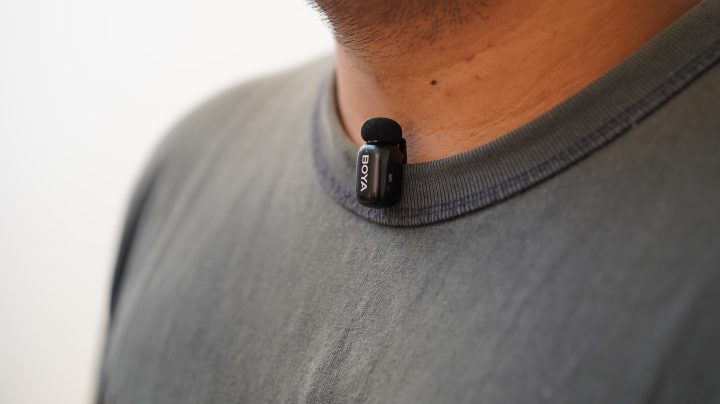
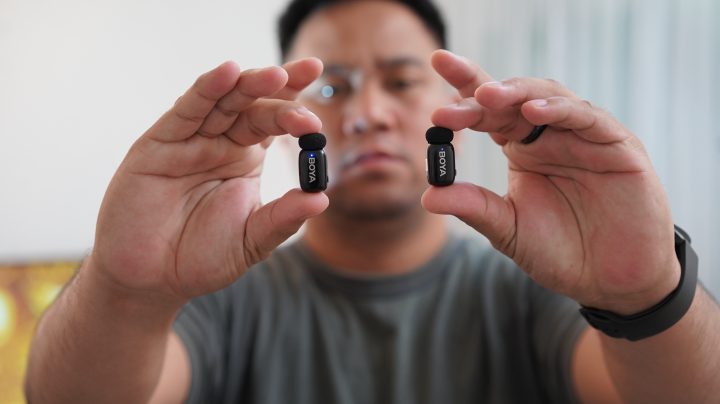
The BOYA Mini 2 stays true to its “mini” name. The transmitters are very small and lightweight, only around 5 grams each. When clipped to clothes, they don’t drag the fabric or look bulky on camera. The compact size makes it easier to record while moving, especially for vlog-style talking shots or interviews on the go. It’s also not distracting to wear, which is helpful if you prefer your mic to be less noticeable when filming.
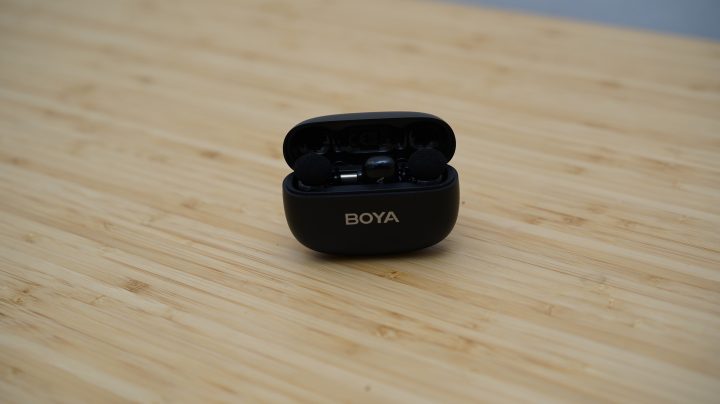
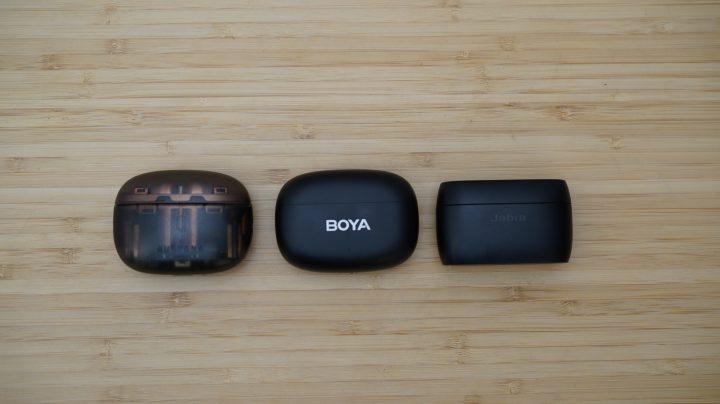
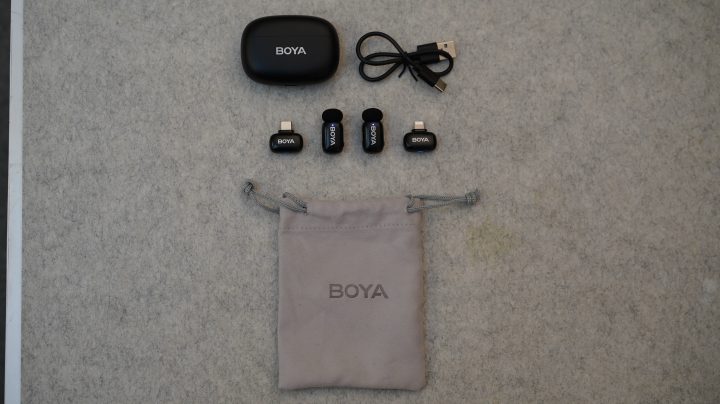
The charging case is also very small. Some of my team even mistook it for earbuds at first glance. It fits easily in a pocket or small bag. The package comes with two receivers: one USB-C and one Lightning Port. Only one receiver fits in the charging case at a time, so you choose which one you’ll carry. You can choose to buy either one receiver or both, depending on what device you mainly use. The BOYA Mini 2 offers a Type-C receiver for Android and some laptops, and a Lightning receiver for some old iPhone / IOS models. So you can pick which one fits your setup, or get both if you switch devices often. But even carrying both is not really a problem since the receiver is very small and can be placed in a pocket or accessory pouch without taking up space.
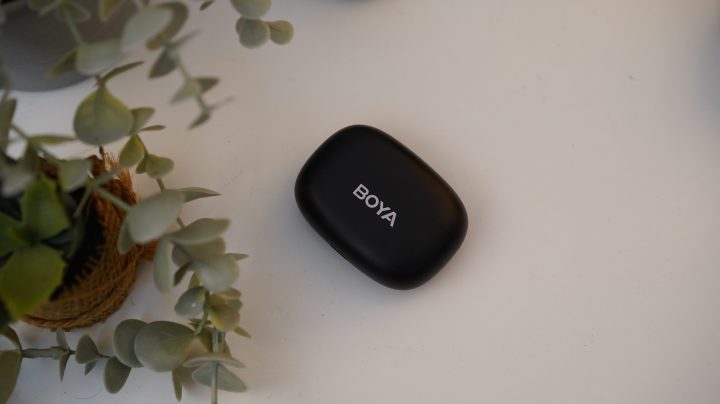
The variant we have is the matte black one. It has a clean and simple look that blends well in everyday setups. There is also a Lunar Silver version that we saw online, which seems to have a polished finish, but we haven’t used it personally. The matte black feels understated and practical, and it doesn’t collect fingerprints too easily.
However, the only downside for me in terms of design is the receiver’s position inside the charging case. The surface of the receiver is glossy, so when pulling it out of the case, it can feel a bit slippery, especially if your hands are sweaty. It’s a small thing, but it’s something you’ll notice when using it often.
Audio Quality
For audio performance, the BOYA Mini 2 delivers clear voice recordings. It records at 48 kHz / 24-bit, which provides a clean sound suitable for content creation, meetings, and voiceovers. But what surprised us most is the AI Noise Cancellation.
We tested both the Light and Strong AI Noise Cancellation modes. The Strong mode especially amazed us. Even in loud outdoor areas, the microphone was able to isolate and capture the voice clearly while reducing most of the background noise. The Light mode keeps some natural ambient sound, which works better indoors or in controlled environments. The Strong mode is useful for busy places like streets, events, or cafes where you want your voice to stay the focus.
The BOYA Mini 2 also comes with a foam windscreen and a built-in low-cut filter. These help reduce wind noise and low rumbling sounds when filming outdoors or in open areas. And with the built-in limiter and safety track, audio peaks are controlled, and a backup track is recorded at a lower volume to prevent distortion in case someone suddenly speaks louder.
Even though the set includes two transmitters, when recording with both at the same time, the audio is combined into one single track by default. Based on what we saw in the app, the two transmitters record into the same file and are not separated into isolated channels. So if your workflow needs individual audio tracks for each speaker, just take note of that limitation.
Application
Using the BOYA Mini 2 is straightforward. When you remove the transmitters and receiver from the case, they automatically power on and pair with each other, so no manual setup is needed. Plug the receiver into your device and it’s ready to use.
In real use, we tried this for vlogging, voiceovers, casual outdoor walks, and even online calls. The connection remained steady within normal shooting distances. The stated maximum transmission range is up to 100 meters in open areas. In real-life conditions with buildings or interference, the range becomes shorter, but still enough for normal content recording.
The system also supports different recording modes, mono, stereo, and safety track, depending on how many people are speaking and how you plan to edit.
The BOYA Central app is also easy to access. You can download it from the Google Play Store, Apple App Store, and even on PC. The app allows you to adjust audio settings based on your preference. You can set how loud the output should be, choose noise reduction levels, and personalize EQ to shape how your voice sounds. This is useful if you want either a brighter, clearer tone or a more natural sound.
Battery
Each transmitter lasts up to around 6 hours with noise cancellation off, and around 4.5 hours when noise cancellation is on. For day-to-day content creation or meetings, this is enough. The charging case provides up to 30 hours of total usage, allowing multiple recharges throughout the day.
Charging the case takes about two hours using a USB-C cable. The automatic charging when storing the transmitters helps you worry less about battery management.
Price
The BOYA Mini 2 matte black variant comes at just PHP 3,400.00 with the complete set of Charging Case, Two transmitters, USB-C receiver, Lightning Receiver, and USB-C to USB-A Data Cable. Considering that the set includes two transmitters, a receiver, a charging case, and AI noise cancellation, the price is very competitive. For students, new creators, and budget-conscious users, this is a good entry-level wireless mic option.
However, you can buy with different options in the BOYA website.
BOYA mini 2 (Lightning RX + 1 TX) PHP 1,900
BOYA mini 2 (USB-C RX + 1 TX) PHP 1,600
BOYA mini 2 (USB-C RX + 2 TX) PHP 1,900
BOYA mini 2 (Lightning RX + 2 TX + Charging Case) PHP 3,100
BOYA mini 2 (USB-C RX + 1 TX + Charging Case) PHP 2,200 – Matte Black
BOYA mini 2 (USB-C RX + 1 TX + Charging Case) PHP 2,500 – Lunar Silver
BOYA mini 2 (USB-C RX + 2 TX + Charging Case) PHP 2,500 – Matte Black
BOYA mini 2 (USB-C RX + 2 TX + Charging Case) PHP 2,800 – Lunar Silver
BOYA mini 2 (USB-C & Lightning + 2 TX + Charging Case) PHP 3,400 – Matte Black
BOYA mini 2 (USB-C & Lightning + 2 TX + Charging Case) PHP 3,700 – Lunar Silver
Conclusion
The BOYA Mini 2 offers a practical and compact wireless microphone experience. It is easy to set up, delivers clear audio, and handles noise cancellation well, especially in outdoor or noisy environments. The small size makes it convenient to carry daily, and the price makes it accessible to beginners and casual creators. While the receiver being a bit slippery to remove from the case is a minor inconvenience, the overall performance and portability make the BOYA Mini 2 a reliable and everyday-use microphone for content creation and communication.
Watch our short in-depth review here.




0 Comments
Leave a Reply