
You may be wondering if it’s even possible to charge your laptop with a power bank. In short, yes it is possible to charge your laptop using a power bank. However, don’t expect it to go from 0 to 100% full charge in a short amount of time. To choose the right power bank for charging your own laptop, you may want to consider 3 things: the power output, the battery capacity, and the ports.
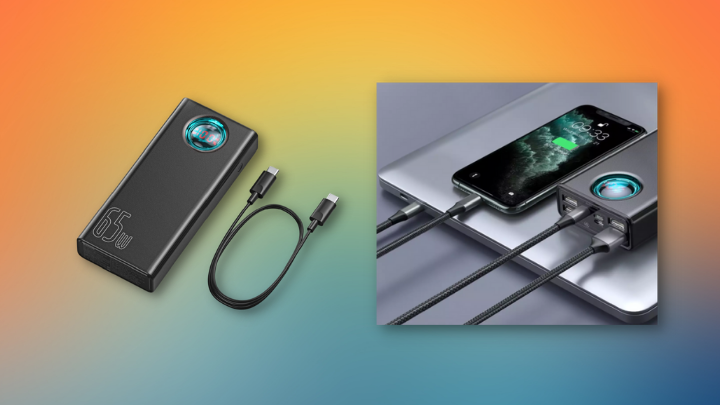
Power Output
Each laptop carries with it different minimum power outputs from their respective chargers. This may vary depending on what laptop. For example, a 13-inch Macbook Pro needs at least 61W but gaming laptops like the Asus Zephyrus G14 have chargers that go up to 230W.
It is also possible to power your laptop with lower power outputs but expect it to just drain less quickly and not actually charge up. Likewise, to actually charge your laptop with less output you would want to charge when idle or turned off. In a nutshell, the lower the wattage of the power bank, the longer it will take to charge your laptop. Using a commonly seen 5V/2A output port may take even as long as 12 hours even when the laptop isn’t running.
Battery Capacity
When charging a laptop with a power bank, expect it to be bigger than your conventional power banks used for smartphones. A good laptop power bank should be able to get you either 1 or 2 charges. We would say a good minimum battery capacity for charging would be 20,000 mAh. Do also note that some power banks are enormous enough to look like mini generators. Just be sure to check whether or not the power bank you choose is both portable enough and has enough battery capacity for your needs.
Ports
Nowadays, laptops can be charged via USB-C, and similarly, most new power banks these days come with USB-C output ports. Alternatively, some larger capacity power banks come with an AC outlet or different connectors/adapters which allow you to plug your laptop’s proprietary charger in the power bank.
Other Things to Keep in Mind
- Do keep in mind that if you plan to fly, most airlines only allow you to carry power banks that do not exceed 100Wh or about 26000 mAh. It would be best to check, depending on your airline, what regulations on battery packs are imposed on your country when traveling.
- Note that using third-party charging cables can affect the charging process even if it does appear charging. Using a low-quality charging cable can result in much longer charging times. It would be best to use the cable that comes with the power bank or with your laptop.
- The more intense your laptop’s workload or if you have either larger laptops, gaming laptops, or laptops that have a beefy GPU. The more powerful your power bank is going to have to be in order for you to supply enough power for the laptop.
Xiaomi Mi Powerbank

Xiaomi is known for its overall good and well-priced electronics has continued what it is known for in their Mi Powerbank. Packing in 20,000 mAh and a USB-C Port that can deliver 45W of power. Xiaomi’s power bank isn’t the fastest but it will get the job done for most ultraportable laptops. If you’re looking for some extra juice for your laptop throughout the day at an affordable price, you can find the Xiaomi Mi Powerbank at just PHP 1,628 here.
Xiaomi Mi Powerbank specs:
- Model: PLM07ZM
- Capacity: 20,000mAh
- Weight: 400g
- Dimensions: 153.5L × 73.5W × 27.5H mm
- Maximum output: 45W MAX
- Input/Output: 2-way USB-C port at 45W max input/output. 2 additional USB-A ports can output 18W individually or 5V/3A (15W) when used together.
Aukey – PB-Y35
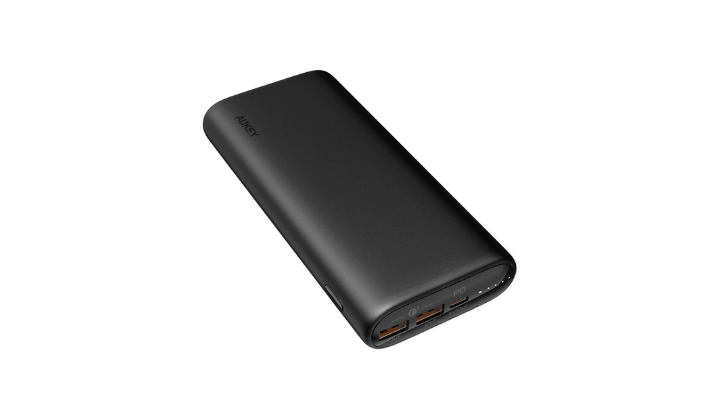
Aukey is known for delivering nothing short of sturdy and reliable electronics. The PB-Y35 by Aukey is a great solution for charging your laptop on the go. With its lightweight build, you won’t even notice carrying it around. It delivers 48W power output, which is enough for most laptops. On top of that, it has Quick Charge 3.0 on its USB-A outputs which can deliver 18W of power. The Aukey comes in at PHP 2,680 and you may find it here.
Aukey PB-Y35 specs:
Capacity: 20,000mAh
Weight: 360g
Dimensions: 159L X 74W X 26H mm
Maximum output: 48W
Input/Output:
- USB-C Input / Output: (45W PD) 5V 3A, 9V 3A, 12V 3A, 15V 3A, 20V 2.25A
- USB-A Output: (Quick Charge 3.0) MAX 18W 5–6V 3A, 6–9V 2A, 9–12V 1.5A
Romoss PPD20
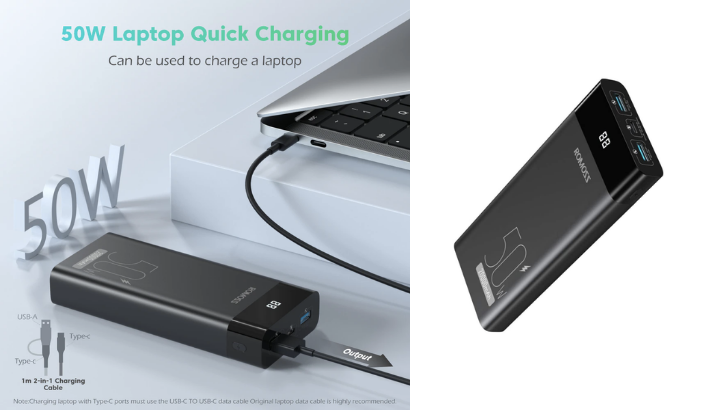
If you’re a little strapped for cash at the moment but need a power bank for your laptop. The Romoss PPD20 comes in just at PHP 1,599 and provides great value for money. It isn’t just the fact that it comes with 20,000 mAh but it also comes with 50W of power delivery which can just about charge most ultraportables even when being used. You may find the Romoss PPD20 here.
Romoss PPD20 specs:
Capacity: 20,000mAh
Weight: 480g
Dimensions: 161L X 72W X 28H mm
Maximum output: 50W
Input/Output:
- Input Type-C : 5V 3A/9V 3A/12V 3A/15V 3A/ 20V 2.25A 45W(Max)
- Output Type-C : 5V 3A/9V 3A/12V 3A/15V 3A/ 20V 2A 45W(Max)
- Output USB-A : 5V 3A/9V 2A/12V 1.5A 18W(Max)
Veger – VP2032
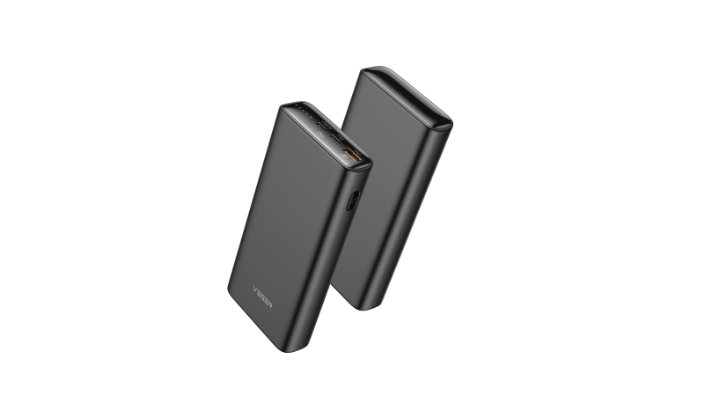
The Veger VP2032 certainly packs a punch by giving a lot of power in such a small package. At just 382g and with 20,000 mAh of juice, it is very surprising that this little power bank can give you 65W of power. No wonder why it is such a popular choice among consumers as it also comes at just PHP 1,999. You may check the Veger out by following this link.
Veger VP2032 specs:
Capacity: 20,000mAh
Weight: 382g
Dimensions: 156.7L X 74W X 25H mm
Maximum output: 65W
Input/Output:
- Type-C (In/Out) Output 1: 5V/3.0A • 9V/3.0A • 12V/3.0A • 15V/3.0A • 20V/3.25A (Max 65w)
- Type-C (Out) Output 2: 5-6V/3.0A • 6-9V/2.0A • 9-12V/1.5A
- USB Output 3: 5-6V/3.0A • 6-9V/2.0A • 9-12V/1.5A
Technoamp 25000mAh 100W PD / Technoamp LiFePO4
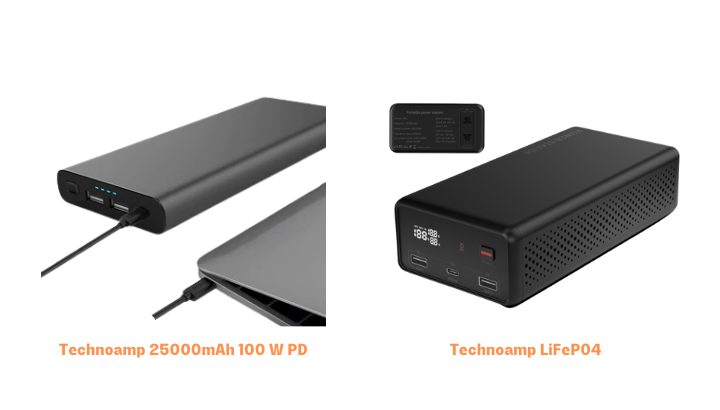
We might be cheating slightly for this one but these two power banks are just so hard to pass up. Both come from Technoamp and are fairly similar. The Technoamp 25000mAh 100W PD and the Technoamp LiFePO4 both pack roughly the same capacity at 25,000 mAh and 25,200 mAh respectively. Impressively, both can deliver a ridiculous power output at 100W. The only notable difference between the two is that the LifFePO4 has an extra AC output. This can be especially handy when your laptop can’t charge via USB-C. The Technoamp 25000 mAh 100W PD comes in at Php 3,325 and can be found here 21. The Technoamp LiFePO4 comes at a little more for the AC output at PHP 3,799 and can be found here.
Technoamp 25000mAh 100W PD Specs:
Capacity: 25,000mAh
Weight: 550g
Dimensions: 181L X 76 X 21H mm
Maximum output: 100W
Input/Output:
- Type C Input: PD DC5V/3A 9V/3A 12V/3A 15V/3A 20V/2.25A
- Type C Output: PD DC5V/3A 9V/3A 12V/3A 15V/3A 20V/5A
- USB 1&2 Output: DC3.8-6.5V/3A 6.5V-9V/2A 9-12V/1.5A
Technoamp LiFePO4 specs:
Capacity: 25,200mAh
Weight: 985g
Dimensions: 190L X 95W X 50H mm
Maximum output: 100W
Input/Output:
- Type C Input: PD DC5V/3A 9V/3A 12V/3A 15V/3A 20V/2.25A (45W Max)
- USB Output: 5V/4.5A, 9V2A, 12V1.5A, 5V2.4A (22.5W Max)
- Type C Output: PD DC5V/3A 9V/3A 12V/3A 15V/3A 20V/2.25A (45W Max)
- AC output: 220v 50Hz 100w (200w peak)
YooBao PD65W
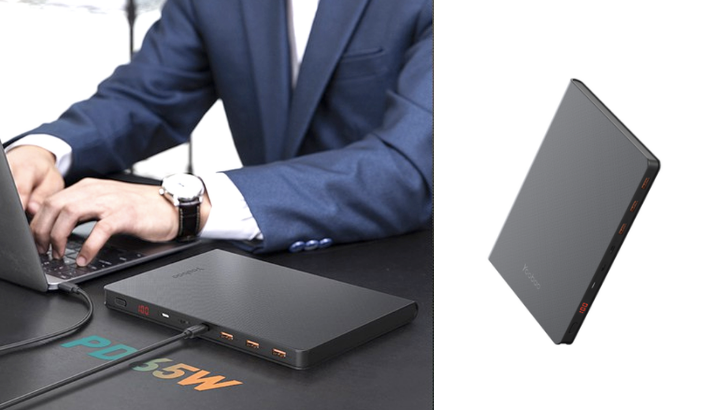
If you’re looking for a power bank with a little more juice but just remains as slim, then the YooBao PD65W could very well be what you’re looking for. For its light and sleek design, you may be surprised that it actually packs in 30,000 mAh and can deliver 65W of power, which is more than capable to charge your laptop. The YooBao PD65W comes in just at PHP 1,990 and at that price, it surely provides great value for money. You may discover more about the PD65W here.
YooBao PD65W specs:
Capacity: 30,000mAh
Weight: 675g
Dimensions: 210L X 151W X 16H mm
Maximum output: 65W
Input/Output:
- Lightning input: 5V 2.4A
- Micro-USB input: 5V 2.4A, 9V 2A, 12V 1.5A
- USB-C input: 5V 3A, 9V 3A, 12V 3A, 15V 3A, 20V 3.25A
- USB-A output: 4.5V 5A, 5V 4.5A, 5V 3A, 9V 2A, 12V 1.5A
- Output : DC5V=4A Output 1 / Out2 / Out3
- DC4.5V=5A/5V=4.5A/5V=3A/9V=2A/12V=1.5A
- Total Output : 5V=6A ( Out1+Out2+Out3+Out-C)
Technoamp PBLT40

If different connectors are what you need then the Technoamp PBLT40 has got you. It comes with an entire set of 28 different laptop connectors and cables that come with the package for whenever you need to charge a variety of laptops. Just note especially that it isn’t compatible with any Lenovo laptop with a 20V Type-C port. As well to charge via the DC-out port, you will need to set the voltage to your laptop. It is also packing a lot of juice at 40,000 mAh and can deliver a max output of 90W. It’s pricey PHP 7,500 but if you’re interested, you may click this link Lazada →.
Technoamp PBLT40 specs:
Capacity: 40,000mAh
Weight: 1157g
Dimensions: 190L X 150W X 28H mm
Maximum output: 90W
Input/ Output:
- Input: DC:19V/2A
- DC Output:5V/8.4V/9V-3A,12/16V/20V-4.7A
- USB 1 & 2 Output: 5-6.5V/3A, 6.5-9V/2A, 9-12V/1.5A
- USB-C Output: 5V/9V/12V 3A (max)
YooBao EN1
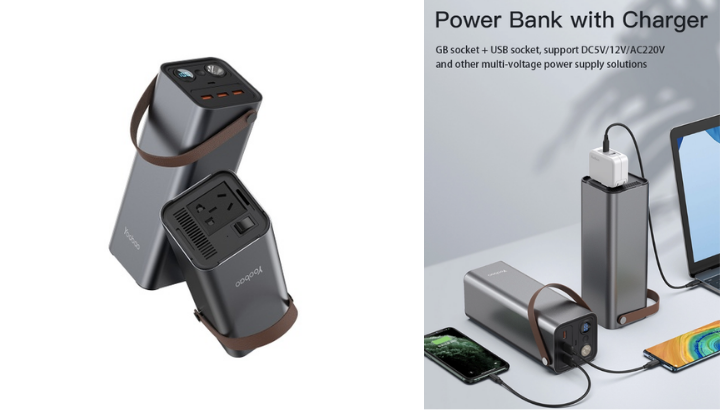
If you’re looking for a power bank with a large amount of capacity but can still be portable enough. Then the YooBao EN1 would be a great choice. It may feel quite dense when carrying but remember that you got 46,200 mAh at your disposal. This helps you feel at ease knowing you’ll be sure to get at least 2 charges. It can deliver enough power through its AC output at 150W and also its USB outputs at 65W. The YooBao EN1 comes in at PHP 4,795 and to find it, you may follow this link.
YooBao EN1 specs:
Capacity: 46,200mAh
Weight: 1800g
Dimensions: 81L X 81W X 240H mm
Maximum output: 150W
Input/Output:
- Total Input Power: 65W(Max)
- Type-C Input: DC 20V-3.25A / 15V-3A / 12V-3A / 9V-3A / 5V-3A
- Total USB Output: 65W
- Type-C Output: DC 20V-3.25A / 15V-3A / 12V-3A / 9V-3A / 5V-3A
- USB-A1/A2/A3 Output: DC 12V-1.5A / 9V-2A / 5V-2.4A
- AC Output: 220V~50Hz 150W
- Flashlight Power rate: 1W
Tylex XP01 Portable Power Station
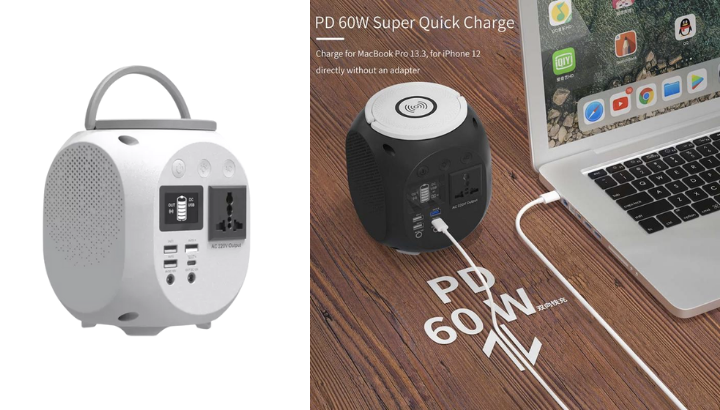
Ever plan on camping or going for a little getaway over the weekend? At those times, you may want to carry a larger battery pack if ever an electrical outlet may not be found. The Tylex XP01 Portable Power Station would be a great choice for such an occasion. Coming in with 45,000 mAh and being able to deliver 150W of power via the AC port and 60W via the USB-C port. The Tylex XP01 is surely a great choice for a short weekend away. With its already stylish and modern design, the Tylex XP01 even comes with a wireless charger on top and a built-in flashlight for when the night comes. The Tylex XP01 comes in at roughly on average PHP 4,500 and can be found here.
Tylex XP01 Portable Power Station specs:
Capacity: 45,000mAh
Weight: N/A
Dimensions: N/A
Maximum output: 150W (AC Output), 60W (USB-C)
Input/Output:
- Input 1: DC 15V/3A(Max)
- Output 1: DC 12V/5A(Max)
- Input 2: Type-C PD DC 5V/3A & 9V/3A & 12V/3A & 15V/3A & 20V/3A
- Output 2: Type-C PD DC 5V/3A & 9V/3A & 12V/3A & 15V/3A & 20V/3A
- Output 3: USB1+USB2 DC 5V/2.4A
- Output 4: USB3 Q.C3.0 DC 5V/3A & 9V/2A & 12V/1.5A
- Output 5: AC 220V 50Hz/150W(Max)
- Type-C PD 18W Input and Output
YooBao EN300WLPD
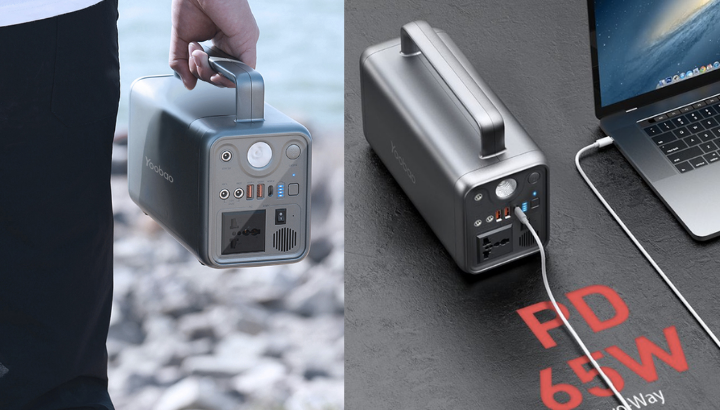
Now for the biggest boy of them all in our list, the YooBao EN300WLPD. With 72,000 mAh worth of battery capacity and even a 300W max AC output, this power bank will surely serve you for days charging your laptop. Although not the most portable, it may serve useful in circumstances whenever a power outage may occur. Such as the very recent Typhoon Odette in the Visayas region where it left people scrambling to charge their phones and gadgets. The YooBao EN300WLPD comes in at PHP 8,990 and you may find it here.







0 Comments
Leave a Reply