infinix x yugatech

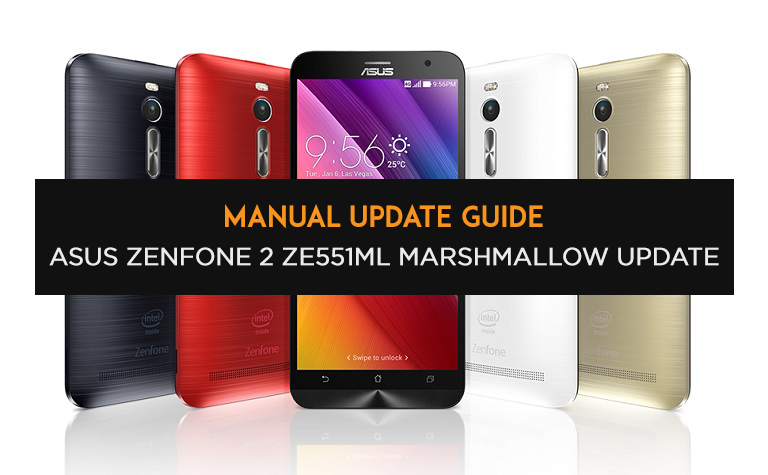
ASUS Zenfone 2 を Marshmallow にアップデートする方法はこちらです

Listen to article

ASUS はついに、最上位モデルのZenfone 2向けに待ち望まれていた Android Marshmallow アップデートをリリースしましたが、どのように手動でインストールすればよいのでしょうか。その手順を簡単に解説します。
asus-zenfone2-marshmallow-updateguide

ASUSは、公式サイトで、愛用のZenfone 2 ZE551MLを最新の利用可能なソフトウェアに更新する方法の手順を説明しています。

  1. ファームウェアのzipファイルをダウンロードし、内部ストレージにコピーしてください。ファイル名は「UL-Z00A-WW-4.21.40.134-user.zip」であることを確認してください。ASUSウェブサイトからこちらで直接ダウンロードできます。
  2. 重要なアプリはすべて内部ストレージに移動させてください。Android 6.0 MarshmallowではAPP2SDのサポートがないためです。また、念のためファイルのバックアップを準備しておいてください。
  3. 「System Update File Detected」という通知が表示されるはずです。その通知をタップして、正しいアップデートパッケージを選択してください。充電中またはPCに接続している場合は、まずUSBケーブルを外してください。
  4. バッテリー残量が60%以上あるか、充電中であることを確認してください。
  5. 準備ができたと確信したら、「OK」ボタンをタップしてください。
  6. デバイスがリカバリーモードに起動し、アップデートが始まります。これには時間がかかります。この間、絶対にデバイスを再起動しないでください。
  7. アップデート完了後、デバイスが自動的に再起動します。アプリの最適化には、インストールされているアプリの数に応じて時間がかかる場合があります。

以上です。Zenfone 2 からすぐに新しい Android マシュマロをお楽しみください。アップデートの最新情報はこちらで確認できます こちら

React to this article:
Written by
Carl Lamiel

Carl Lamiel

Writer

Get in touch with Carl at @lamielcarl on Twitter or visit his website for more updates!

View all posts by Carl Lamiel →

16 Comments

KU
Kulotskie · 10 years ago

Do i need to extract that files cuz it is .zip file

Reply
DZ
dzandueta · 10 years ago

Updated my year-old phone the day after the announcement and backing up my stuff. So far, my phone’s battery lasts (essentially) for 2-3 days of moderate use and no issues. Looking forward to “stressing” it out, though, to see how it’ll perform. :)

Reply
TI
TinCups69 · 10 years ago

i downloaded the file from the link and installed into the root directory of my asus zenfone 2. after a while, a notification message appeared to confirm installation of the update. took some time, may be less than an hour to have my unit updated to marshmallow. no issues encountered. except that after checking the marshmallow update features, there are some that was not included by asus. so far, unit’s working well & performance quite better than previous…

Reply
CE
Cesar Noel · 10 years ago

Just a small warning though, if your playing Ingress don’t update to Marshmallow yet as the app will not work yet

Reply
GI
Gil · 10 years ago

Very sharp explanation, thanks. I did the same straightforward procedure last week, and all is working without problem. No need recovery/root or deeper manipulation, aka XDA. MM Update kept all my apps (most asus apps remained but as users, not system), settings, contacts, sms, etc. Phone is clearly snappier, somehow more memory is easily available and bugs are invisible so far.
It was a long waiting indeed but I can’t complain about quality from Asus, at all.

Reply
ZE
zen2 · 10 years ago

FYI you need to restart your phone to detect system update file.

Reply
KU
Kulotskie · 10 years ago

Do i need to extract the download file? And where should I put the file that Ive donwnloaded?

DY
Dynamyk · 10 years ago

Upgrade made my battery life go south fast aarghh

Reply

Leave a Reply

Loading next article...