

HUAWEI MatePad 12 X (2026) Review



The Social Security System or SSS of the Philippines has launched a new member portal with a complete design overhaul with features similar to its existing website.
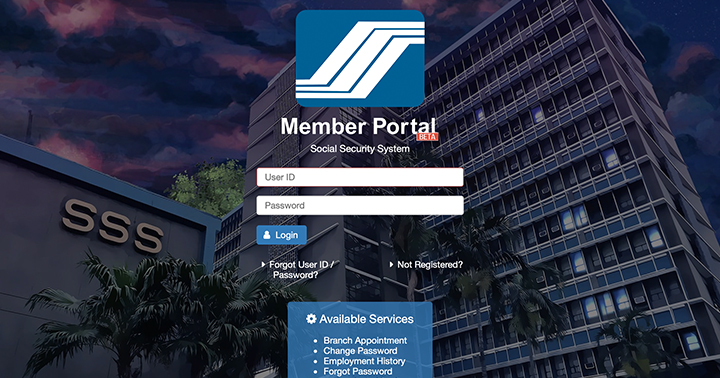
After years of recommending users to use Internet Explorer to access its website with optimal viewing and functionality, the new web portal now supports other major browsers like Google Chrome and Safari. It also has now a better layout with clean interface, improved user experience and responsive design for better mobile viewing.
Available online services include the following:
You may visit this link to try out the SSS Member Portal Beta.










Apple, Asus, Cherry Mobile, Huawei, LG, Nokia, Oppo, Samsung, Sony, Vivo, Xiaomi, Lenovo, Infinix Mobile, Pocophone, Honor, iPhone, OnePlus, Tecno, Realme, HTC, Gionee, Kata, IQ00, Redmi, Razer, CloudFone, Motorola, Panasonic, TCL, Wiko
Best Android smartphones between PHP 20,000 - 25,000
Smartphones under PHP 10,000 in the Philippines
Smartphones under PHP 12K Philippines
Best smartphones for kids under PHP 7,000
Smartphones under PHP 15,000 in the Philippines
Best Android smartphones between PHP 15,000 - 20,000
Smartphones under PHP 20,000 in the Philippines
Most affordable 5G phones in the Philippines under PHP 20K
5G smartphones in the Philippines under PHP 16K


Rabbitkun says:
🥉 Rookie🏆1
Finally they’ve updated their website, ilang years na rin yung pinagtiyatiyagaan ko sa IE yan.
Gg says:
🌱 Noobs🏆1
Ahahahahahah! True
Lhon0901 says:
🌱 Noobs🏆1
It kind of looks like the SSS application for android, which just started working recently. I might use this for more detailed inquiries, however for me I would just continue using the Android app.
Silverlokk says:
🥉 Rookie🏆1
the new web portal now supports other major browsers like Google Chrome and Safari.
Not quite:
https://twitter.com/silverlokk/status/1023529*****7477252
I did manage to use Firefox to register. Website told me to wait 30 mins (!) for an activation email. Got the email, captured in image on the left. Clicked on the link, was expecting it to log me in and prompt for a new password, which I didn’t have to enter when I first registered.
Take note of the message at the top right of the browser window >:(
Marcie says:
🌱 Noobs🏆1
No option for loan application/status.
Ozom says:
🌱 Noobs🏆1
Some pages still require IE to work :(
Anon says:
🌱 Noobs🏆1
Yung pinaka importanteng feature na Loan application wala, anu ba yan.
Liberty says:
🌱 Noobs🏆1
Ilang beses ko na binuksan ung sss new portal, walang lumalabas na Generate PRN. Pati sa Android phone ko wala padin lumalabas na Generate PRN.