

We can’t believe that its more than two months since the initial Android Jellybean build for the Samsung Galaxy Notehas surfaced, yet users of the 5.3-inch handset are still stuck on Ice Cream Sandwich. But that’s about to change (and hopefully soon) as Sammy started seeding the update to their already seasoned device.
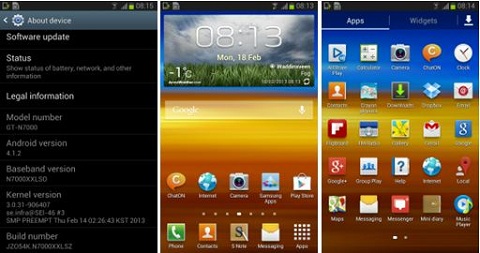
Here are the things that the update is said to bring to your original Galaxy Note:
• Improved performance and stability, thanks to Project Butter
• Multi-View (Multi Windows Multitasking) like on the Note II
• Page Buddy
• New Additions in Notification Panel; Notification Panel can now be customized
• Smart Rotation (Screen Display adjusts to your angle of sightings)
• Continuous Input in Samsung Keyboard (Like Swipe or Android 4.2 Keyboard)
• Samsung’s Cloud services integration
• Direct Call, Smart Stay and Pop-up Play Features
• New Widgets From the Galaxy S III
• 2 Home screen modes
• New Notifications bar
• Google Now
The update has been rolled out already, but it may take some more weeks before it reaches our devices, especially those who got their handset with a postpaid plan from local telcos (just like me). If you can’t wait for the update to automatically come and knows a thing or two about tweaking your phone’s OS, you can head on over to this {link}, download the build and manually install it on your device.
{source}






They say that this update will cause your phone to drain battery faster and makes it laggy. Is it true? Will I update my phone to Jelly Bean or I will stick with ICS 4.0.4 Help please!