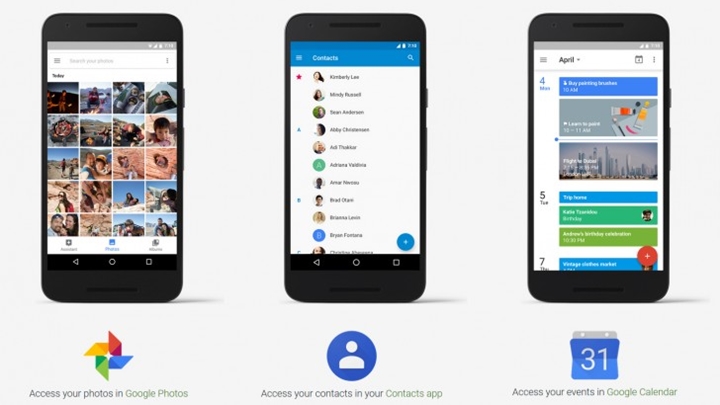

Backing up your contacts, events, photos, and videos for transferring to a new smartphone can be cumbersome especially if you have a lot of files that you just can't let go yet. If you're jumping to Android world from iOS, well, all you need is this. Just go into the app and find the backup tool, select what you would like to be backed up and hit ‘Start Backup’. This is much easier transition unlike before where users had to manually do the backups individually through those apps. It'll be restored on your new Android phones with the same logged in account. You also get dual TMR analog sticks, a bigger D-pad, Wi‑Fi 6, Bluetooth 5.1, USB‑C 3.1, microSD expansion, and Android paired with AyaSpace software. Google has just announced a new version of Android 12 that is catered to larger screen sizes called, Android 12L. Android 12L will focus on tablets, foldables, and ChromeOS devices. Read more in our articles including "Google makes it easier to switch from iOS to Android" and "Google Wallet adds Package Tracking via Gmail Receipts".

Backing up your contacts, events, photos, and videos for transferring to a new smartphone can…
Dec 14, 2016
Google is testing a new Google Wallet feature that automatically tracks delivery packages using Gmail…
Jun 28, 2026
ASUS has confirmed that the ExpertBook Ultra will launch in the Philippines on July 1.…
Jun 28, 2026
vivo officially unveiled the X Fold6 in China, its first foldable powered by a MediaTek…
Jun 28, 2026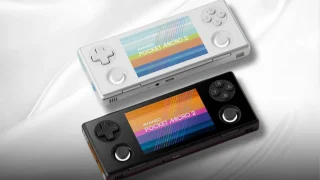
AYANEO has unveiled the Pocket Micro 2, an upgraded retro gaming handheld featuring a more…
Jun 28, 2026
Google has just announced a new version of Android 12 that is catered to larger…
Oct 28, 2021Backing up your contacts, events, photos, and videos for transferring to a new smartphone can be cumbersome especially if you have a lot of files that you just can't let go yet. If you're jumping to Android world from iOS, well, all you need is this.
Just go into the app and find the backup tool, select what you would like to be backed up and hit ‘Start Backup’. This is much easier transition unlike before where users had to manually do the backups individually through those apps. It'll be restored on your new Android phones with the same logged in account.
Our coverage of android back up includes: "Google makes it easier to switch from iOS to Android"; "Google Wallet adds Package Tracking via Gmail Receipts"; "ASUS ExpertBook Ultra launching on July 1". Each article provides unique insights and information.