ant vr

yugatech x ASUS

Latest Review

Sleek HUAWEI MatePad 12 X tablet on a dark surface
HUAWEI MatePad 12 X (2026) Review
A person holding the new iPhone 17 Pro Max
iPhone 17 Pro Max Review
Gray Philips tablet with rear camera and flash on metallic finish
PHILIPS 10-inch Tablet (T7305L) Review
nubia Neo 3 GT vs. Infinix GT 30 Comparison Review
Nothing Phone (3a) Lite smartphone on a white background
Nothing Phone (3a) Lite Review

Latest Guide

What’s new with Samsung One UI 8
Smartphones Under PHP 10,000 | Q3 2025
Smartphones Under ₱6K (Php 6,000) | Q3 2025
Xiaomi 15T Pro vs. Xiaomi 14T Pro: What’s different?
List of Xiaomi devices for HyperOS 3 Update Timeline
ant vr Archives » YugaTech | Philippines Tech News & Reviews
Yugatech Logo 2023
YugaTech is the largest and longest-running technology website in the Philippines. Orignally established in October 2002, the site was transformed in 2005 into a full-fledged technology news and reviews destination for Filipinos across the globe.

Tech Guides

YugaTech | Philippines Tech News & Reviews
© 2025. All Rights Reserved.

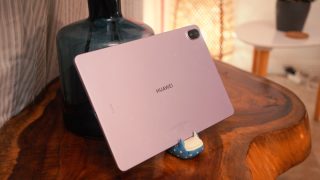
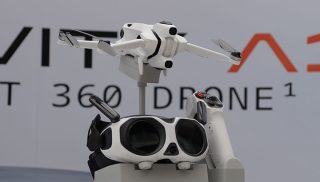
Stylus and Accessories Speaking of accessories, one of the biggest advantages of the MatePad is that it comes bundled with accessories with a single purchase.  This includes the M-Pencil (3rd Gen), which magnetically attaches to the top of the tablet with wireless charging support. It also snaps to the back of the tablet magnetically, and we can even detach and use it untethered when we want to type away from the tablet.  With the help of function key shortcuts a user could even practically use it as a remote. The only app so far that can take advantage of its full certification is Amazon Prime Video. Between the bundled M-Pencil, Smart Keyboard, and pre-installed apps like WPS Office and GoPaint, it’s built for students, young professionals, and creatives who want a laptop-like experience without spending laptop-level money. A quick rundown of key AI features includes Ask Ella (the phone’s own voice assistant in addition to Google Gemini), AI Studio, AI Writing, and Circle to Search. Designed for creators who want to shoot immersive video without going through complex setups, this little camera still comes with DJI’s image processing and smart software. It also supports 6K video at 60fps and 4K at 60fps if you want smaller file sizes or need smoother playback. Read more in our articles including "Lenovo Vibe K5 Plus hands-on, first impressions" and "HUAWEI MatePad 11.5 PaperMatte Edition (2025) Hands-On Review".

More About ant vr

Frequently Asked Questions

What is ant vr?

Stylus and Accessories Speaking of accessories, one of the biggest advantages of the MatePad is that it comes bundled with accessories with a single purchase.  This includes the M-Pencil (3rd Gen), which magnetically attaches to the top of the tablet with wireless charging support. It also snaps to the back of the tablet magnetically, and we can even detach and use it untethered when we want to type away from the tablet.  With the help of function key shortcuts a user could even practically use it as a remote.

What have you covered about ant vr?

The only app so far that can take advantage of its full certification is Amazon Prime Video. Between the bundled M-Pencil, Smart Keyboard, and pre-installed apps like WPS Office and GoPaint, it’s built for students, young professionals, and creatives who want a laptop-like experience without spending laptop-level money. A quick rundown of key AI features includes Ask Ella (the phone’s own voice assistant in addition to Google Gemini), AI Studio, AI Writing, and Circle to Search.

Where can I find articles about ant vr?

Our coverage of ant vr includes: "Lenovo Vibe K5 Plus hands-on, first impressions"; "HUAWEI MatePad 11.5 PaperMatte Edition (2025) Hands-On Review"; "TECNO POVA 7 Ultra 5G: Top 3 standout features that deserve the hype". Each article provides unique insights and information.