


By opening a new tab in Chrome and clicking the "Customize Chrome" icon on the bottom right corner, users will open up a new side panel with different customization options. Google Chrome has released a bunch of new features that include a new side panel for faster search results and also a new price tracking feature for desktops. The new side panel helps quickly compare search results without the need to click the back button each time. To open a search in the side panel, enter your search in the address bar and click on a result. Then click on the "Open search in side panel" icon to open other Google search results of the search you did to get to your current page on the side panel. Other search results will now open in the side panel. Read more in our articles including "Google introduces new side panel to customize Chrome" and "Google Chrome now features a price tracker and new side panel for quick searching".

Google has released new colors, themes, and settings for users to customize the look and…
May 28, 2023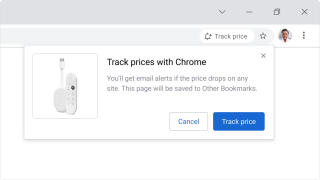
Google Chrome has released a bunch of new features that include a new side panel…
Nov 1, 2022
During the latest CES and Google’s I/O Developer Conference, it was announced that new features…
Jun 27, 2022
Google has announced 5 new features coming to Chrome on iOS that will help iPhone…
Jun 26, 2022If you own a Chromebook and an Android device, be it a smartphone or a…
Jun 26, 2014Just when we thought that Chromebooks are in a decline and that the Samsung Chromebook…
Nov 13, 2012By opening a new tab in Chrome and clicking the "Customize Chrome" icon on the bottom right corner, users will open up a new side panel with different customization options. Google Chrome has released a bunch of new features that include a new side panel for faster search results and also a new price tracking feature for desktops.
The new side panel helps quickly compare search results without the need to click the back button each time. To open a search in the side panel, enter your search in the address bar and click on a result. Then click on the "Open search in side panel" icon to open other Google search results of the search you did to get to your current page on the side panel.
Our coverage of Chrome side panel includes: "Google introduces new side panel to customize Chrome"; "Google Chrome now features a price tracker and new side panel for quick searching"; "Google updates Chrome OS to better integrate with other devices". Each article provides unique insights and information.