
Apart from your EOS dSLR camera, the whole setup only requires three things; an Android smartphone/tablet and a TV Stick with DLSR Controller Beta and DSLR Controller Wi-Fi Stick app installed respectively and a power bank that would act as a power source for the TV stick. Here’s a short video of how the setup looks like: Alternatively, you can also get rid of the TV Stick and Power Bank altogether and connect your Android handset/tablet straight to your Canon EOS dSLR camera. For more information, check out Android's official developer's blog here. A reader emailed in asking for advise on which dSLR camera to get with a budget under Php40,000. The controller supports Steam Input which lets players to customize controls and use community-made layouts for thousands of games. Read more in our articles including "Adding Wi-Fi to your EOS dSLR on a budget" and "Google previews Android 12L for tablets, foldables, ChromeOS devices".
There are a handful of ways to add Wi-Fi to your Canon EOS dSLR camera.…
Sep 29, 2013
Google has just announced a new version of Android 12 that is catered to larger…
Oct 28, 2021A reader emailed in asking for advise on which dSLR camera to get with a…
Apr 29, 2009Maybe this is what Google wanted all along — for every small-time phone manufacturer not…
Dec 5, 2008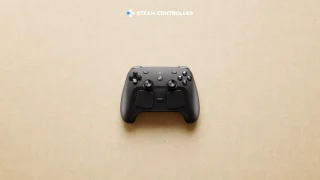
Valve’s new Steam Controller is now available in the Philippines. The Steam Controller 2nd Gen…
Jun 15, 2026
ASUS has announced the new ASUS Pad (T3201), marking the company’s return to the Android…
Jun 3, 2026Apart from your EOS dSLR camera, the whole setup only requires three things; an Android smartphone/tablet and a TV Stick with DLSR Controller Beta and DSLR Controller Wi-Fi Stick app installed respectively and a power bank that would act as a power source for the TV stick. Here’s a short video of how the setup looks like: Alternatively, you can also get rid of the TV Stick and Power Bank altogether and connect your Android handset/tablet straight to your Canon EOS dSLR camera.
For more information, check out Android's official developer's blog here. A reader emailed in asking for advise on which dSLR camera to get with a budget under Php40,000. The controller supports Steam Input which lets players to customize controls and use community-made layouts for thousands of games.
Our coverage of dslr controller for android includes: "Adding Wi-Fi to your EOS dSLR on a budget"; "Google previews Android 12L for tablets, foldables, ChromeOS devices"; "Top dSLR Camera Picks under Php40k". Each article provides unique insights and information.