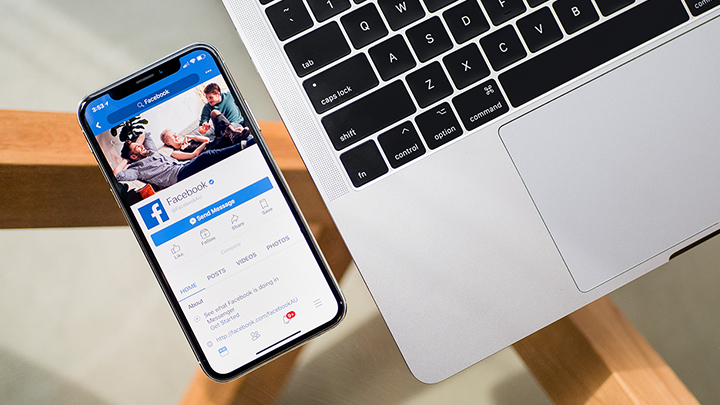

Facebook has begun to roll out shortcut bar settings to users of its mobile app. [caption id="attachment_222447" align="alignnone" width="720"] Image from TechCrunch[/caption] According to a report by TechCrunch, Facebook users now have the option to customize the shortcuts bar at the bottom by removing certain tabs such as Marketplace, Watch, Groups, Events, Dating, and more. To remove a tab or hide notifications, press and hold any of the buttons in the shortcuts bar, and a menu will pop-up for users to select their preferences. The shortcuts bar can also be managed by going to the Settings option in the menu and selecting Shortcuts under it. Through the game users can learn more about the settings of Facebook such as Privacy settings, Advertiser preferences, and security settings. Read more in our articles including "Facebook introduces shortcut bar settings in mobile app" and "Facebook launches Your Profile, Your Home game".

Facebook has begun to roll out shortcut bar settings to users of its mobile app.…
Nov 12, 2019
Facebook is launching a new game, Your Profile, Your Home where users can build their…
May 20, 2022
Zoom has introduced ZoomMate, a new AI-powered work platform designed to help teams turn conversations…
Jun 20, 2026
The Philippine Atmospheric, Geophysical and Astronomical Services Administration (PAGASA) has launched the PANaHON mobile app,…
Jun 16, 2026
EStrava has announced a set of new and updated hiking features aimed at helping users…
Jun 13, 2026
Netflix has unveiled a refreshed mobile experience and expanded gaming initiatives during its APAC Product…
Jun 11, 2026Facebook has begun to roll out shortcut bar settings to users of its mobile app. [caption id="attachment_222447" align="alignnone" width="720"] Image from TechCrunch[/caption] According to a report by TechCrunch, Facebook users now have the option to customize the shortcuts bar at the bottom by removing certain tabs such as Marketplace, Watch, Groups, Events, Dating, and more.
To remove a tab or hide notifications, press and hold any of the buttons in the shortcuts bar, and a menu will pop-up for users to select their preferences. The shortcuts bar can also be managed by going to the Settings option in the menu and selecting Shortcuts under it. Through the game users can learn more about the settings of Facebook such as Privacy settings, Advertiser preferences, and security settings.
Our coverage of facebook shortcut bar settings includes: "Facebook introduces shortcut bar settings in mobile app"; "Facebook launches Your Profile, Your Home game"; "Zoom launches ZoomMate AI Teammate". Each article provides unique insights and information.