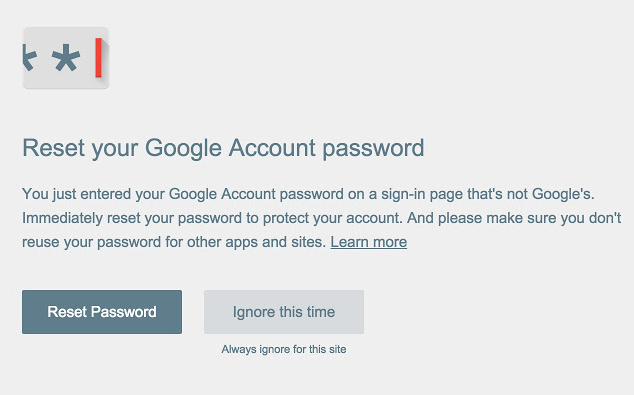

A recent survey on passwords by ExpressVPN revealed that only 1 in every 5 people is aware of and really makes an effort to create complicated passwords. We can all agree – it all starts with having a strong password that one can still remember and update regularly. For example, "No Password, No Entry" can be transformed into a password like "n0p455w0rdn03ntry". Mix Upper and Lowercase Letters: Varying between upper and lowercase letters increases the complexity of your password. In the above example, "No", "Password", "No", and "Entry" all mix upper and lowercase letters, and to easily remember, the first letter of each word is capitalized. This transforms our original password to “N0P455w0rdN03ntry” so it satisfies the uppercase and lowercase requirements for a strong password. Include Numbers and Symbols: Numbers and symbols greatly enhance the strength of your password. This transforms your original example password to as simple as “N0P455w0rdN03ntry!!!” or “@(N0P455w0rdN03ntry)@”. Read more in our articles including "How to Create and Memorize Difficult Passwords" and "1TB and up HDD Price List in the Philippines".

Perhaps the single most controversial topic this year is all about hacking accounts – from…
Dec 19, 2023
Shopping for a laptop can be quite confusing for most folks and if you’re like…
May 16, 2022
The TECNO POVA Curve 2 5G has arrived. It’s a slim, lightweight phone, and yet…
Jun 12, 2026
Everything Apple Announced at WWDC 2026: New Siri AI, iOS 27, macOS Golden Gate, and…
Jun 9, 2026
When it comes to OPPO’s budget-friendly options, it’s hard to beat what the new A6…
May 16, 2026
OPPO has released three new models recently: the standard Reno15, the more affordable Reno15 F,…
Apr 22, 2026A recent survey on passwords by ExpressVPN revealed that only 1 in every 5 people is aware of and really makes an effort to create complicated passwords. We can all agree – it all starts with having a strong password that one can still remember and update regularly.
For example, "No Password, No Entry" can be transformed into a password like "n0p455w0rdn03ntry". Mix Upper and Lowercase Letters: Varying between upper and lowercase letters increases the complexity of your password. In the above example, "No", "Password", "No", and "Entry" all mix upper and lowercase letters, and to easily remember, the first letter of each word is capitalized.
Our coverage of hard password includes: "How to Create and Memorize Difficult Passwords"; "1TB and up HDD Price List in the Philippines"; "TECNO POVA Curve 2: Top 4 Best Features". Each article provides unique insights and information.