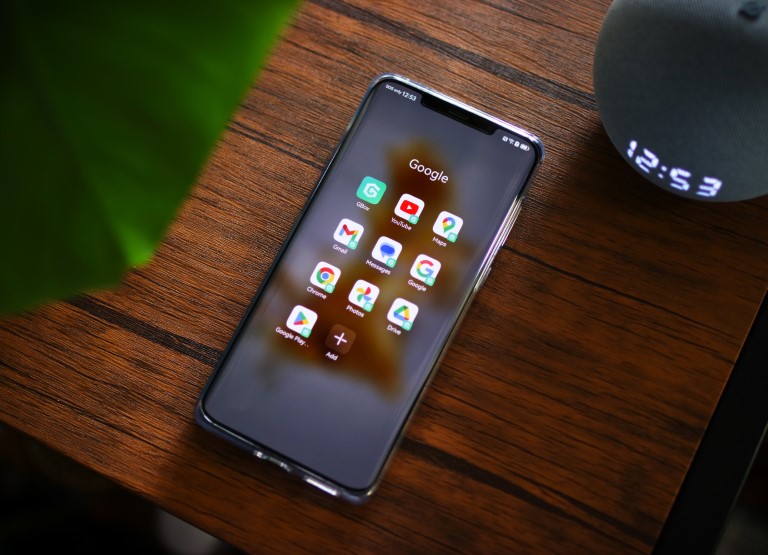

Many users have resorted to different kinds of hacks to install GMS on Huawei devices and one of the newest ones uses the app called GBox. Unlike sideloading APKs directly to your Huawei smartphone, which won't work as the device doesn't support GMS natively, GBox virtualizes your Huawei smartphone as a different model and lets you sign in to those apps to your Google account. GBox is available in the Huawei AppGallery but you can also download it from its website at https://www.gboxlab.com. Google apps on Huawei As for the performance, GBox runs in the background and works almost perfectly on the Huawei Mate 50 Pro. Read more in our articles including "Installing Google apps (GMS) on Huawei devices with GBox" and "Huawei's new 4G/LTE Pocket WiFi line-up".
Huawei devices are one of the best devices in the market right now. However, it…
Nov 10, 2022Huawei makes some of the most interesting little gadgets around and when I visited their…
Jun 24, 2011Huawei made big news last year when it announced the first Android 3.2 tablet running…
Feb 6, 2012Two Android phones and a tablet — that’s what’s else we saw at the Huawei…
Jun 25, 2011Huawei has announced that they’ll be shipping the new E5 “Pocket MiFi” to the Philippines…
Nov 8, 2010Just finished guesting at Mornings @ ANC with @tjmanotoc where we discussed portable WiFi hotspots…
Jul 22, 2010Many users have resorted to different kinds of hacks to install GMS on Huawei devices and one of the newest ones uses the app called GBox. Unlike sideloading APKs directly to your Huawei smartphone, which won't work as the device doesn't support GMS natively, GBox virtualizes your Huawei smartphone as a different model and lets you sign in to those apps to your Google account.
GBox is available in the Huawei AppGallery but you can also download it from its website at https://www.gboxlab.com. Google apps on Huawei As for the performance, GBox runs in the background and works almost perfectly on the Huawei Mate 50 Pro.
Our coverage of huawei gms gbox includes: "Installing Google apps (GMS) on Huawei devices with GBox"; "Huawei's new 4G/LTE Pocket WiFi line-up"; "Huawei MediaPad Review". Each article provides unique insights and information.