Messenger Desktop for Windows

yugatech x ASUS

Latest Review

Sleek HUAWEI MatePad 12 X tablet on a dark surface
HUAWEI MatePad 12 X (2026) Review
A person holding the new iPhone 17 Pro Max
iPhone 17 Pro Max Review
Gray Philips tablet with rear camera and flash on metallic finish
PHILIPS 10-inch Tablet (T7305L) Review
nubia Neo 3 GT vs. Infinix GT 30 Comparison Review
Nothing Phone (3a) Lite smartphone on a white background
Nothing Phone (3a) Lite Review

Latest Guide

What’s new with Samsung One UI 8
Smartphones Under PHP 10,000 | Q3 2025
Smartphones Under ₱6K (Php 6,000) | Q3 2025
Xiaomi 15T Pro vs. Xiaomi 14T Pro: What’s different?
List of Xiaomi devices for HyperOS 3 Update Timeline
Messenger Desktop for Windows Archives » YugaTech | Philippines Tech News & Reviews
Yugatech Logo 2023
YugaTech is the largest and longest-running technology website in the Philippines. Orignally established in October 2002, the site was transformed in 2005 into a full-fledged technology news and reviews destination for Filipinos across the globe.

Tech Guides

YugaTech | Philippines Tech News & Reviews
© 2025. All Rights Reserved.

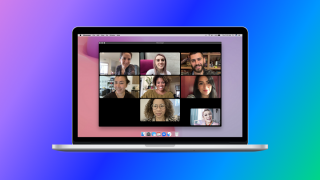
Facebook's Messenger app gets a counterpart for PCs and laptops! The Silicon Valley-based tech company aims to connect more people through the Messenger Desktop. Some of the highlights of the app include a larger screen for video calls, auto-adding of contacts with the Messenger app, easy access to messages and notifications while multitasking, muting and snoozing of notifications, chat synchronization across connected devices, exclusive GIFs to send, and Dark Mode for saving the laptop's battery. The Messenger Desktop is now available via the Microsoft Store and Mac App Store for free. The Messenger desktop app is set to be shut down for Windows and Mac users on December 15, 2025. Users will no longer be able to log into the apps and will be redirected to Facebook for Messenger access. As for Windows users, users are encouraged to use the web version or Facebook desktop app. To check out the former, just go to Messenger settings and tap Privacy & Safety. Read more in our articles including "Facebook releases Messenger Dekstop" and "Messenger desktop app to shut down for Windows and Mac on December 15".

More About Messenger Desktop for Windows

Frequently Asked Questions

What is Messenger Desktop for Windows?

Facebook's Messenger app gets a counterpart for PCs and laptops! The Silicon Valley-based tech company aims to connect more people through the Messenger Desktop.

What have you covered about Messenger Desktop for Windows?

Some of the highlights of the app include a larger screen for video calls, auto-adding of contacts with the Messenger app, easy access to messages and notifications while multitasking, muting and snoozing of notifications, chat synchronization across connected devices, exclusive GIFs to send, and Dark Mode for saving the laptop's battery. The Messenger Desktop is now available via the Microsoft Store and Mac App Store for free. The Messenger desktop app is set to be shut down for Windows and Mac users on December 15, 2025.

Where can I find articles about Messenger Desktop for Windows?

Our coverage of Messenger Desktop for Windows includes: "Facebook releases Messenger Dekstop"; "Messenger desktop app to shut down for Windows and Mac on December 15"; "OnePlus Watch Lite now official". Each article provides unique insights and information.