

Apple has just announced the release of the Oceanic+ app on the Apple Watch Ultra which aims to turn it into an easy-to-use dive computer. The app is said to provide all of the key features like an advanced dive computer, a robust dive planner, and a comprehensive post-dive experience. In the Oceanic+ app on Apple Watch Ultra, the primary screen can indicate a diver’s current depth, no-decompression time, water temperature, and more. The integrated dive planner helps users set their surface time, depth, and gas. The Oceanic+ app also allows divers to calculate their No Deco (no-decompression) time. Read more in our articles including "Apple introduces Oceanic+ app for divers with the Apple Watch Ultra" and "Apps for Room Makeovers".

Apple has just announced the release of the Oceanic+ app on the Apple Watch Ultra…
Nov 29, 2022
We may try to explore to plan our ideal look or the interior design of…
Oct 5, 2020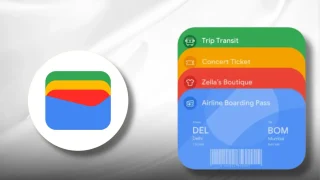
Google is testing a new Google Wallet feature that automatically tracks delivery packages using Gmail…
Jun 28, 2026
Zoom has introduced ZoomMate, a new AI-powered work platform designed to help teams turn conversations…
Jun 20, 2026
The Philippine Atmospheric, Geophysical and Astronomical Services Administration (PAGASA) has launched the PANaHON mobile app,…
Jun 16, 2026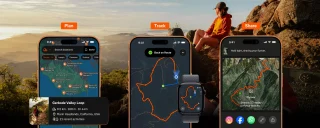
EStrava has announced a set of new and updated hiking features aimed at helping users…
Jun 13, 2026Apple has just announced the release of the Oceanic+ app on the Apple Watch Ultra which aims to turn it into an easy-to-use dive computer. The app is said to provide all of the key features like an advanced dive computer, a robust dive planner, and a comprehensive post-dive experience.
In the Oceanic+ app on Apple Watch Ultra, the primary screen can indicate a diver’s current depth, no-decompression time, water temperature, and more. The integrated dive planner helps users set their surface time, depth, and gas. The Oceanic+ app also allows divers to calculate their No Deco (no-decompression) time.
Our coverage of Oceanic+ dive planner includes: "Apple introduces Oceanic+ app for divers with the Apple Watch Ultra"; "Apps for Room Makeovers"; "Google Wallet adds Package Tracking via Gmail Receipts". Each article provides unique insights and information.