
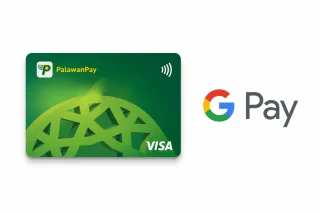
PalawanPay has added Google Wallet support for its Visa Card, allowing eligible Android users to make contactless payments using their smartphones instead of a physical card. The new feature lets users link their PalawanPay Visa Virtual Card to Google Wallet and pay at stores that accept contactless payments through Google Pay's Tap to Pay feature. To use the feature, users need to open the PalawanPay app, go to the Cards section, tap the Tap to Pay GPay button, then select Add to Google Wallet. According to PalawanPay's FAQs, users must have an active PalawanPay Visa Virtual Card, an Android phone with NFC support, an updated Google Wallet app, and a screen lock such as a PIN, password, fingerprint, or face unlock. If users are unable to add their card, possible reasons include outdated versions of the PalawanPay or Google Wallet apps, disabled NFC, unsupported devices, inactive or blocked cards, or temporary system or internet connection issues. PalawanPay recommends updating both apps, enabling NFC, checking the internet connection, and ensuring the Visa Card is active before trying again. Several companies, including GCash, Visa, and Mastercard, have shown interest in the Philippine government’s plan to create a single fare payment system for trains and other transport. Read more in our articles including "PalawanPay Visa Card now works with Google Wallet" and "GCash, Visa, Mastercard eye PH Fare System Project".
PalawanPay has added Google Wallet support for its Visa Card, allowing eligible Android users to…
Jun 30, 2026
Several companies, including GCash, Visa, and Mastercard, have shown interest in the Philippine government’s plan…
Apr 13, 2026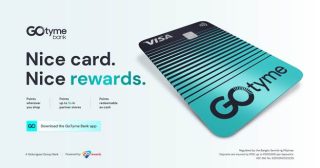
GoTyme Bank is now the most-used Visa debit card in the Philippines. This milestone was…
Feb 23, 2026
In a surprise move by Maya, local digital bank is launching their very own Maya…
Apr 30, 2025I’ve been an avid fan of the Moo cards ever since they went online. The…
Jul 22, 2008
Bank of the Philippine Islands (BPI) will permanently remove transfer fees for InstaPay and PESONet…
Jun 29, 2026PalawanPay has added Google Wallet support for its Visa Card, allowing eligible Android users to make contactless payments using their smartphones instead of a physical card. The new feature lets users link their PalawanPay Visa Virtual Card to Google Wallet and pay at stores that accept contactless payments through Google Pay's Tap to Pay feature.
To use the feature, users need to open the PalawanPay app, go to the Cards section, tap the Tap to Pay GPay button, then select Add to Google Wallet. According to PalawanPay's FAQs, users must have an active PalawanPay Visa Virtual Card, an Android phone with NFC support, an updated Google Wallet app, and a screen lock such as a PIN, password, fingerprint, or face unlock. If users are unable to add their card, possible reasons include outdated versions of the PalawanPay or Google Wallet apps, disabled NFC, unsupported devices, inactive or blocked cards, or temporary system or internet connection issues.
Our coverage of PalawanPay Visa Card includes: "PalawanPay Visa Card now works with Google Wallet"; "GCash, Visa, Mastercard eye PH Fare System Project"; "GoTyme Bank becomes top Visa debit card in the Philippines". Each article provides unique insights and information.