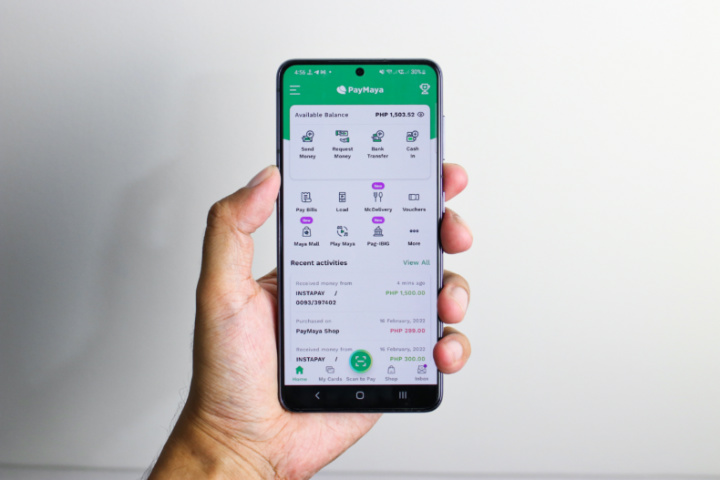

Not just your regular utility bills but government, like SSS, BIR, PAG-IBIG, and PRC. If you’ve been using PayMaya for a while now, then you know that you can use this e-wallet to send money between PayMaya accounts, send money to banks, buy load, and pay bills. And the cherry on top is that you can earn cashback that is directly credited to your PayMaya account every time you pay. PayMaya features SSS, BIR, PAG-IBIG, PRC, DTI, DFA, MMDA, NBI, NHMFC, and NSO. 2) Next, tap “Pay” and select “Pay With PayMaya.” 3) Input your PayMaya-registered mobile number, password, and OTP. Alternatively, you can also pay using the PayMaya app by going to Maya Mall –> Government –> or the Pay Bills –> Government –> SSS Tile. 4) Select “PayMaya” and encode the registered mobile number and PIN. PRC For the Professional Regulation Commission (PRC), you can pay for transactions like exam applications. Read more in our articles including "How to earn cashback when paying bills at SSS, BIR, PAG-IBIG and PRC using PayMaya" and "PayMaya launches Triple Bill Deal Promo".
Whether you’re hunting for your first job or already in the workforce, one of your…
Mar 10, 2022
PayMaya has launched a new promo that gives you a cashback when you pay your…
Sep 15, 2019
PayMaya is now available as a payment method for Apple services in the Philippines. Customers…
Oct 18, 2019
PayMaya has just announced their latest offers for the month of August. Users who shop…
Aug 14, 2019
PayMaya has just announced that users may get up to a total of PHP 2,650…
Jul 26, 2019
The SM Store and PLDT Inc.’s PayMaya Philippines has announced a partnership that would allow…
Jan 18, 2018Not just your regular utility bills but government, like SSS, BIR, PAG-IBIG, and PRC. If you’ve been using PayMaya for a while now, then you know that you can use this e-wallet to send money between PayMaya accounts, send money to banks, buy load, and pay bills.
And the cherry on top is that you can earn cashback that is directly credited to your PayMaya account every time you pay. PayMaya features SSS, BIR, PAG-IBIG, PRC, DTI, DFA, MMDA, NBI, NHMFC, and NSO. 2) Next, tap “Pay” and select “Pay With PayMaya.” 3) Input your PayMaya-registered mobile number, password, and OTP.
Our coverage of paymaya prc includes: "How to earn cashback when paying bills at SSS, BIR, PAG-IBIG and PRC using PayMaya"; "PayMaya launches Triple Bill Deal Promo"; "PayMaya now available as payment method Apple Services in the Philippines". Each article provides unique insights and information.